
Start and finish a workout
How to start the timer for today's workout in WeFit for iPhone, log your sets as you train and close it with the summary of duration, volume and how you felt.
You can do today’s workout with a timer: you tap Start, WeFit counts the time while you log the sets on each exercise’s card and, when you finish, it shows you a summary with the duration, volume and sets done. The Start button only appears on the current day.
Steps
In Today, the header of the Workout card for the current day has a green Start button. Tap it when you’re about to begin.
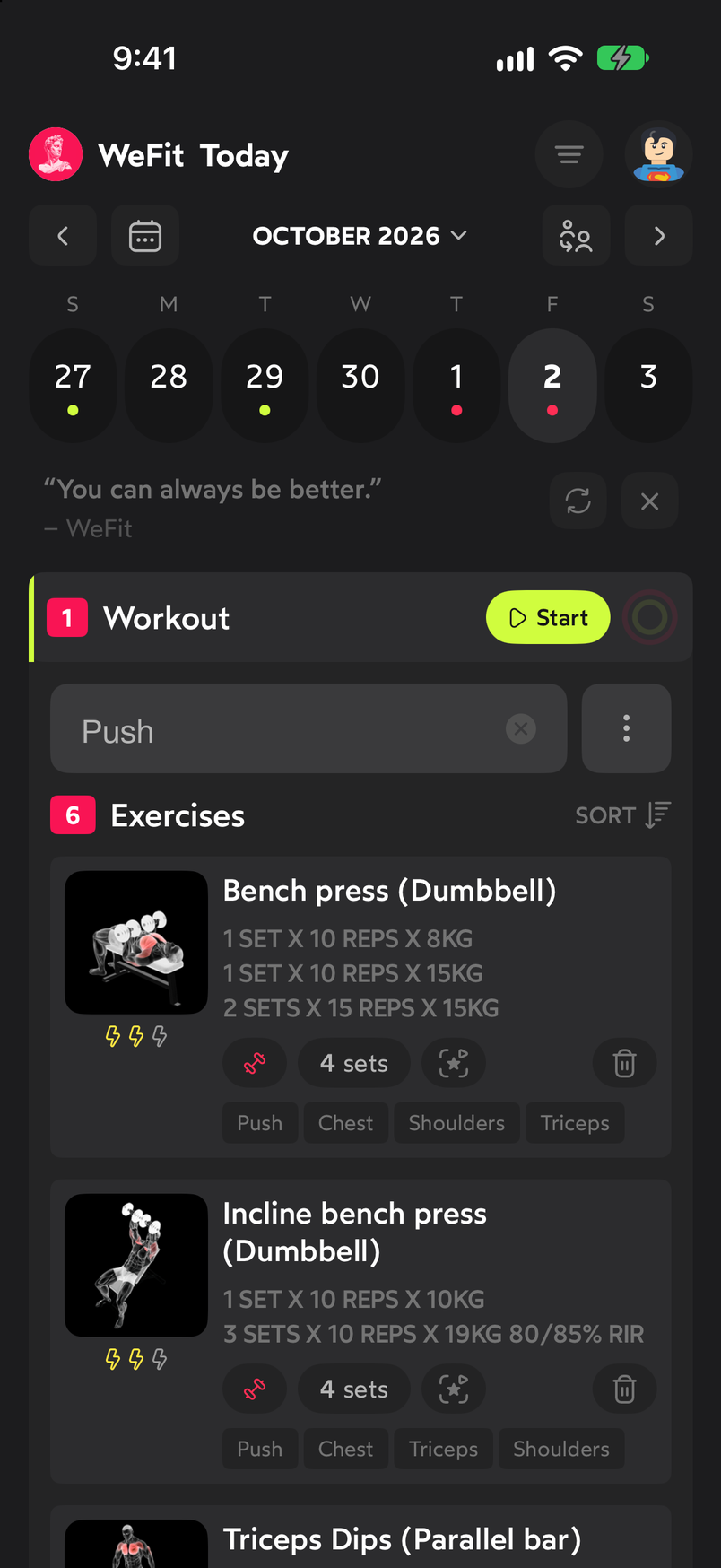
The Start button only shows on today's date. A floating bar appears at the bottom with the timer running and the Finish button. The bar stays fixed while you scroll through the exercises. Log the sets by tapping them on each exercise’s card.
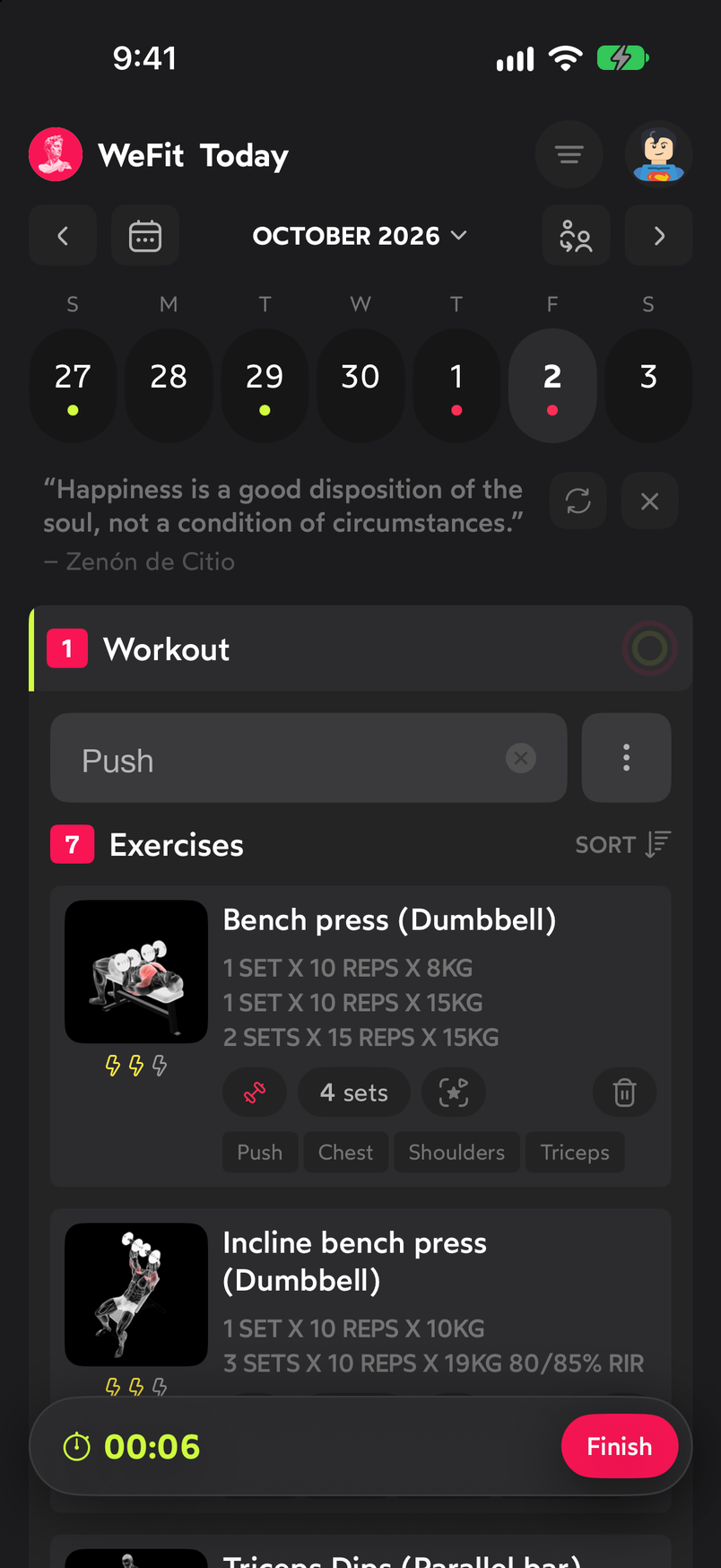
The timer keeps counting while you log your sets. When you’re done, tap Finish. If there are sets left unmarked, the Finish workout dialog tells you how many are missing and gives you three options:
- Mark all sets: marks the pending sets as done and closes the workout.
- Leave as is: stops the timer without touching the sets; the ones you didn’t mark stay pending.
- Discard workout: deletes the session. Use it only if you started by mistake.
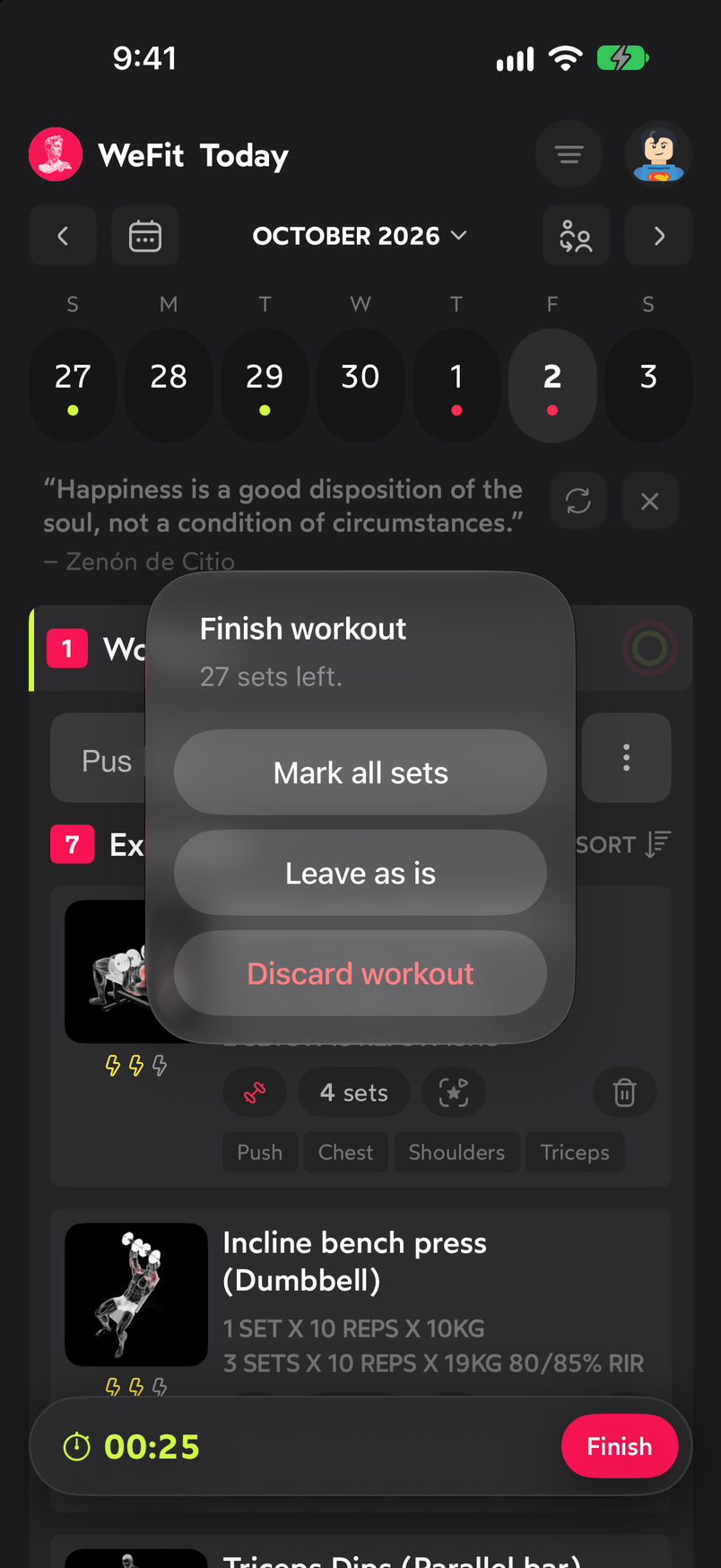
The dialog warns you about missing sets before closing. The Workout complete! summary opens with the workout’s name, the duration in minutes, the volume and the sets done. Below, How did you feel? lets you pick one of three faces to note how you felt. You can Share workout or close with Done.
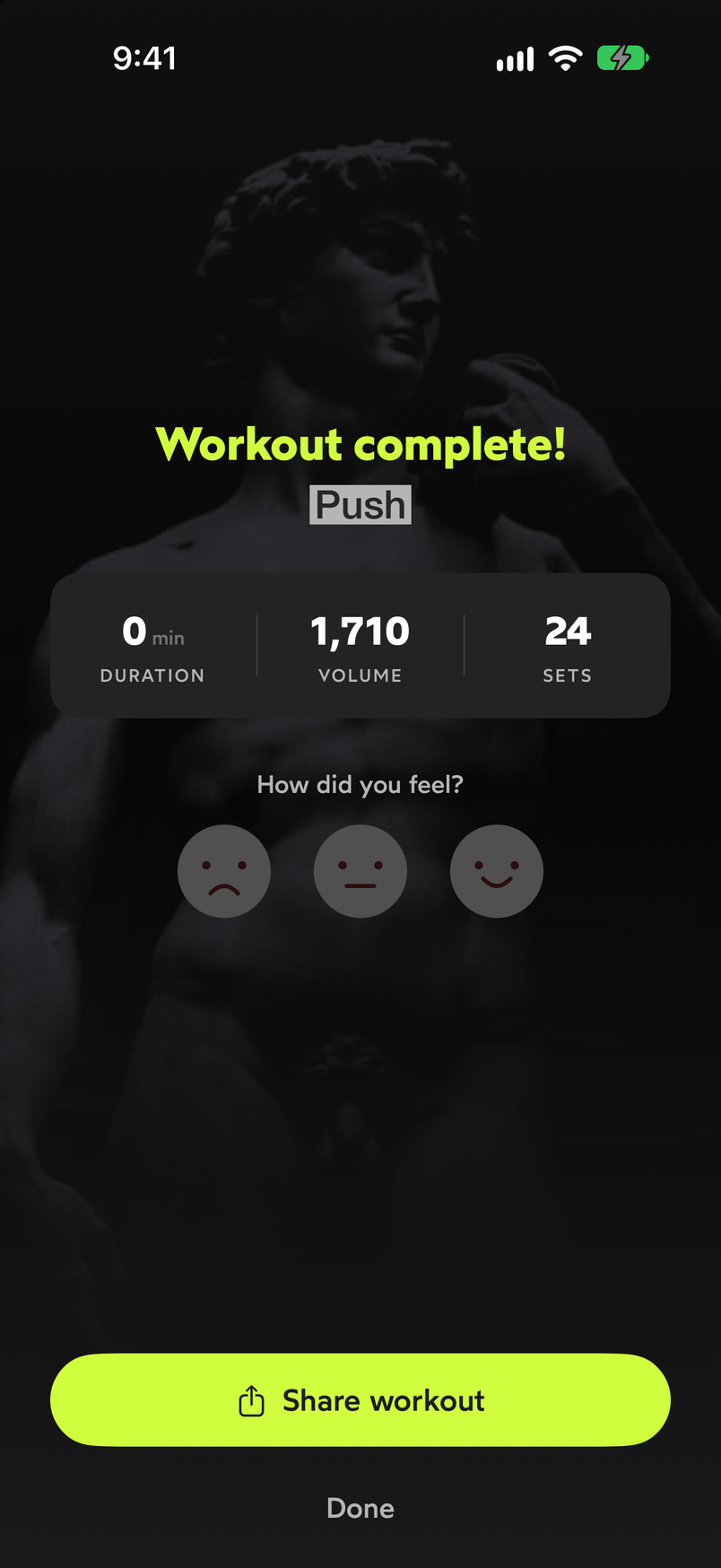
The summary collects the session data and how you felt.
Common problems
I don’t see the Start button
It only appears on the current day’s workout. On other days the card can be edited, but not timed.
The summary says 0 sets
Sets are counted as you mark them on the cards during the workout. If you only started the timer and closed it with Leave as is, the summary reflects the duration but no sets.
I closed the summary without choosing how I felt
You can keep using the workout normally; the feeling is an optional part of the summary.
Related guides
How did this guide go for you?
Thanks for your feedback