
Create a workout from scratch
How to create a new workout in WeFit on iPhone on any day of the calendar: pick the day, create the empty workout, name it and add the exercises.
A workout in WeFit is the session for a specific day: its name and the list of exercises with their sets. You can create it empty and build it exercise by exercise, without needing a saved routine. It works for today or for any other day on the calendar.
Steps
Select a day with no workout. The screen shows the greeting “You haven’t trained yet. Time to get started!” with the Start training button and, below it, the link to let WeFit Intelligence suggest one. Further down are the cardio activities and the weekly goal. Tap Start training.
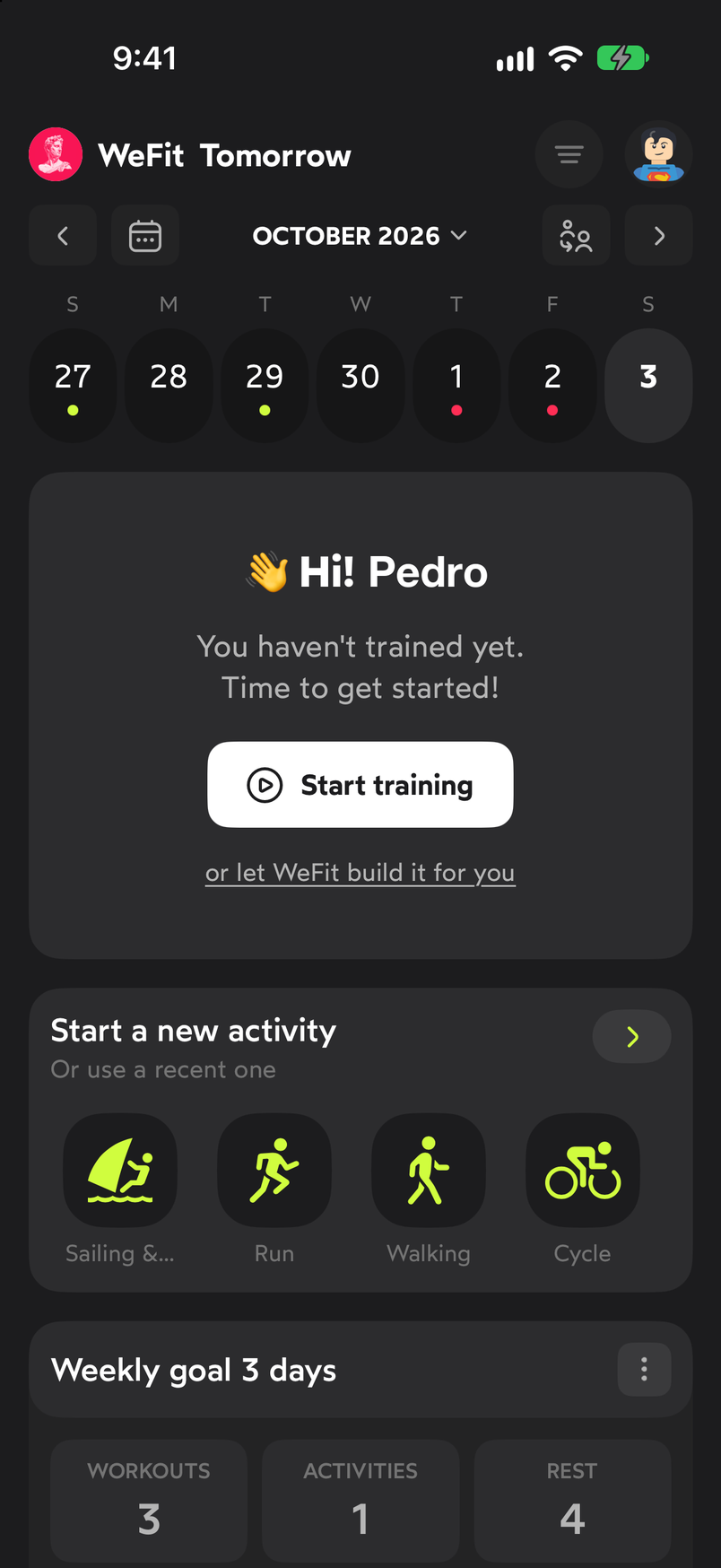
An empty day offers to start a workout or ask WeFit Intelligence for one. A sheet opens with three ways to start: Create workout from scratch (you choose the exercises), From a routine (loads one of your routines saved in My routines) and From another workout (copies a workout you have in My workouts). Tap Create workout from scratch.
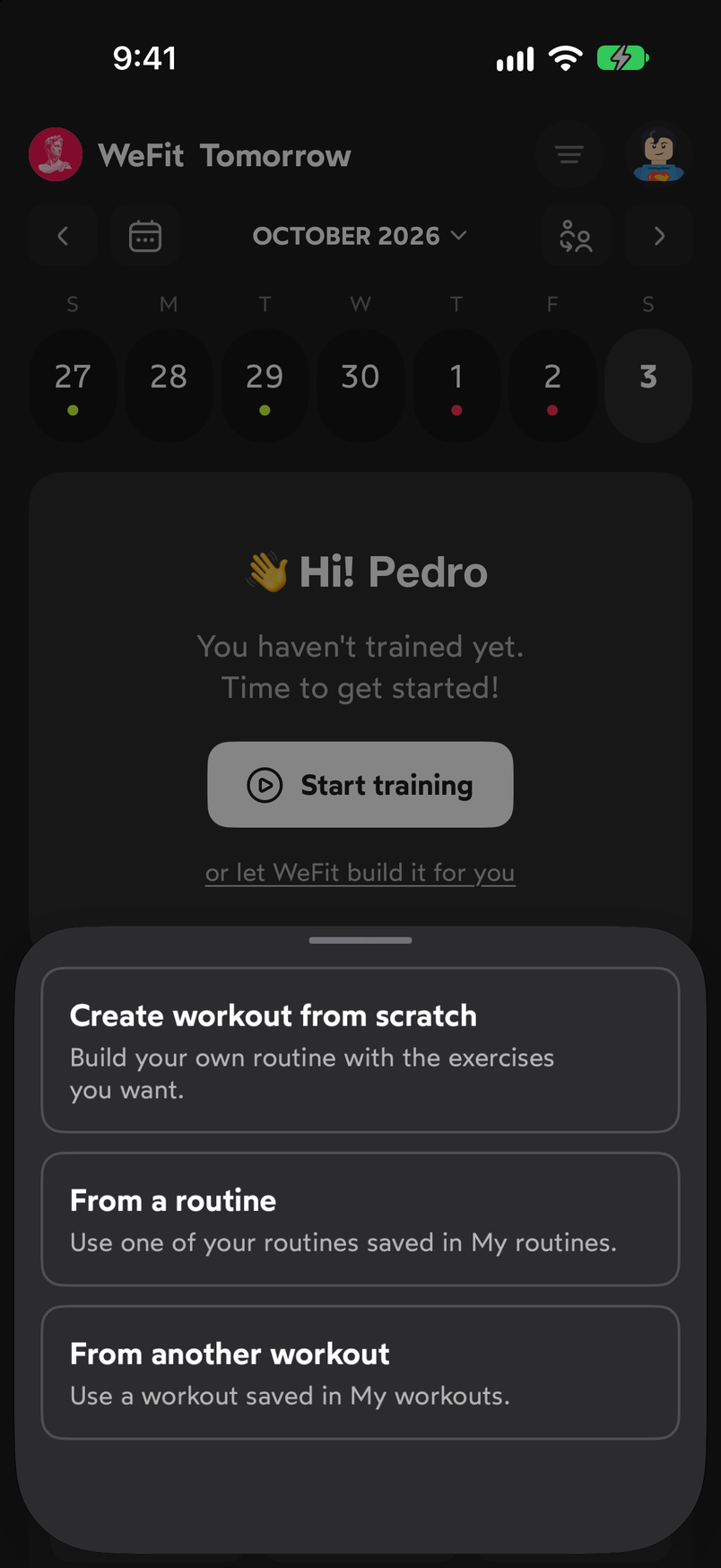
The other two options reuse routines or workouts you already have. The workout appears on the day’s card with the temporary name “New workout” and zero exercises. Tap the name field to type your own. The three-dot button to its right opens the workout options.
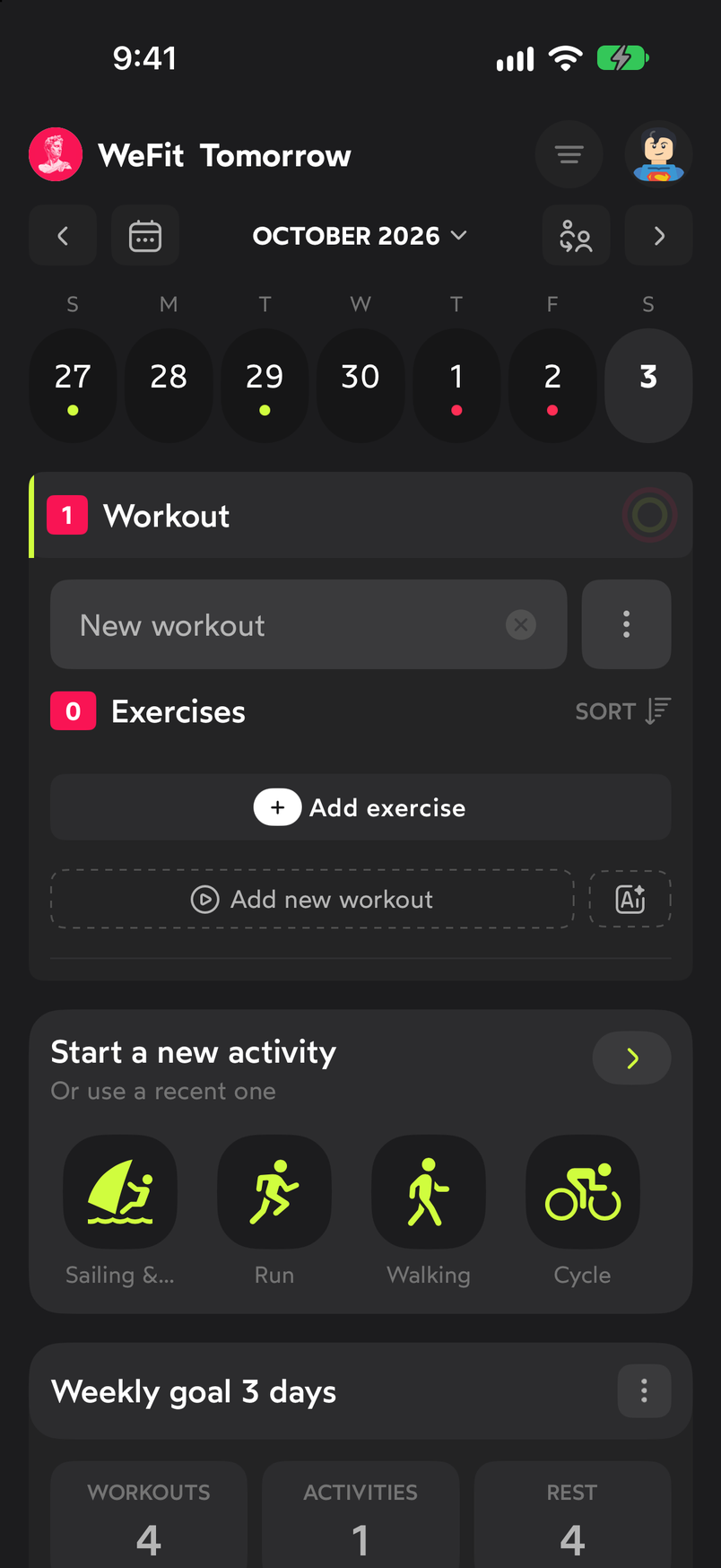
The workout starts empty: editable name and Add exercise button. Tap Add exercise and choose the ones you want in the picker. Each exercise comes in with its default sets, ready to edit. The “Exercises” counter in the header keeps adding up.
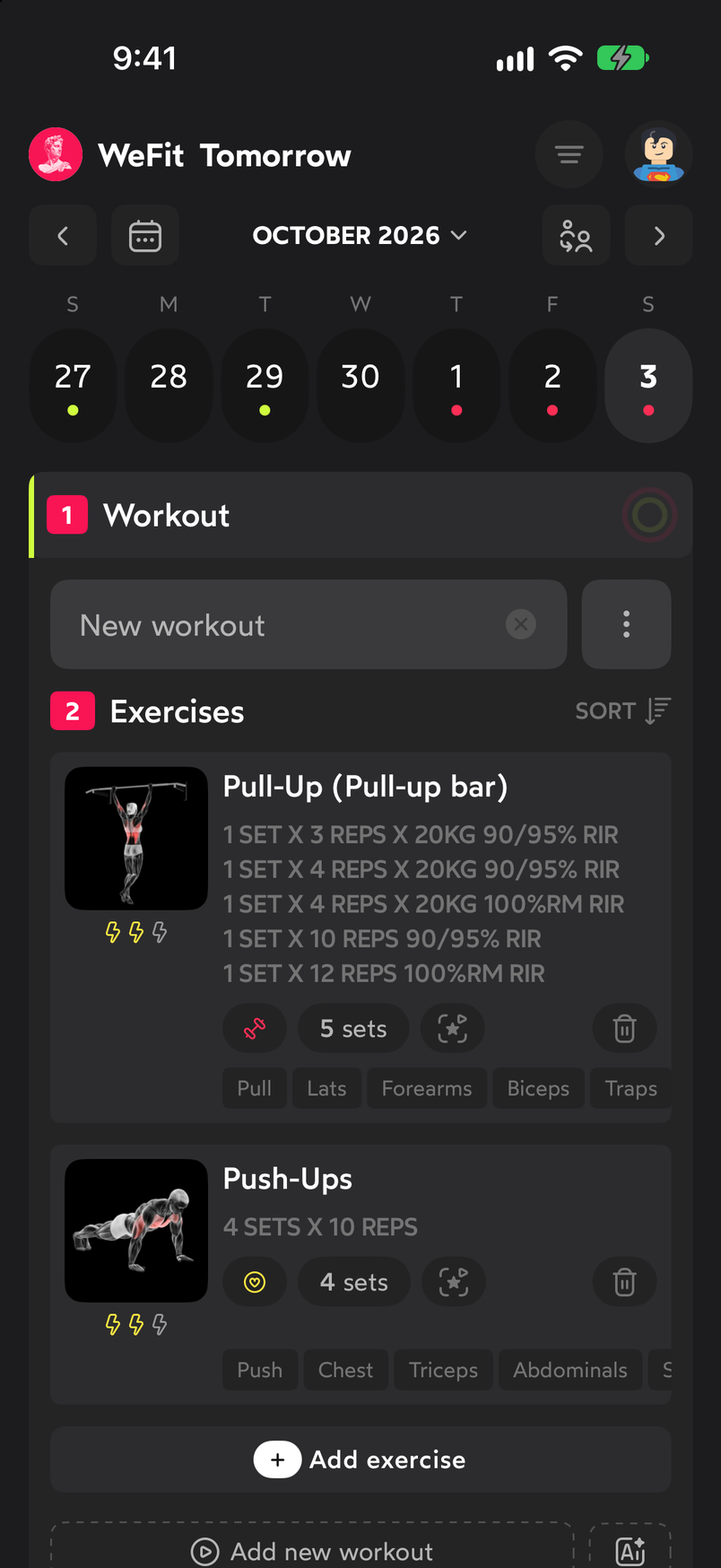
With two exercises added, the workout is ready to start.
For details on how to search and select several exercises at once, see Add an exercise to today’s workout.
Common problems
I don’t see the Start training button
It only appears on days with no workout. If the day already has one, you’ll see its card instead; to add another, use the Add new workout button below the exercise list.
I created the workout on the wrong day
Check the selected day in the top bar before creating anything: the selected date also appears next to the WeFit logo. If you’ve already created it, open the workout options with the three-dot button and delete it, or remove it exercise by exercise.
I want the same workout on several days
Create it once and, on the other days, use From another workout. If you’re going to repeat it many times, save it as a routine from the workout options and load it with From a routine.
Related guides
How did this guide go for you?
Thanks for your feedback