
Add an exercise to today's workout
How to add one or more exercises to the day's session in WeFit on iPhone: open the picker, search the library and confirm.
In WeFit, a workout is the list of exercises you do on a specific day. You can add exercises one by one from the Today screen, whether or not you have a routine loaded. Each exercise comes in with its default sets, ready to edit.
Steps
On Today, scroll to the end of the workout’s exercise list. Below the last exercise is the Add exercise button. Tap it.
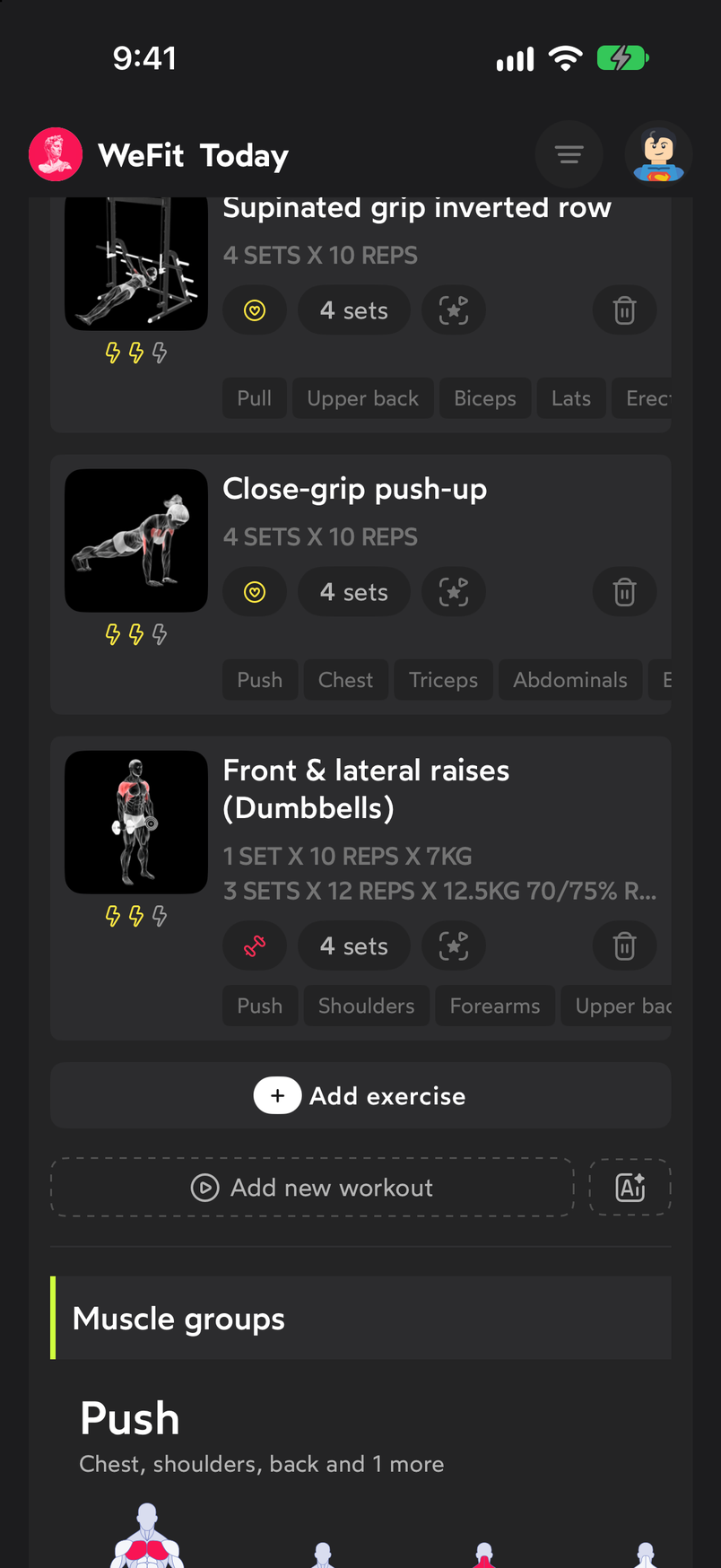
The button is always at the end of the exercise list. The Exercises picker opens with the full library. At the top you have the search by name, the muscle group filter and, on the right, alphabetical order, favorites and the numbered list. Favorites appear first.
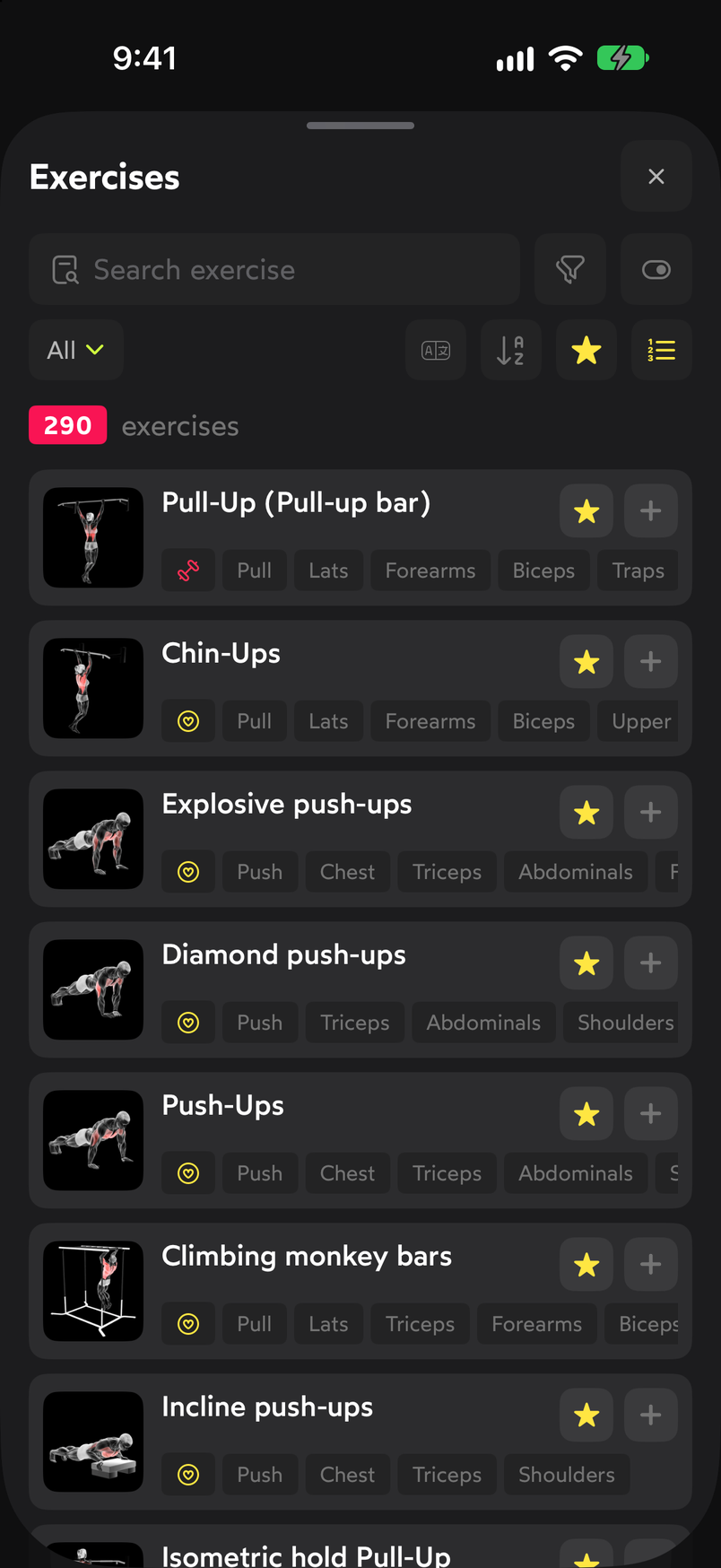
Each row shows the animated icon, the exercise type and its muscle groups. Tap the exercise you want. The checkbox on the right is checked and the Add 1 exercise button appears at the bottom. You can select several in a row; the button counts how many you have. Tap the button to confirm.
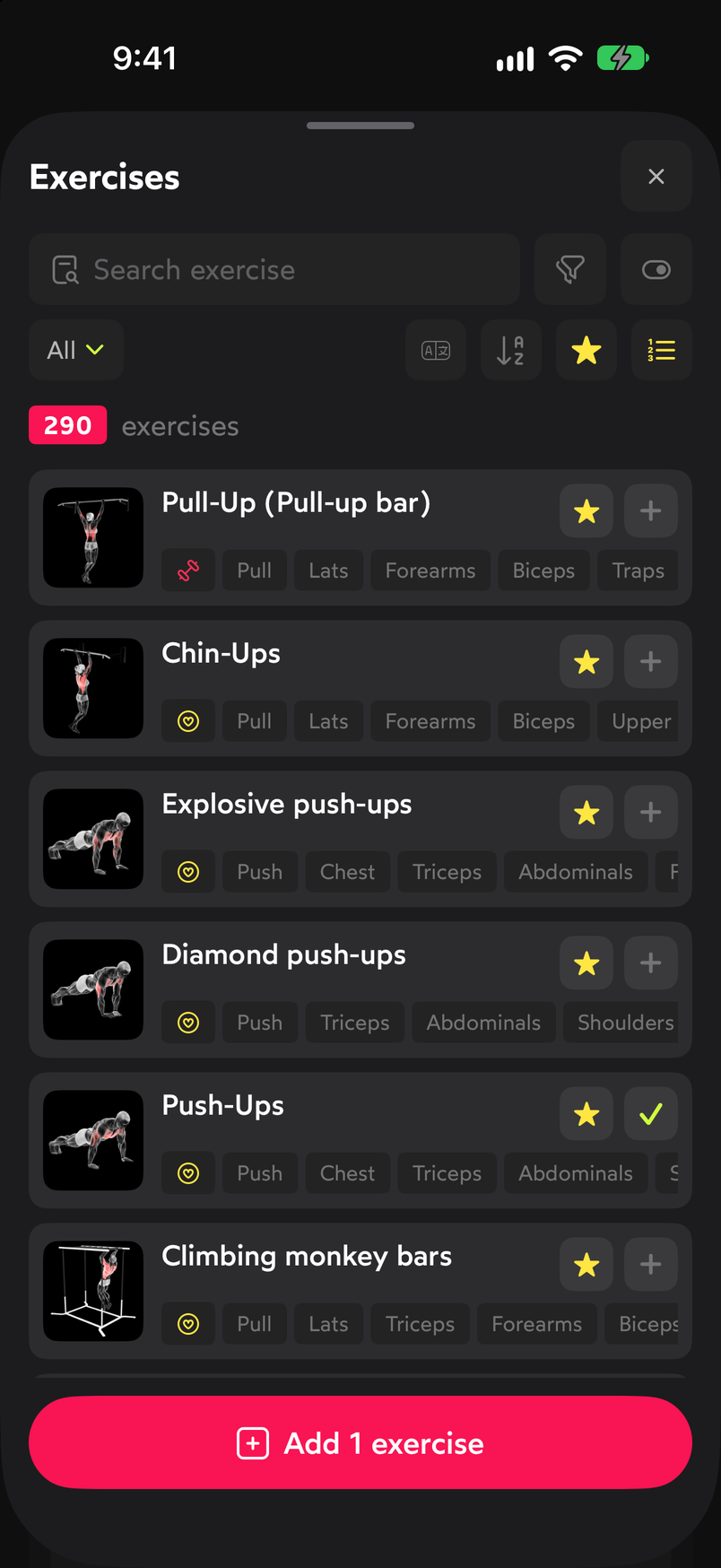
Select one or several and confirm with the button at the bottom. The picker closes and the exercise appears at the end of the workout with its default sets. From the card you can change the number of sets, open its details or delete it with the trash can.
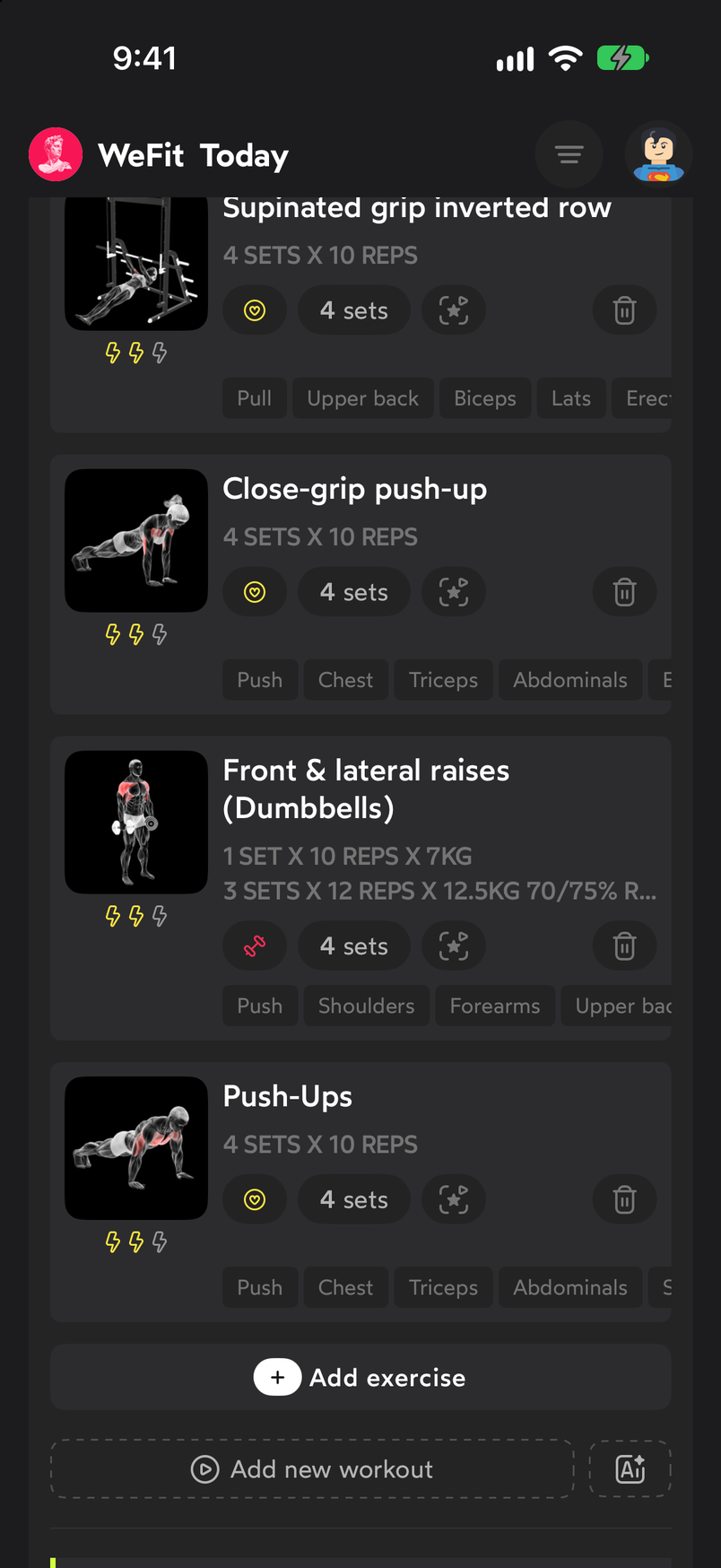
The exercise is now part of today's workout.
Common problems
I can’t find the exercise I’m looking for
The search filters by name. Try a shorter word, for example “press” instead of “incline bench press”, or use the muscle group filter. If the exercise doesn’t exist in the library, you can create it from Exercises.
I added an exercise by mistake
Tap the trash can on the exercise card and confirm with Delete. Any sets you had logged on it are lost.
I want to swap the exercise for a similar one
Tap a set of the exercise to open its editor and use Change exercise. The picker suggests similar exercises first. The new exercise comes in with its own sets, so review them afterward.
Related guides
How did this guide go for you?
Thanks for your feedback