
Log sets in the player
How to use the WeFit Go player on the Apple Watch: start with the countdown, log each set with a tap, follow the rest and finish the workout.
The player is the watch’s workout mode: one set per screen, you log it with a tap and the watch moves on to the rest and the next set by itself. Meanwhile you see the stopwatch, kilocalories and heart rate, all without taking out your iPhone.
Steps
On Hoy (Today), tap the day’s workout. You’ll see the list of exercises with the number of sets for each and, at the top right, the play button.
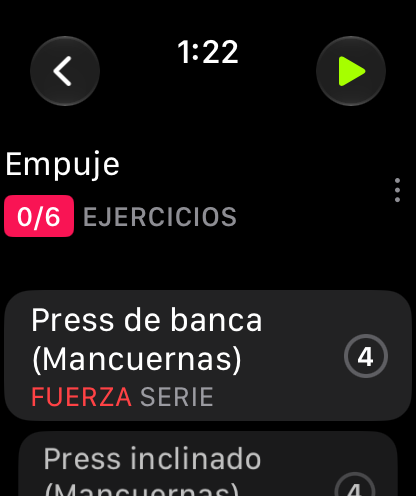
The play button opens the player. Tap play. A three-second countdown starts, with a vibration on each step. When it reaches zero, the stopwatch and the Health session start. If you’re in a hurry, tap the screen to skip it.
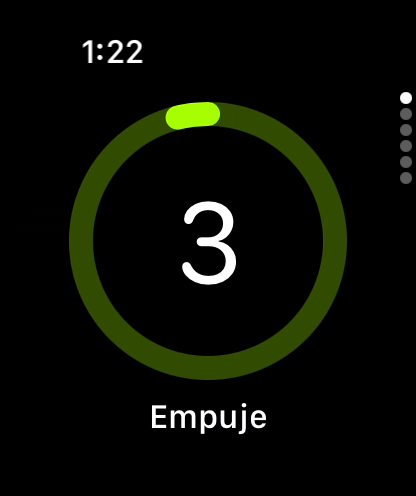
You can skip the countdown by tapping the screen. Each page is a set. On the left you have the stopwatch, kilocalories and heart rate; below, the set’s target (reps and weight, or time). The letter W marks warm-up sets and D marks drop sets. Tap the screen to mark the set as done. If you want to change the target first, tap the set’s row to open the editor.
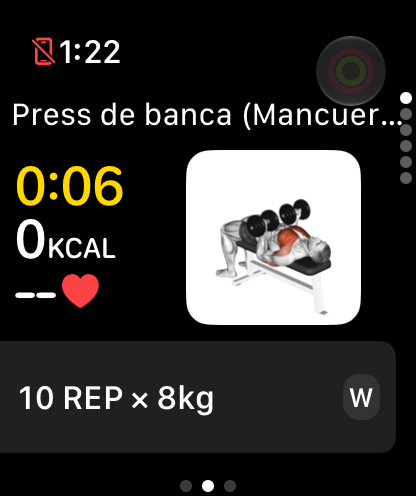
A warm-up set of 10 reps with 8 kg. When you log the set, the rest begins. The top bar fills up, the countdown runs in the center and below it the siguiente (next) set appears. When it ends, the player moves on to the next page by itself. If you swipe to the exercise page, the rest keeps counting.
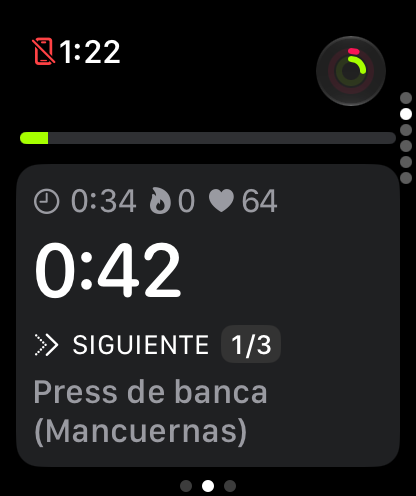
The rest shows what comes next. The button at the top right has a double ring: the outer one is the workout’s progress and the inner one is the current exercise’s progress. Tap it to open the finish dialog, which tells you how many sets are left and gives you Pausar (Pause), Completar (Complete) or Descartar (Discard).
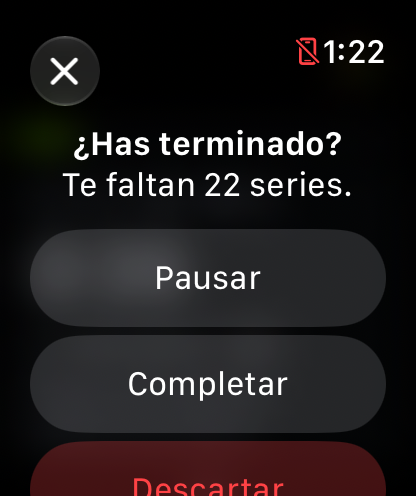
If you have sets left, the dialog tells you.
Common problems
My heart rate shows ”—”
The watch takes a few seconds to take the first reading after the player starts. If it never appears, check in the Health app on the iPhone that WeFit Go has permission to read heart rate.
The stopwatch stops when I lower my wrist
The stopwatch keeps running in the background thanks to the Health workout session. If it stops, check that WeFit Go has permission to write workouts to Health.
I logged a set by accident
Swipe up to go back to the set and correct it from its row. If you’d rather start over, open the finish dialog and choose Descartar: the day’s workout stays as it was.
How did this guide go for you?
Thanks for your feedback