
Swap an exercise for another
How to replace an exercise in your workout with a similar one in WeFit on iPhone, from the exercise editor, and what happens to its sets.
If the machine is taken or you don’t have the equipment, you can replace an exercise in your workout with another one without deleting it and adding it again. You do it from the exercise editor with the Change exercise button, and the picker suggests the most similar movements first.
Steps
Open the exercise editor by tapping one of its set lines on Today and tap Change exercise, at the top left. The picker opens with the full library and the search; the list starts with exercises similar to the current one (for the Pull-up: the Isometric pull-up, the Pull-up with feet supported…).
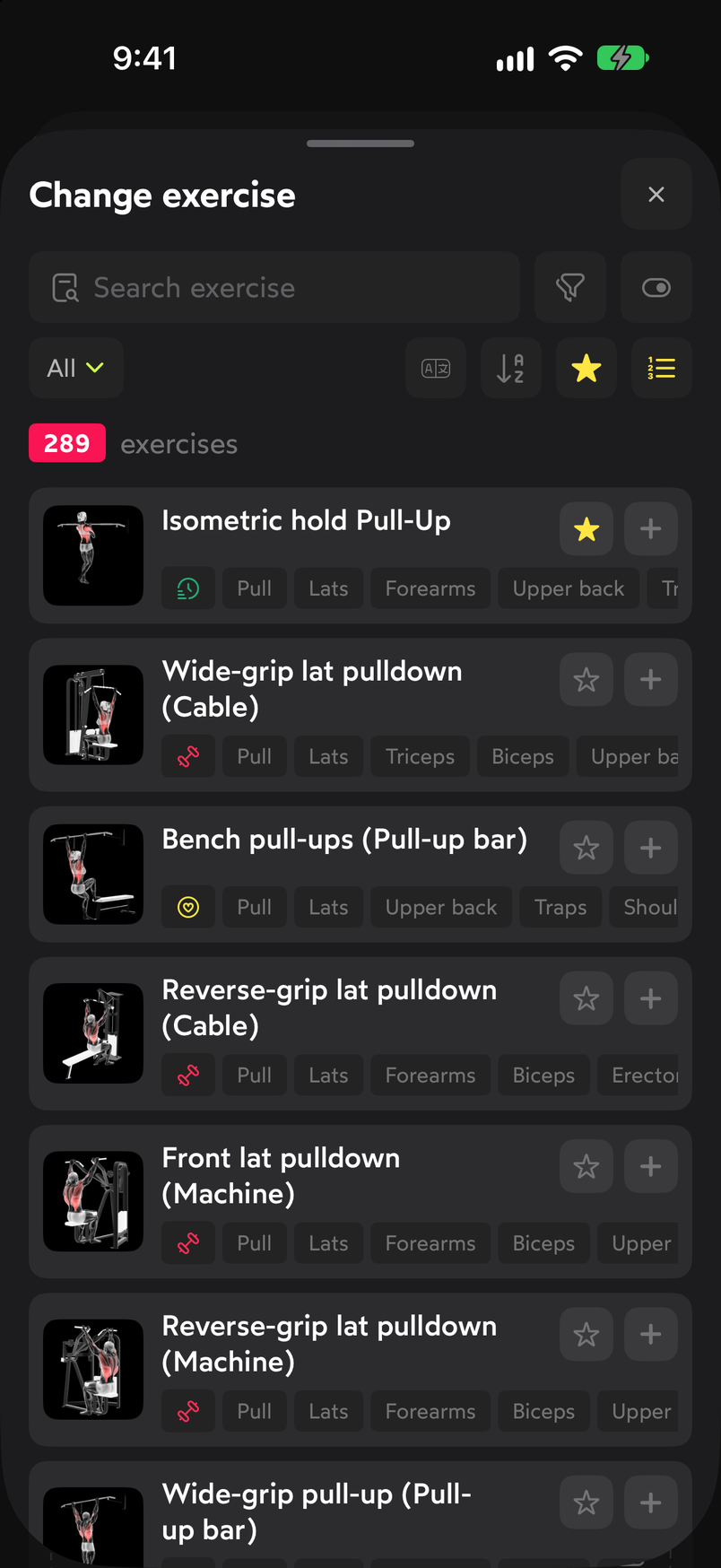
Similar exercises appear first. Tap the exercise you want. It’s marked with a check on the right and the Change exercise button appears at the bottom to confirm. Tap it.
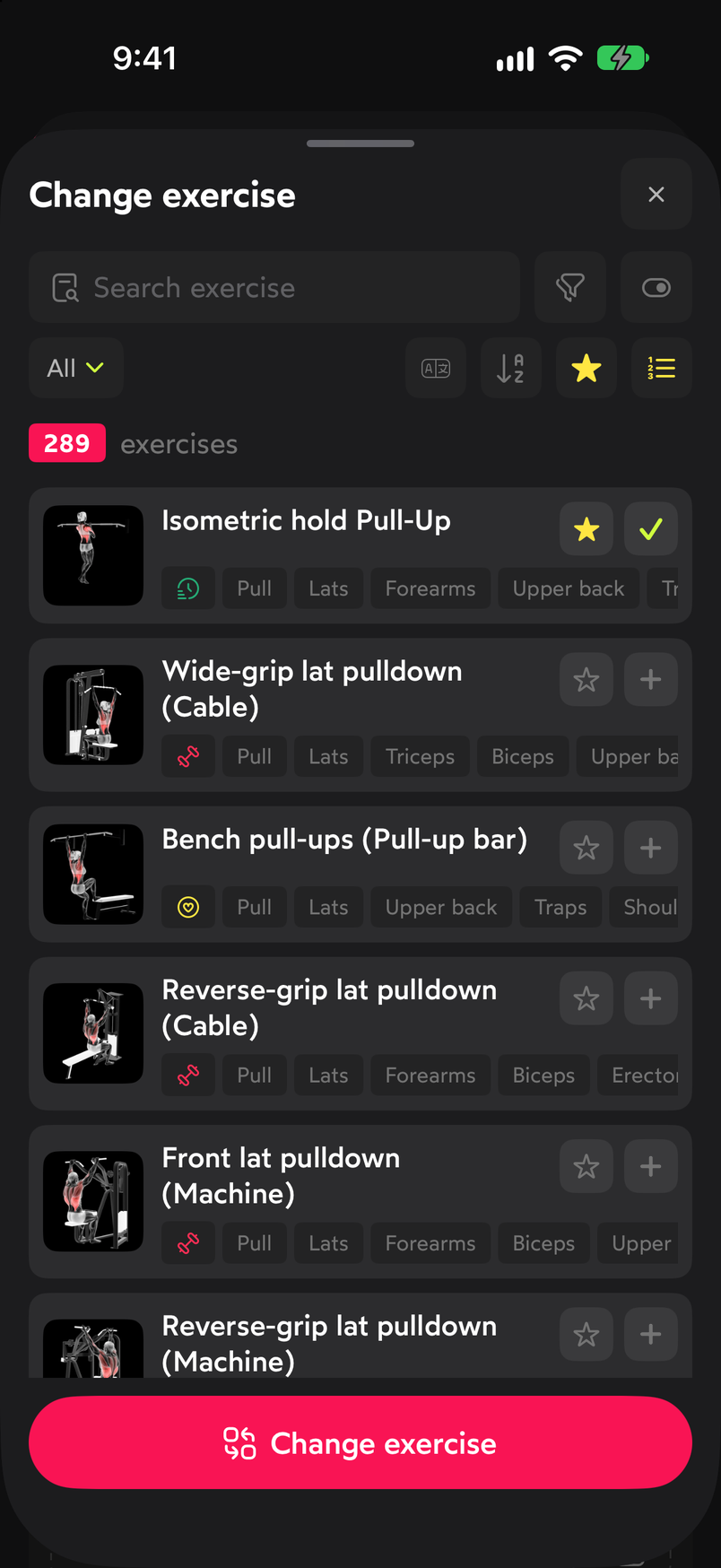
Select the replacement and confirm with the button at the bottom. The editor now shows the new exercise with its type and default sets. In this example the Isometric pull-up comes in as INTERVALS with four sets of “max +10”, different from the ones the Pull-up had. Adjust whatever you need before closing.
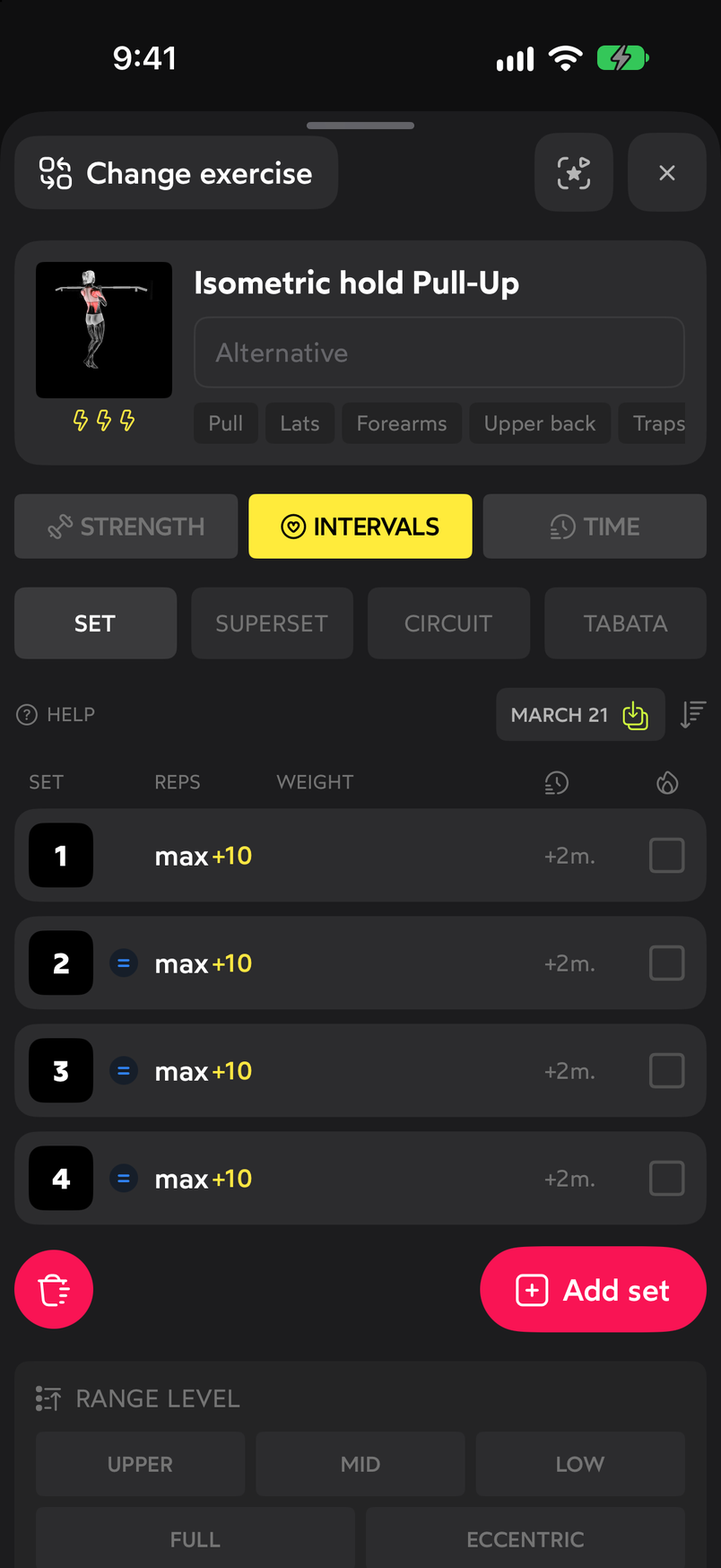
The sets are those of the new exercise, not the previous one. Close the editor with the X. On the day’s card the exercise appears replaced, with its set summary updated (“4 SETS X MAX REPS”).
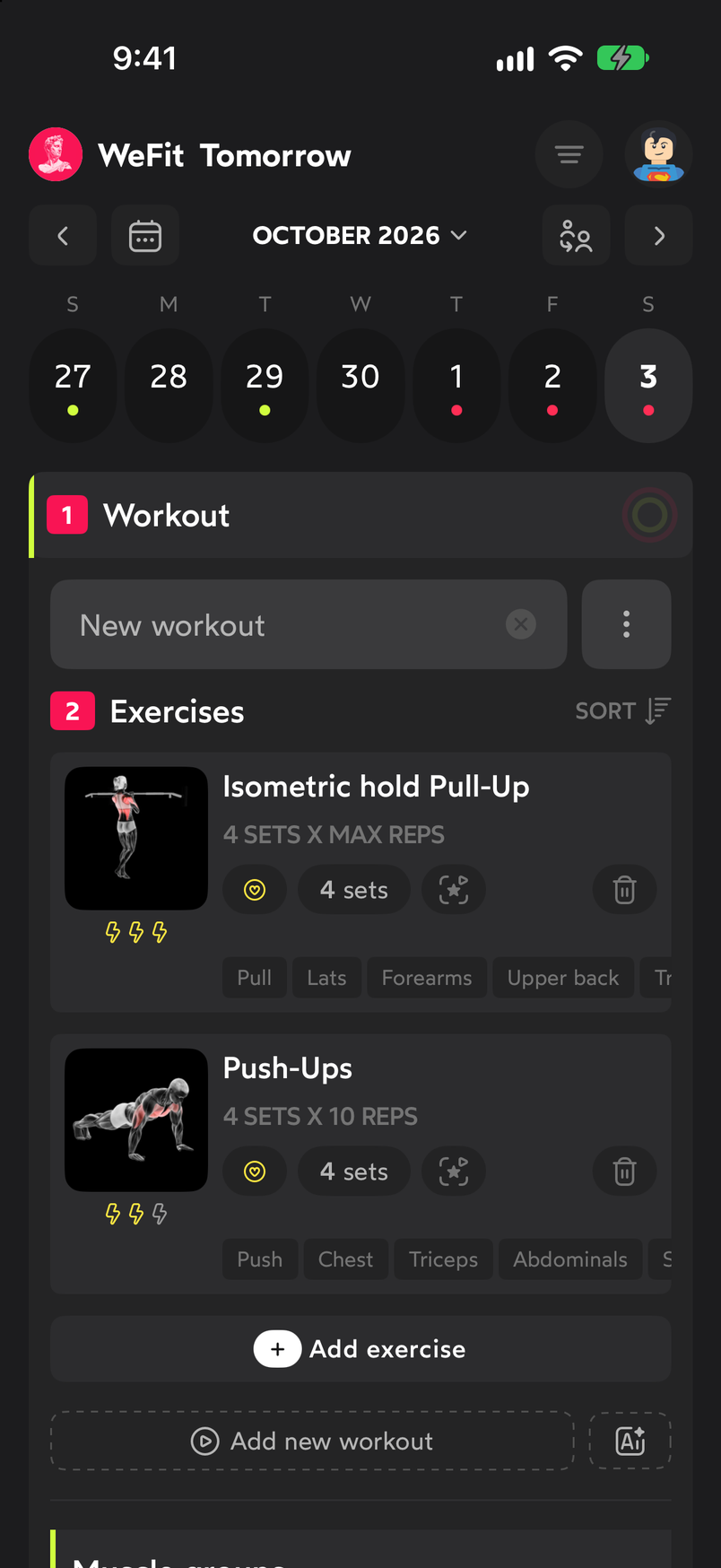
The change shows up on the day's card right away.
Common problems
The exercise I’m looking for isn’t among the first ones
The list prioritizes similar exercises, but it contains the whole library. Use the search at the top or the filters to get to the one you want.
I lost the sets I had configured
That’s expected: when you change exercises, the new exercise’s sets are loaded. The button with the date of the last time you did the exercise brings back those sets; you can also edit them from the table.
I want to go back to the original exercise
Repeat the process and choose the previous exercise in the picker.
Related guides
How did this guide go for you?
Thanks for your feedback