
Use a template from the Library
How to view a workout's detail in the WeFit Library for iPhone, load it on Today, save it to your routines, mark it as a favorite or turn your own workout into a template.
Every workout in the Library can be viewed in detail, loaded on Today so you can train with it, or copied to My routines to make it your own. You can also go the other way and turn a workout you built yourself into a template.
Steps
In a collection’s list, tap a workout’s three-dot button. The menu offers four actions: View workout, Train now, Save to my routines and Share.
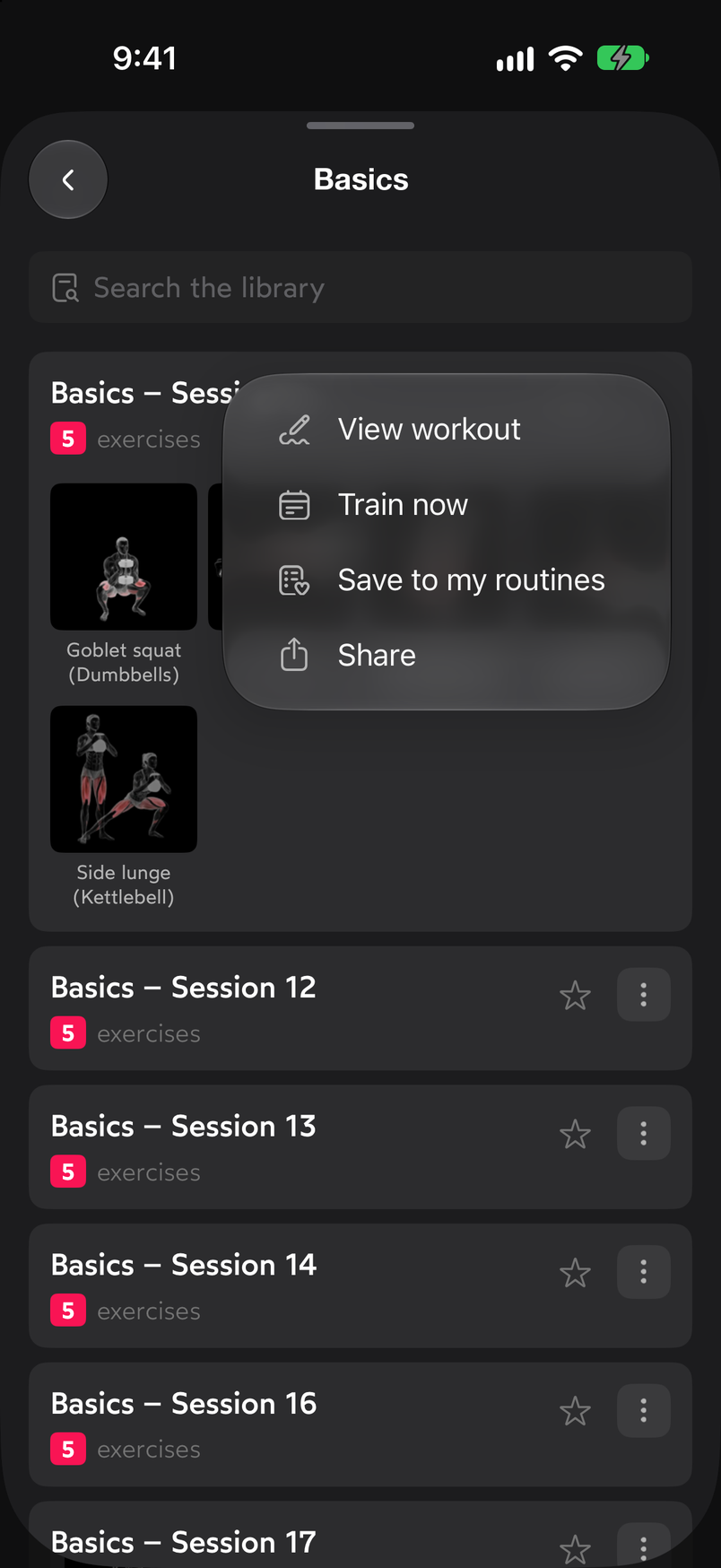
The same actions appear as buttons at the bottom of the detail page. View workout opens the full detail page: name, favorite star, summary (“5 exercises · 18 sets”), tags for level, estimated duration and type (Intermediate, 40 min., Strength, Calisthenics) and a card for each exercise with its sets and muscle groups. At the bottom you have the Train now and Save to my routines buttons.
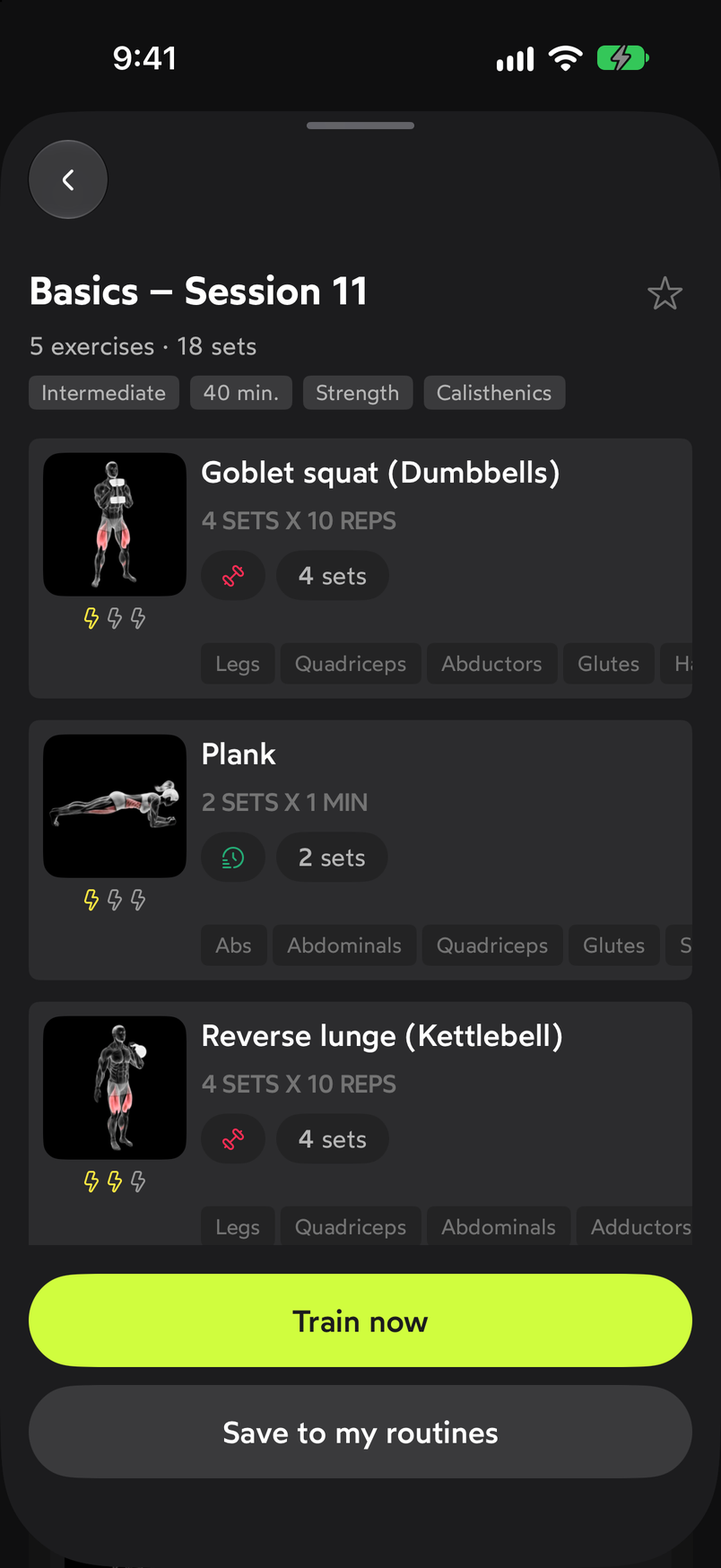
The detail page shows the sets, rest times and muscles of each exercise. Choose what to do with the template. Train now loads it on Today so you can start logging sets. Save to my routines copies it to My routines, where you can edit it like any other routine of yours; how to do that is covered in Edit, duplicate and delete a routine.
The reverse path starts from Today: on a day’s workout, tap the three-dot button next to the name and choose Convert into template. This saves a workout you built yourself so you can reuse it later.
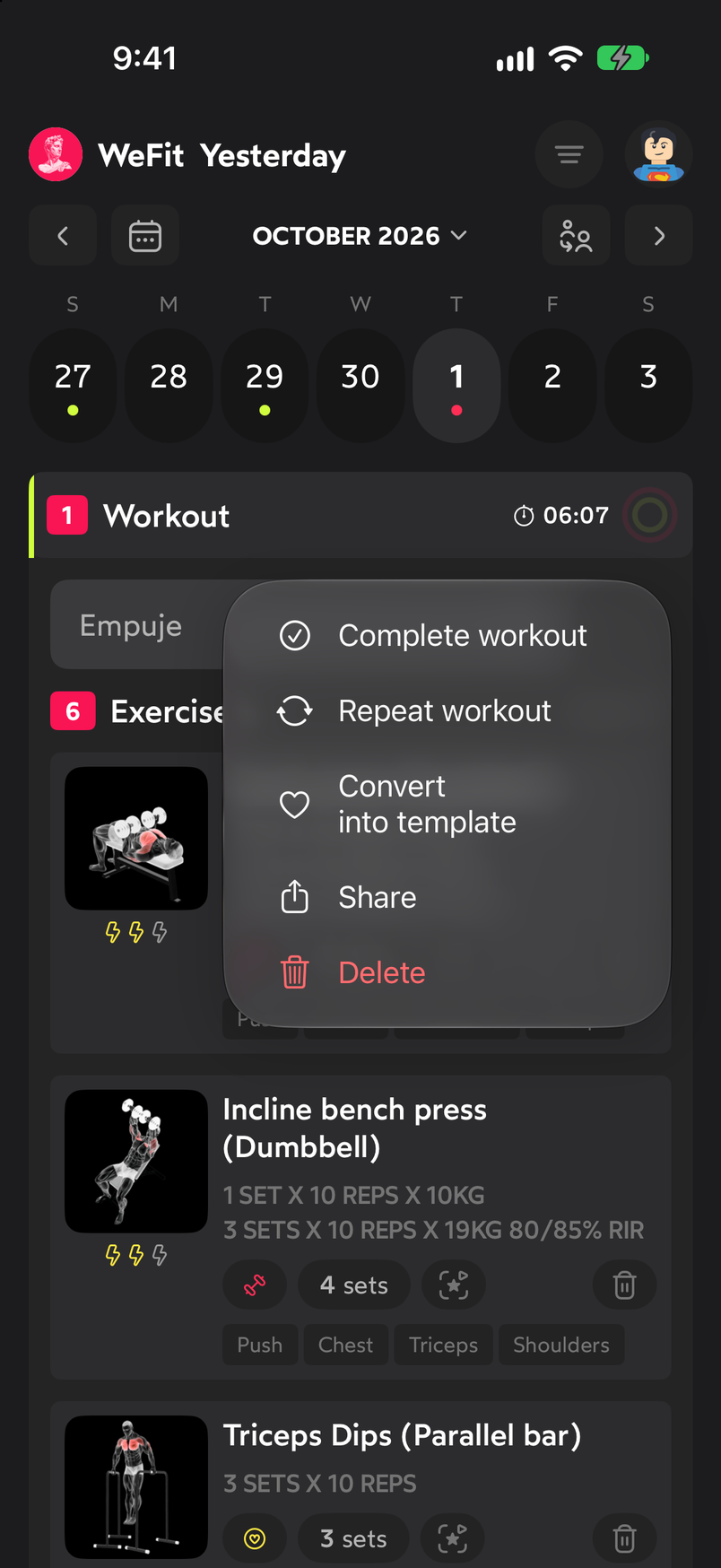
Convert into template saves your workout so you can reuse it.
Common problems
I loaded the template and I want to change an exercise
Once it’s on Today, the workout is edited like any other: tap a set to open the editor and use Change exercise. You’ll find the details in Swap one exercise for another.
I’m not sure the workout is right for my level
Look at the tags on the detail page: the level (for example Intermediate), the estimated duration and the type of work. The sets and rest times of each exercise are also visible before you load it.
I want the same workout on several days
Load it with Train now and, from the workout’s three-dot menu on Today, use Repeat workout to copy it to other days. It’s explained in Repeat a workout on other days.
Related guides
How did this guide go for you?
Thanks for your feedback