
Edit, duplicate and delete a routine
How to see the exercises in a saved routine in WeFit for iPhone, edit it like a workout, make a copy or remove it from My routines.
A saved routine is edited just like a calendar workout: same editor, same exercise cards and same sets. From the routine’s menu you can also duplicate it to create a variant or delete it when you no longer use it.
Steps
In My routines, open the folder and tap the routine’s name. The grid with thumbnails of all its exercises unfolds below, for a quick look without opening the editor.
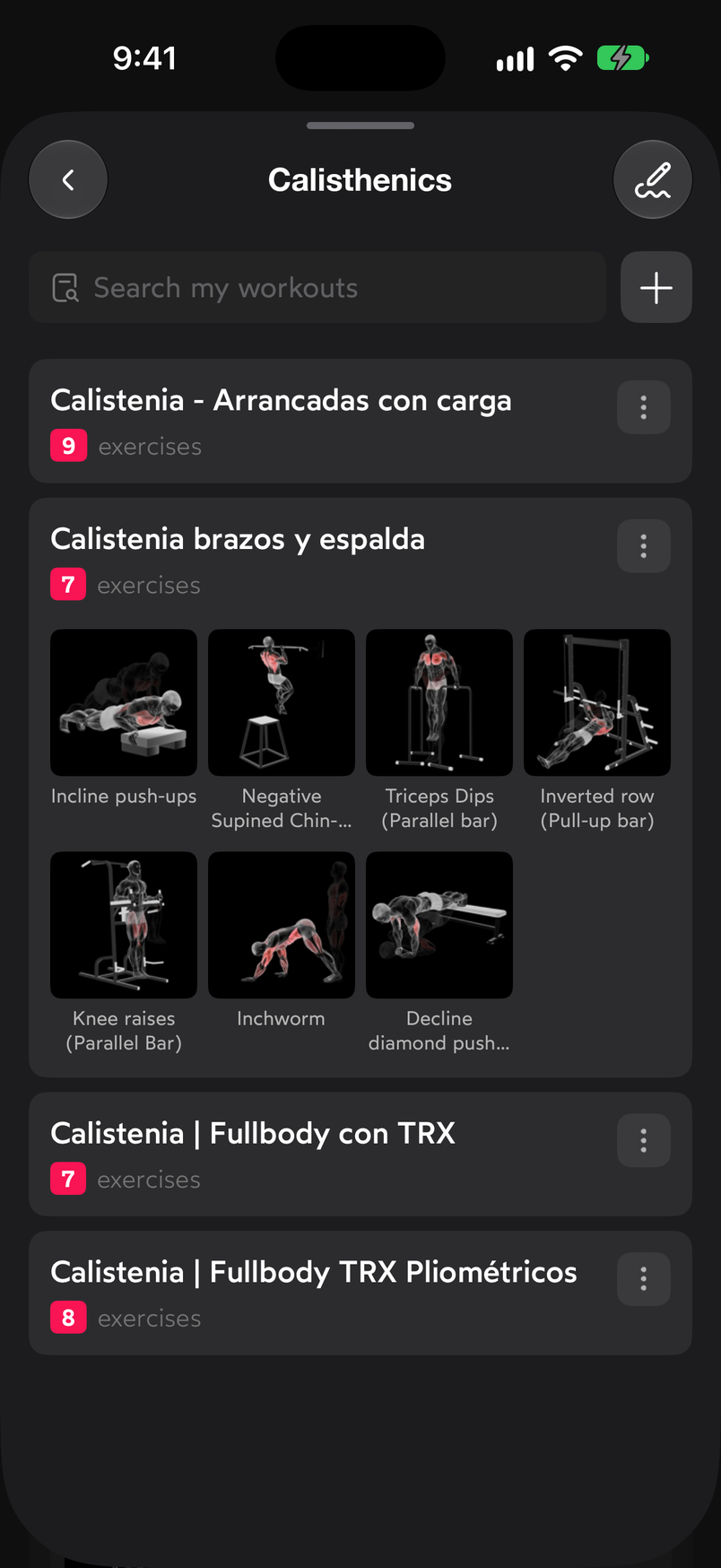
The grid shows the icon and name of each exercise. Tap the routine’s ⋯ button. The menu offers Repeat workout, Edit, Duplicate, Move to…, Share and Delete.
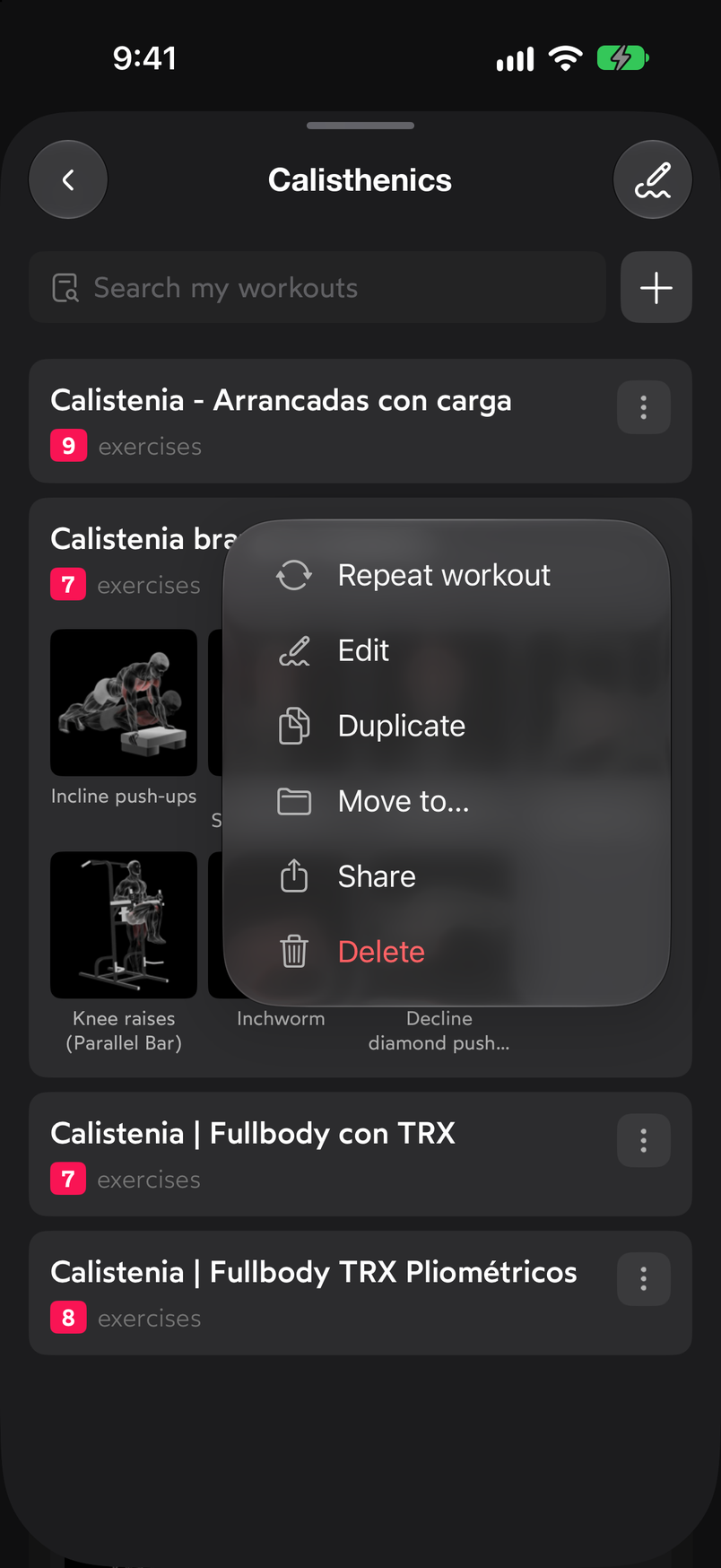
Delete appears in red at the end of the menu. Choose Edit. The routine editor opens: at the top, the field with its name and the ⋯ button, and below it the Exercises header with the SORT button and one card per exercise with its sets, exactly like a workout in Today. Tap a set to edit it, use the trash can to remove an exercise or SORT to change the order. You’ll find the details in Edit the sets of an exercise and in Reorder and delete exercises.
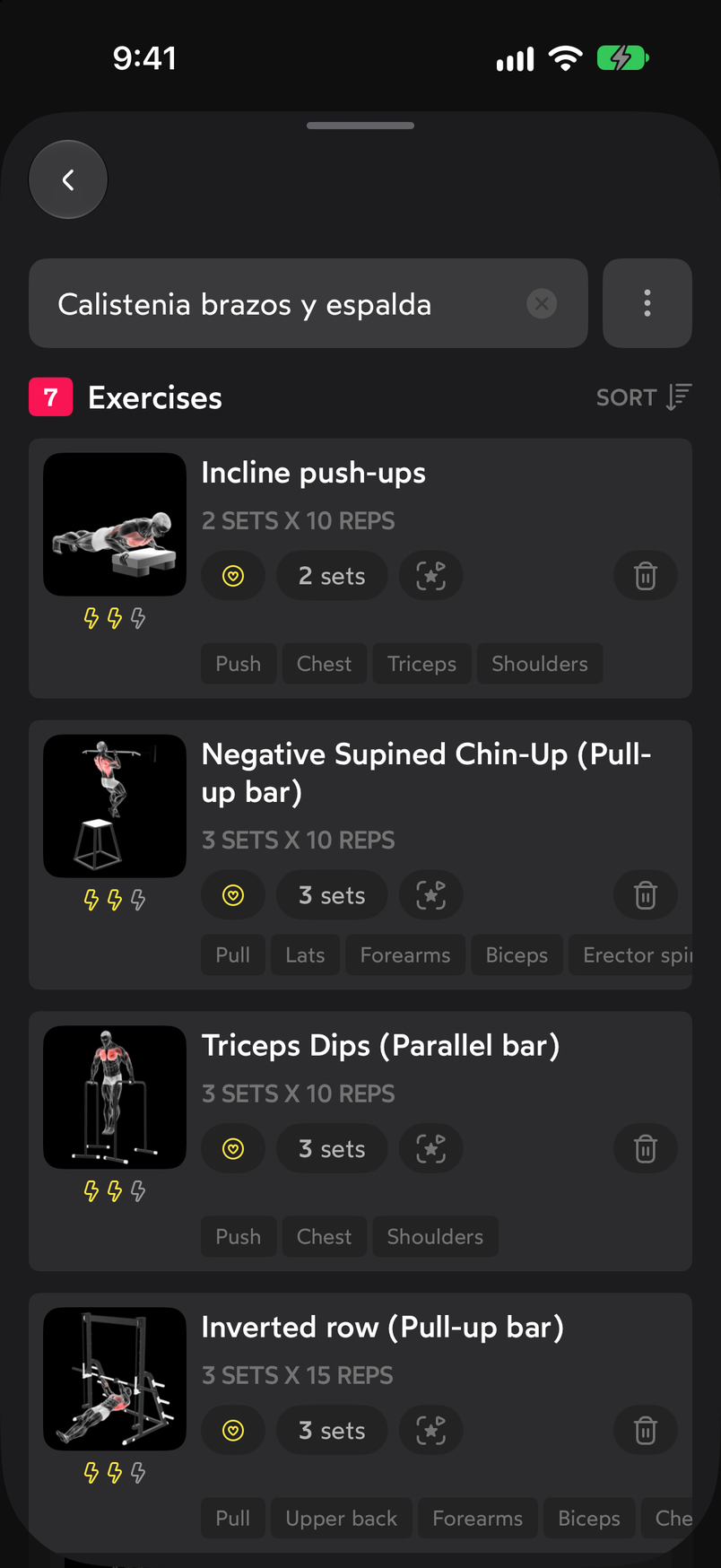
The routine editor is the same as the workout editor.
Duplicate and delete
- Duplicate creates a copy of the routine. It’s a handy way to make a variant without losing the original.
- Delete removes the routine from your My routines list.
Common problems
I edited the routine and tomorrow’s workout didn’t change
That’s normal behavior: the workout that’s already loaded is a copy. Load the routine on that day again if you want the new version.
I want to try a change without touching the routine
Use Duplicate and edit the copy. When you’re sure which one you like, delete the other.
I deleted a routine by mistake
There is no routine trash. If you have a workout loaded with it in the calendar, that workout is still there and you can start from it to rebuild the routine.
Related guides
How did this guide go for you?
Thanks for your feedback