
Load a routine on a day
The two ways to put a saved routine on your WeFit calendar on iPhone: from My routines with Repeat workout, or from an empty day with From a routine.
Saving a routine only makes sense if you use it later. There are two ways to turn it into a day’s workout: from the routine itself, choosing which days you want to repeat it on, or from an empty day on Today, choosing which routine to load. The result is the same: a workout on that day, with the routine’s exercises and sets, which you can edit without touching the original routine.
From My routines
Open My routines from the main menu and go into the folder. Each routine shows its name, the number of exercises and a ⋯ button on the right. The search at the top filters by name.
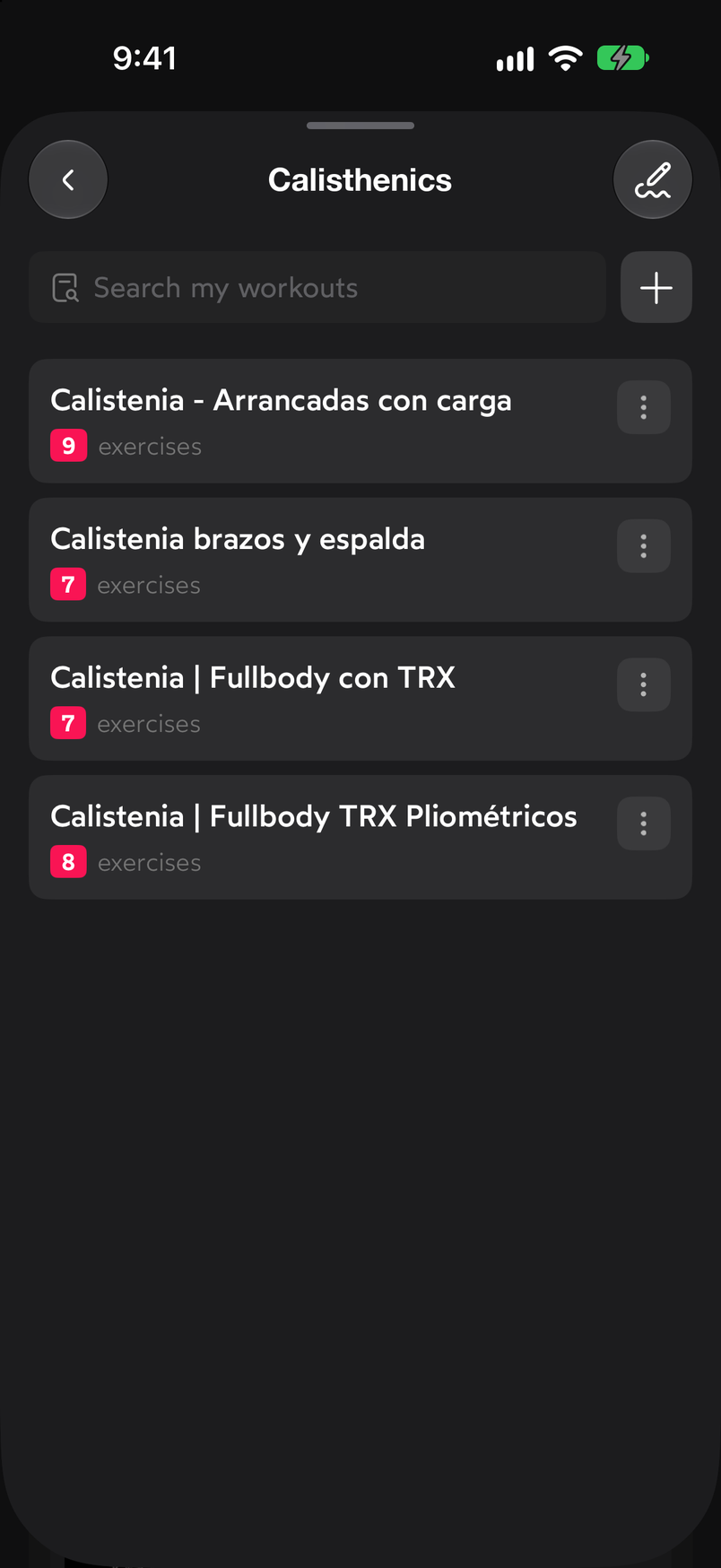
The number on each routine is the amount of exercises it contains. Tap the ⋯ button on the routine. In the menu, choose Repeat workout.
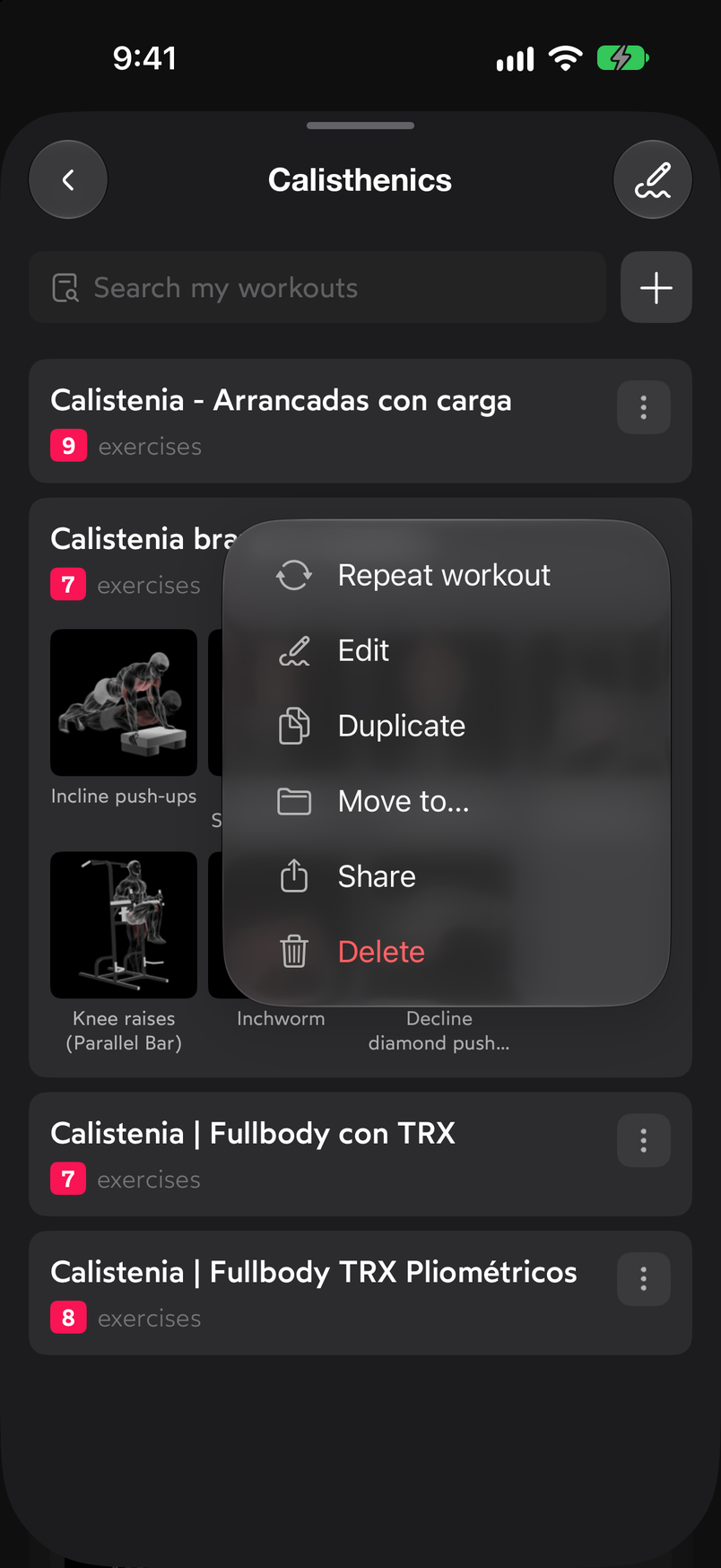
Repeat workout is the first option in the menu. The Repeat workout sheet opens, the same one you use to repeat a workout from the calendar. Under Single days, tap one or more days on the calendar and confirm with the button at the bottom; under Recurring, you schedule the routine every week from a given date. You’ll find the details in Repeat a workout on other days.
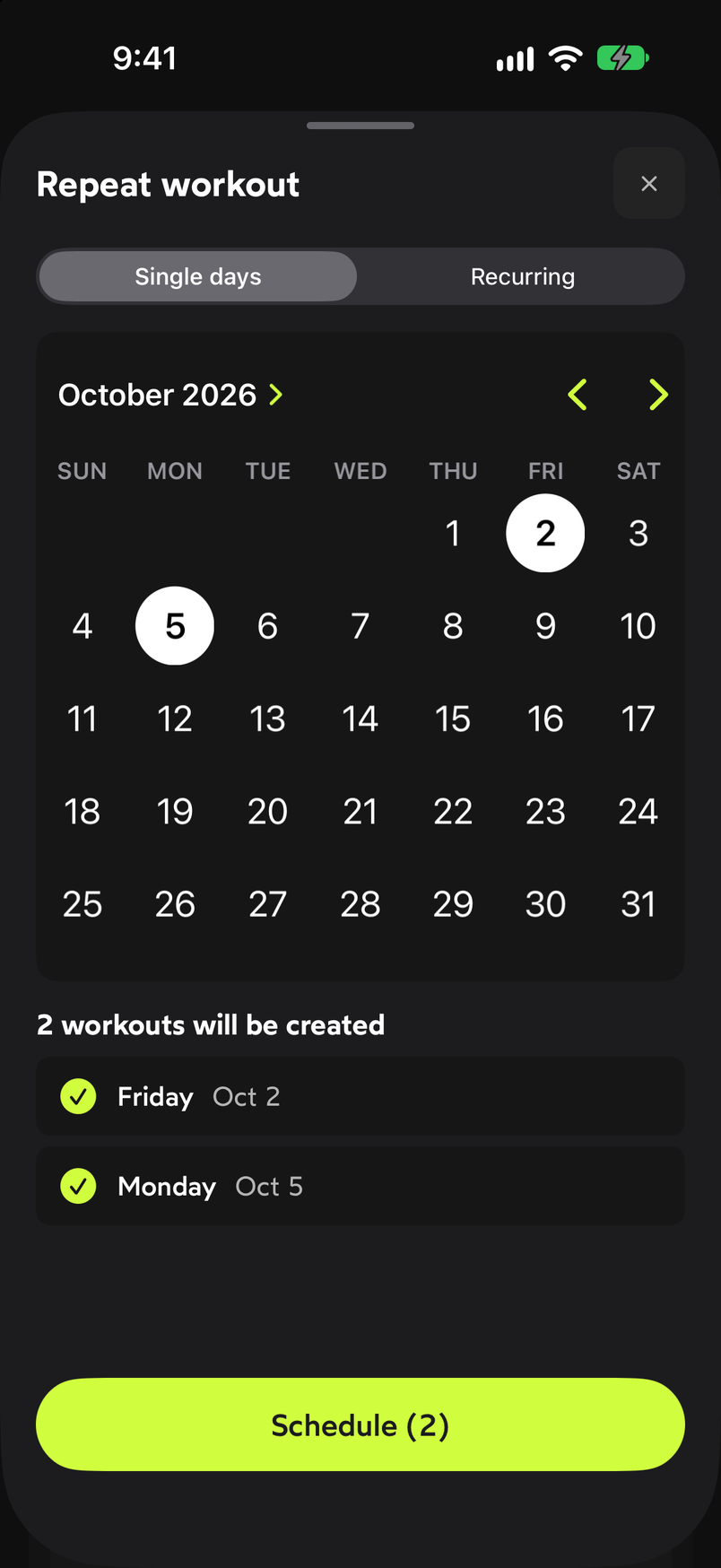
Select the days on the calendar and confirm at the bottom.
From an empty day on Today
On Today, select a day with no workout and tap Start training. In the sheet that appears, choose From a routine: “Use one of your routines saved in My routines.” Then you select the routine and it’s loaded on that day. The other two options are explained in Create a workout from scratch.
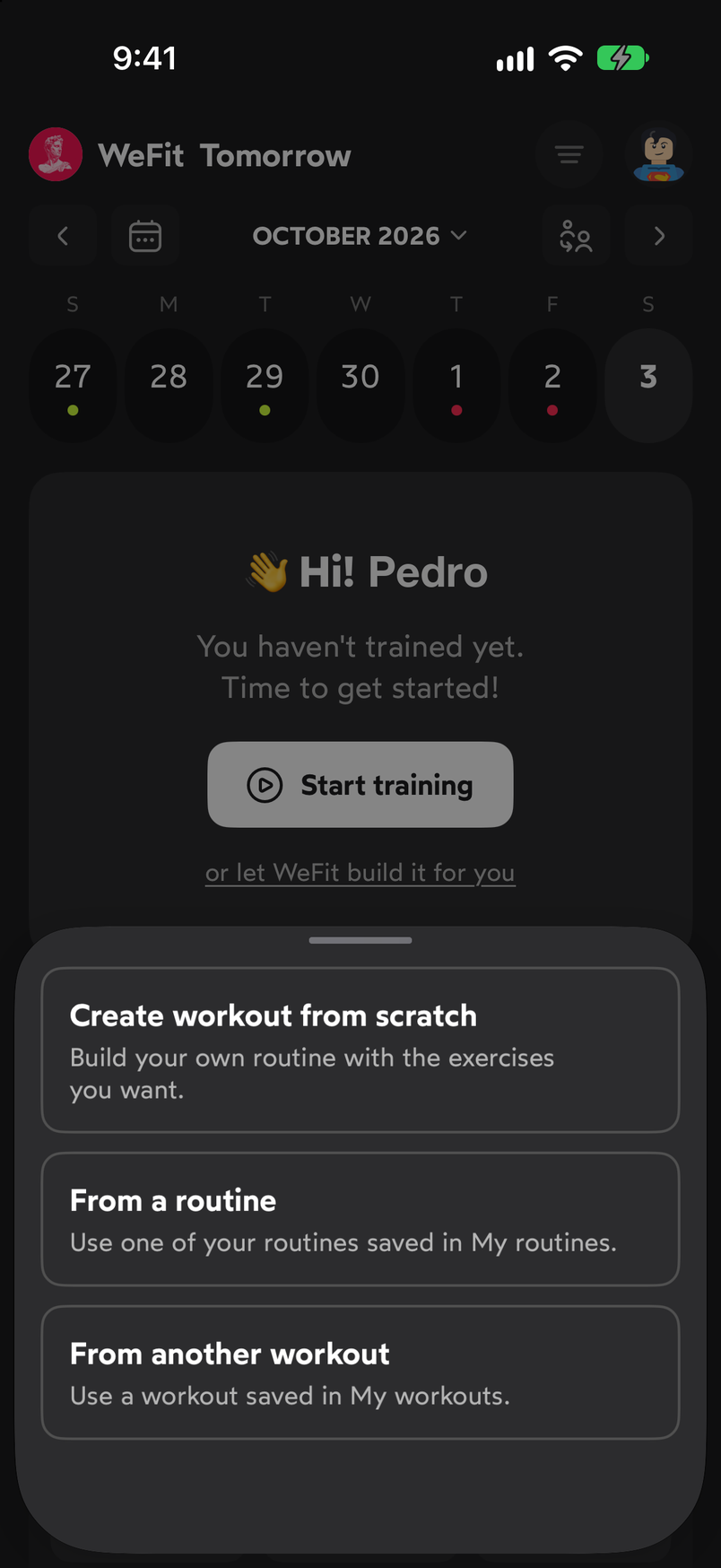
From a routine loads one from My routines onto the selected day.
Common problems
I changed the day’s workout and the routine stays the same
That’s expected: a day’s workout is an independent copy. If you want the change to stay for good, edit the routine from My routines.
I can’t find the routine in the empty-day sheet
Check that it’s saved in My routines, not just as another day’s workout. To copy a workout from another day, use the From another workout option.
Related guides
How did this guide go for you?
Thanks for your feedback