
Home widgets: weekly goal, fatigue and streak
What the widgets on the Today screen in WeFit for iPhone show, how to change your weekly goal, what accumulated fatigue means and how to reorder or hide the widgets.
Only part of this needs WeFit PRO. What’s included
Below the day’s workout, the Today screen shows a series of cards, the widgets: the weekly goal, accumulated fatigue, the weekly streak, your friends and, if you turn it on, your plan. You can reorder and hide them from Customize home.
Steps
The Weekly goal widget shows the days you’ve set out to train and the week’s count in three columns: WORKOUTS, ACTIVITIES and REST, with a progress bar and the text “3 of 3 days”. Accumulated fatigue last week lists the most loaded muscle groups with their sets and a fatigue percentage. Weekly streak counts the consecutive weeks with at least one activity or workout, along with the total number of workouts.
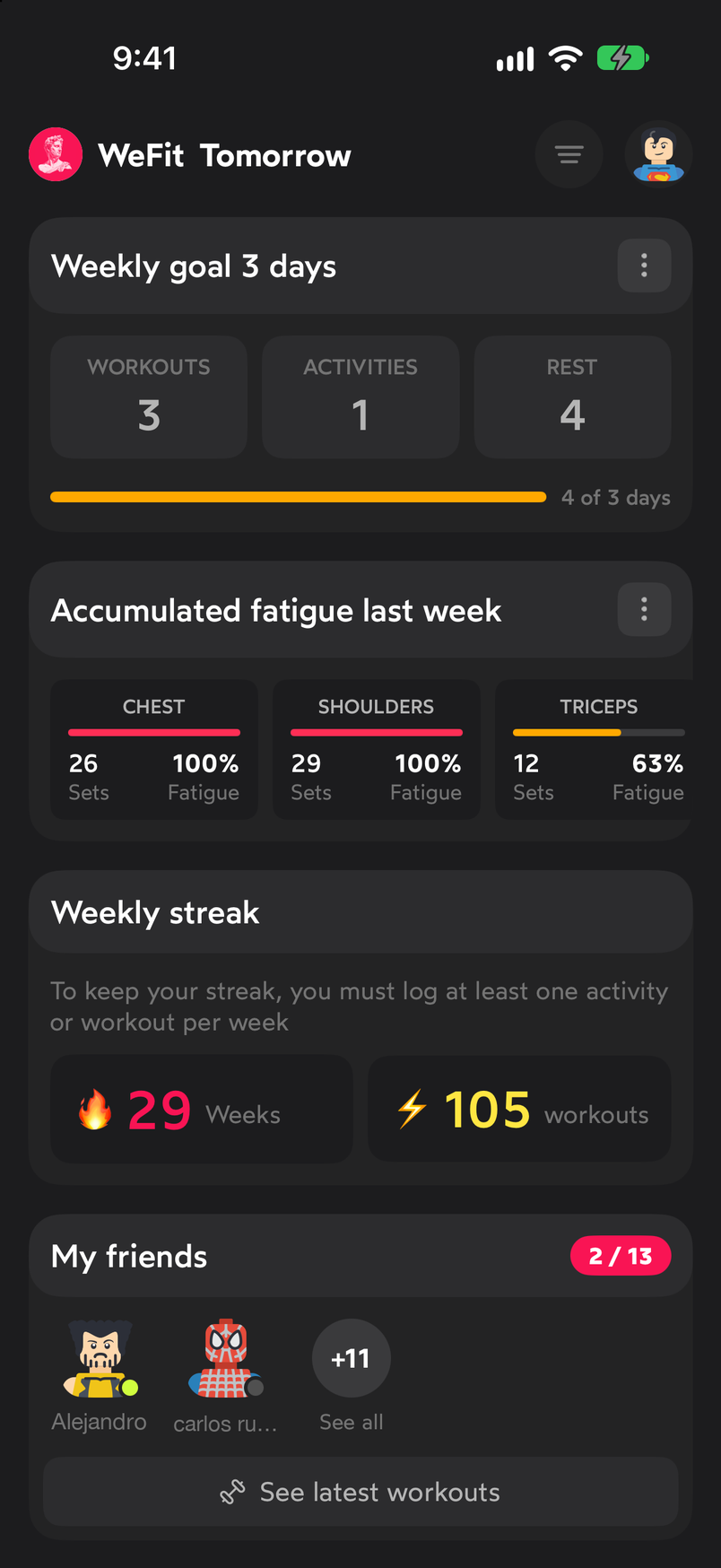
The three main widgets on Today. Tap the ⋯ button on the weekly goal to change it. The “Choose your training days per week!” sheet opens with options from 1 to 7 days per week, each with a short recommendation, and the Cancel button.
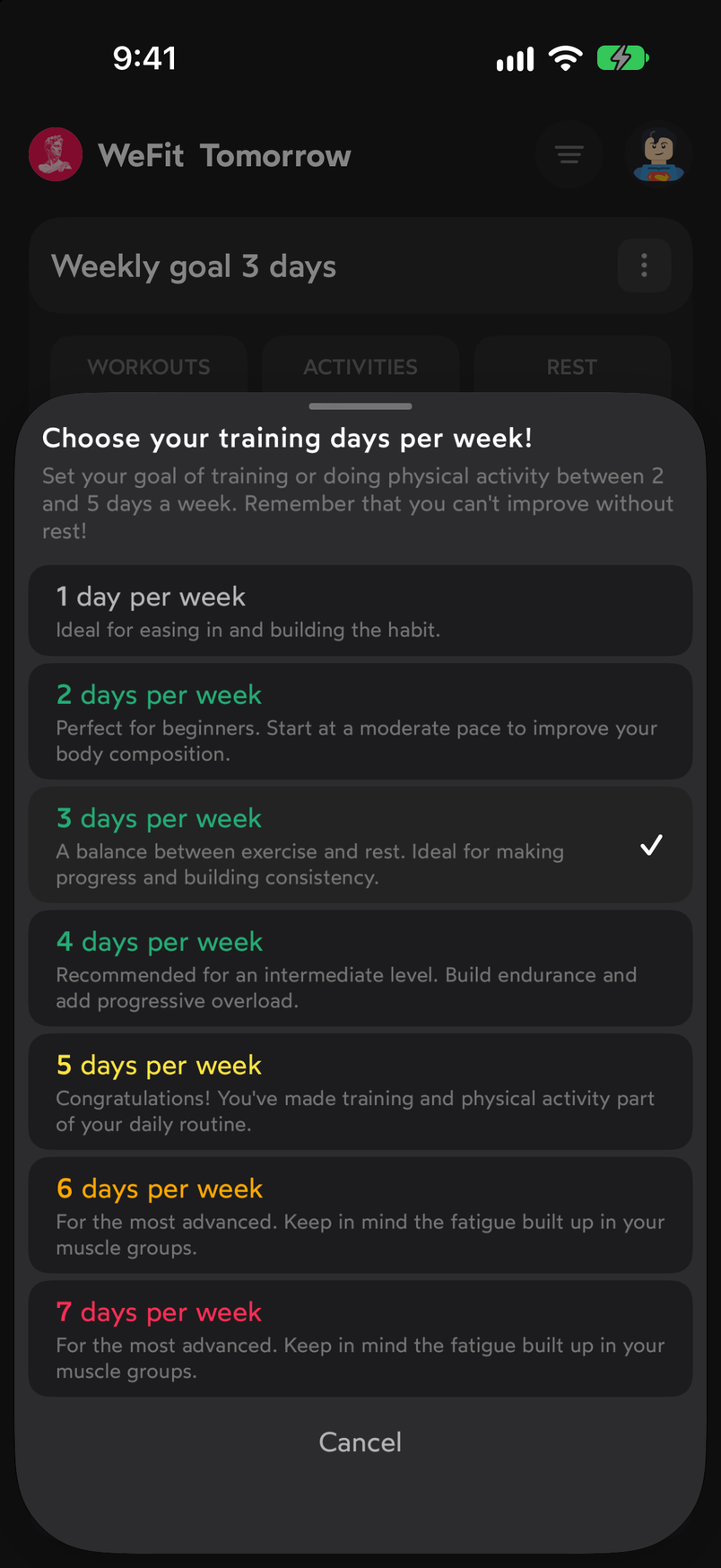
You choose the goal from 1 to 7 days per week. The ⋯ button on the fatigue widget opens three options: Methodology, Muscle fatigue and Show muscle map.
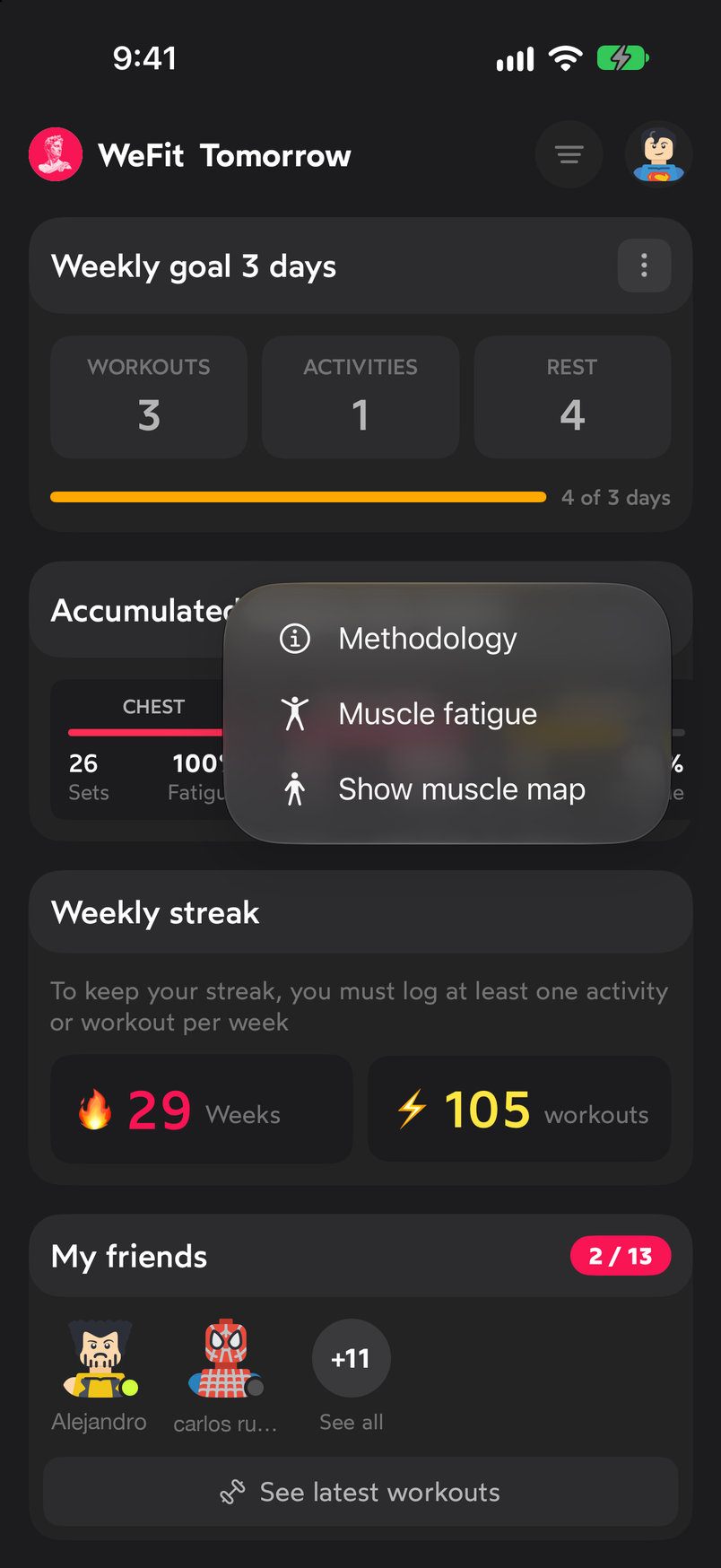
The fatigue widget's options. Methodology opens an explanation of the calculation: the factors taken into account (training volume, intensity, recovery time, load distribution and activities), how activities are converted into equivalent sets and the fatigue levels by percentage, from rested to fatigued muscles.
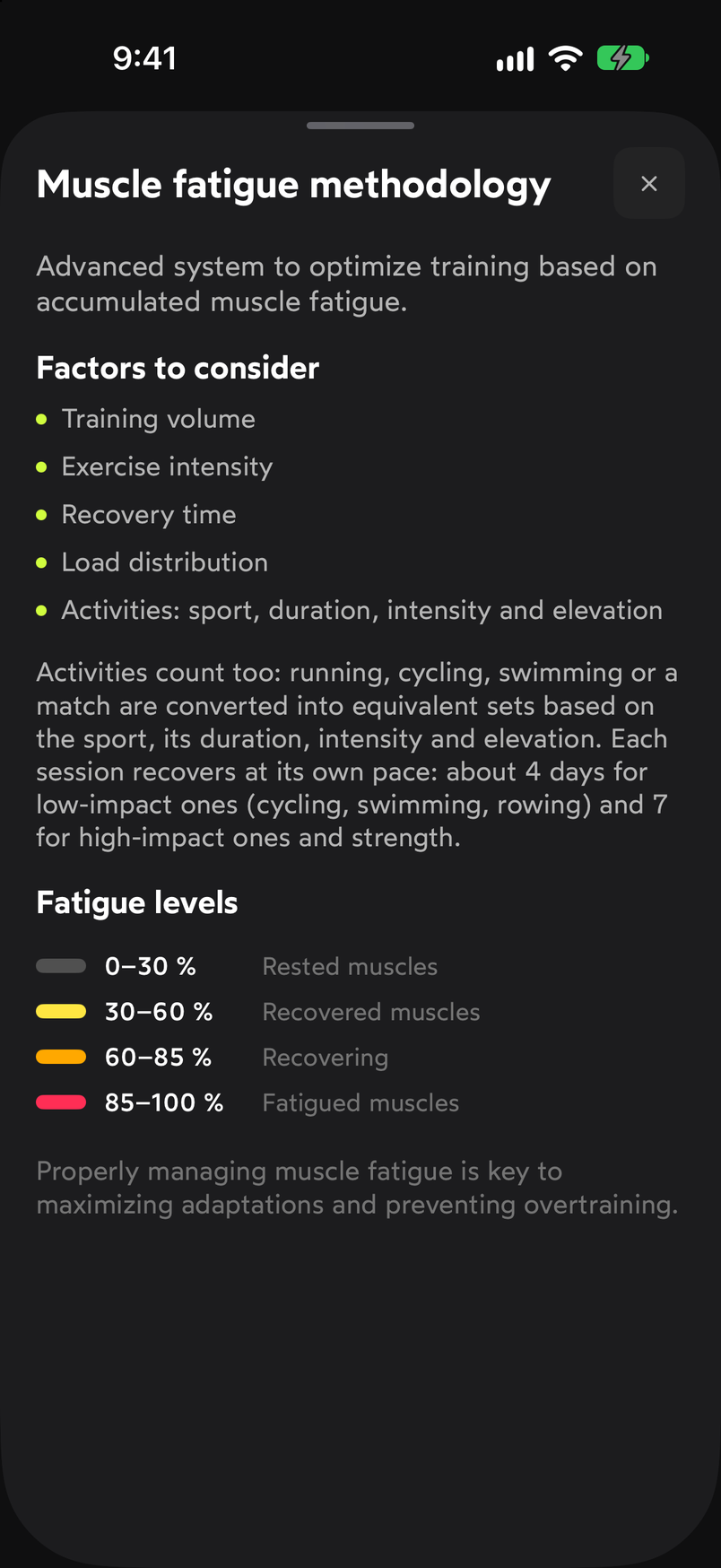
The methodology explains where the fatigue percentage comes from. Tap Customize home, at the bottom of the Today screen, to reorder and hide widgets. The “Customize WeFit” sheet lists Workouts, Your plan, Activity, Weekly goal, Accumulated fatigue, Weekly streak and My friends; drag the rows to change the order and use the switches to show or hide each one.
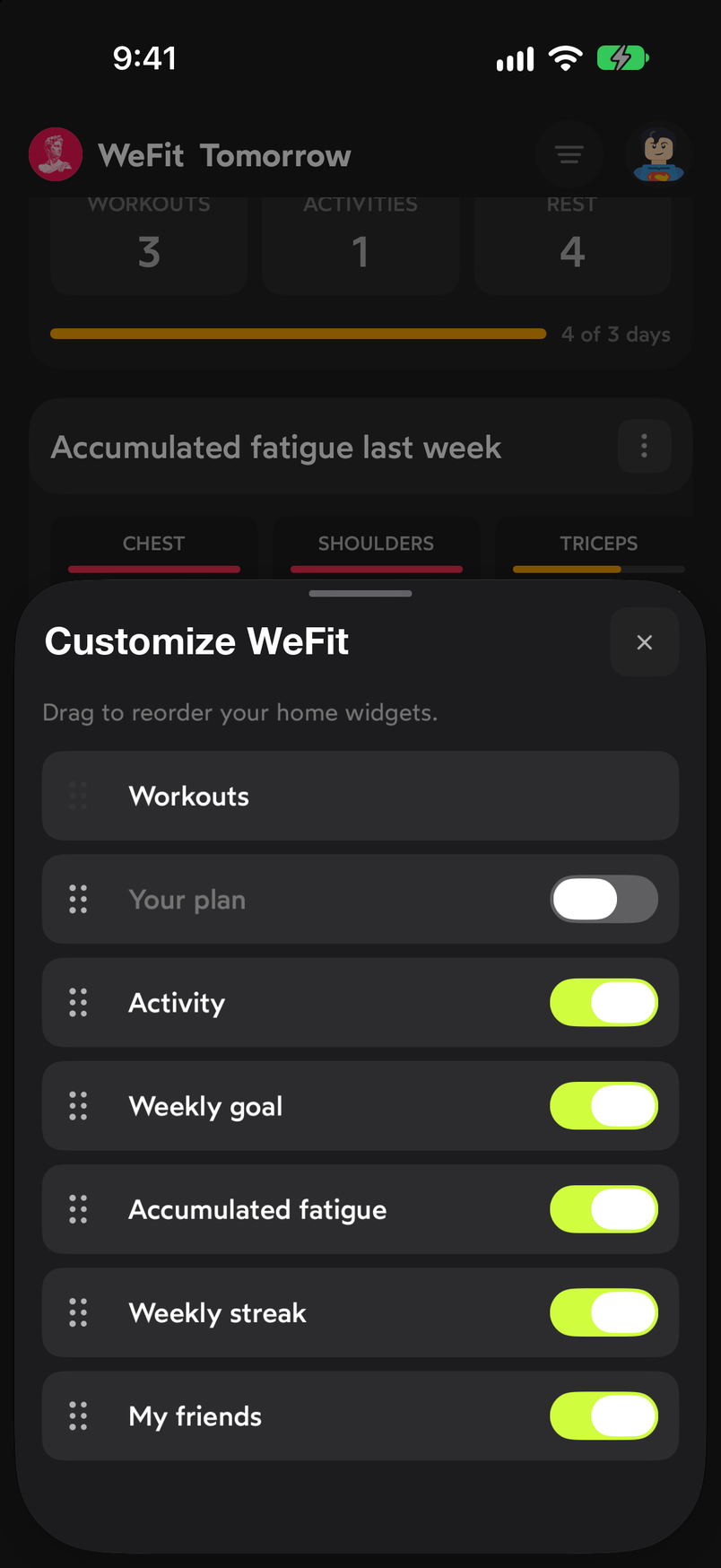
Drag to reorder and turn off what you don't want to see.
Common problems
My plan widget doesn’t show up
It’s off by default. Turn it on in Customize home with the Your plan switch. How the plan works is explained in Follow the plan block by block.
Fatigue doesn’t change even though I train
The widget summarizes the last week based on the sets you’ve logged. If you log workouts without marking the sets, there’s no data to add up. To see the detail by muscle group, use Show muscle map or the Tracking section.
I lost my streak
The streak counts consecutive weeks with at least one activity or workout logged, as the widget itself states. A week with nothing logged resets it.
Related guides
3 months free, cancel anytime.
What WeFit PRO includesHow did this guide go for you?
Thanks for your feedback