
Ask WeFit Intelligence for a workout
How to ask WeFit Intelligence for a workout tailored to you on iPhone: type or dictate it, adjust the proposal, view it in full and save it or train today.
Only part of this needs WeFit PRO. What’s included
WeFit Intelligence puts together a workout based on what you ask for, using only the exercises in your catalog and the loads you already move. You type or dictate what you need today, review the proposal, ask for changes and decide what to do with it. Nothing changes on your calendar until you save it.
Steps
Open the main menu and tap WeFit Intelligence.
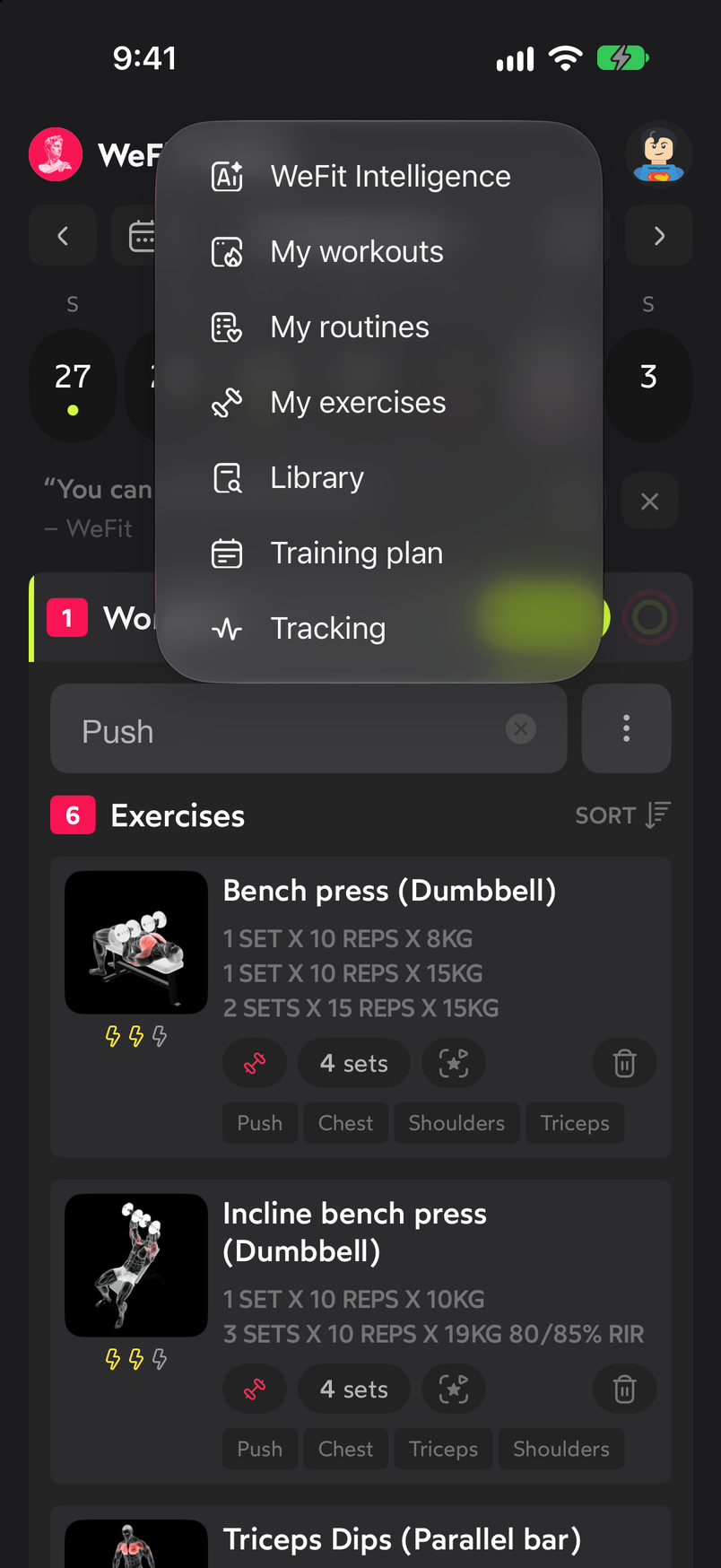
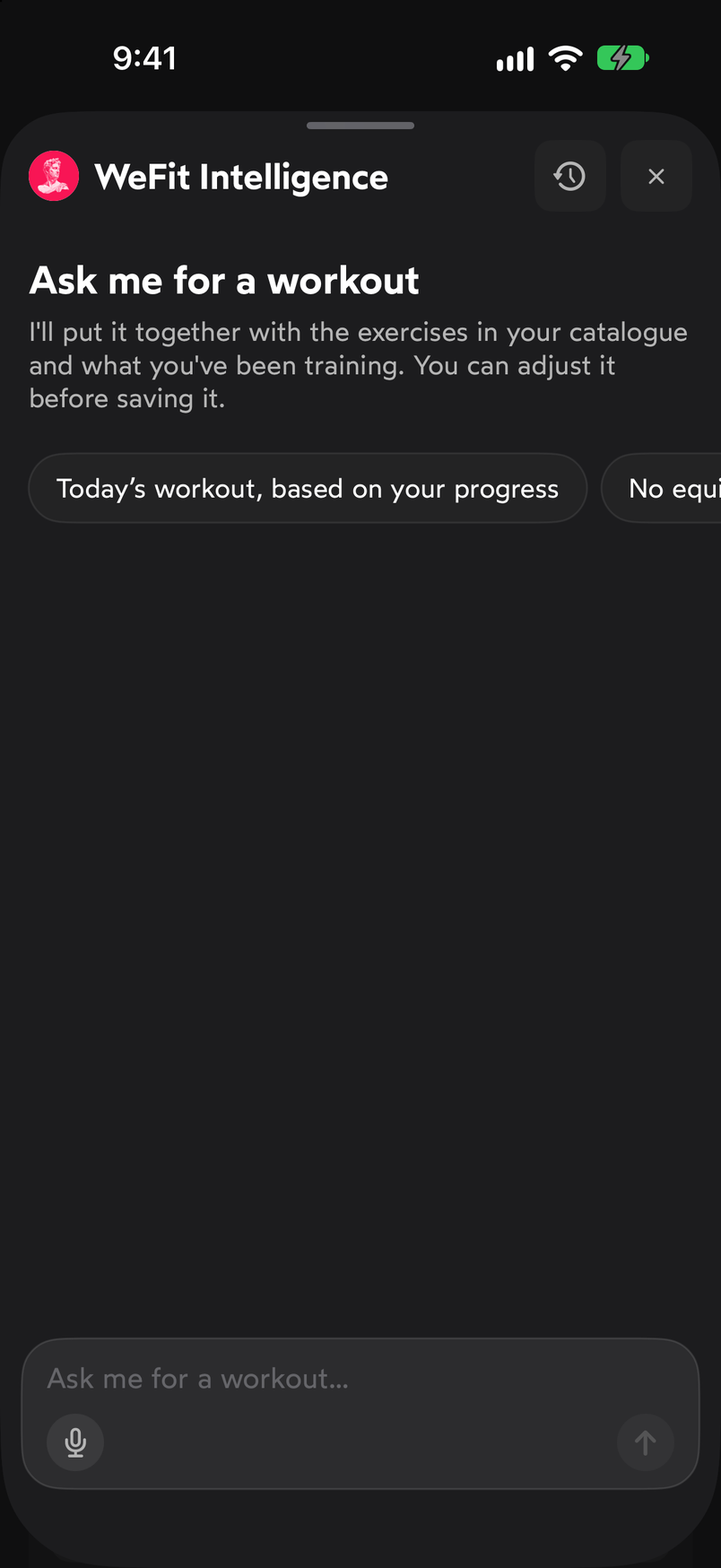
WeFit Intelligence is the first option in the main menu. The Ask me for a workout screen explains that it builds the workout from the exercises in your catalog and what you’ve been training. You can tap one of the suggestions, Today’s workout, based on your progress or No equipment, or type your request in the field at the bottom. The microphone on the left lets you dictate it; the arrow on the right sends it. At the top, the clock icon opens your previous Conversations.
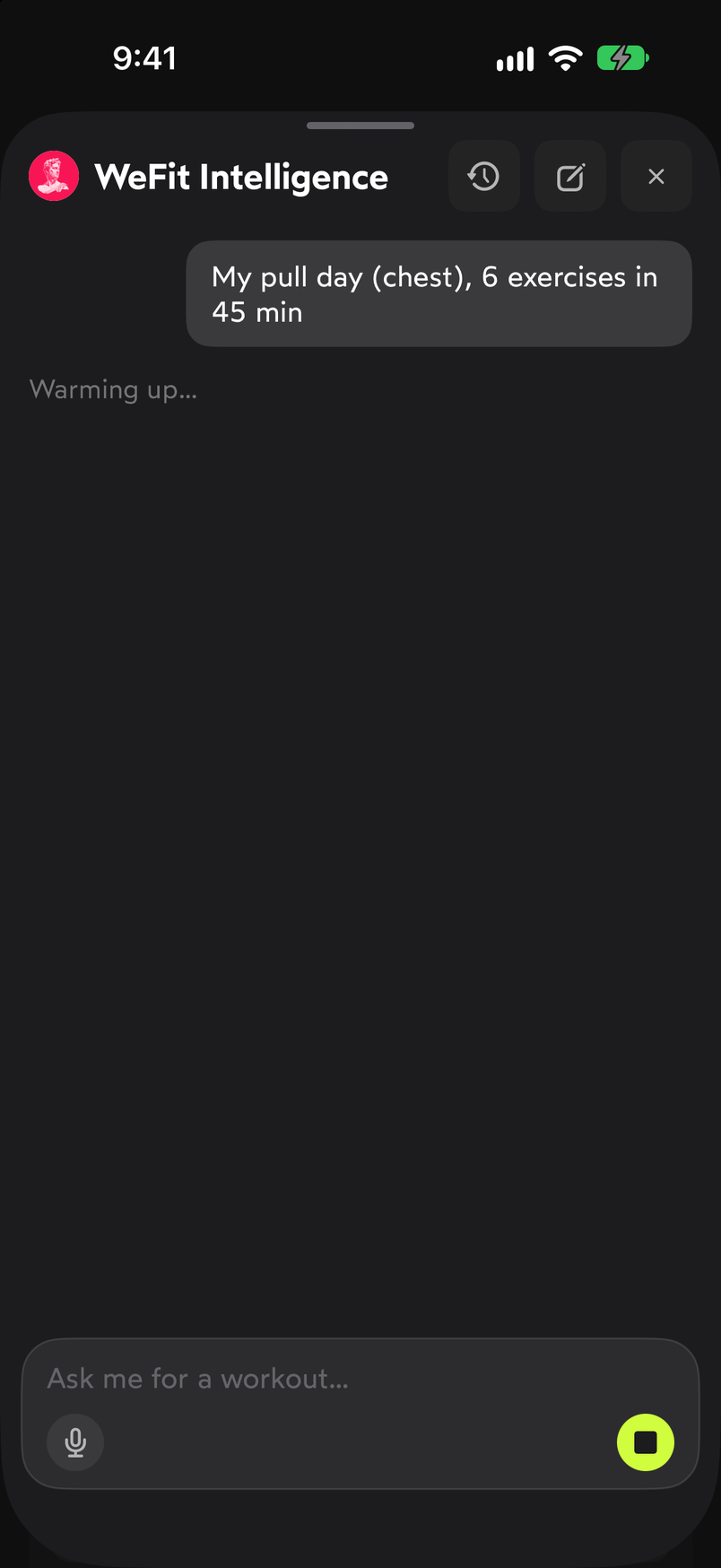
Type, dictate or tap a suggestion. Your request appears as a message and the status is shown below it, first “Warming up…” and then “Putting your workout together”. While it works, the send button turns into Stop in case you want to cancel.
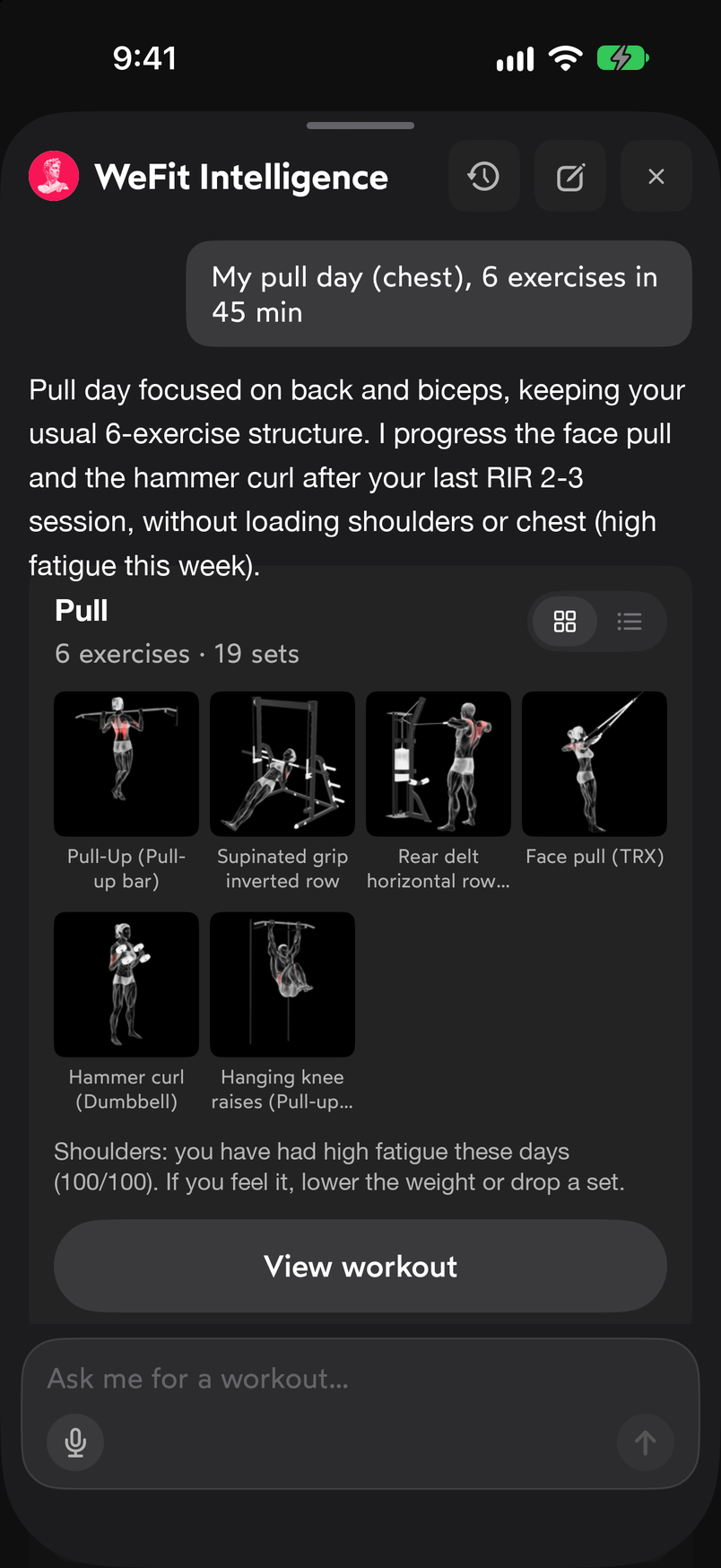
The proposal takes a few seconds to come together. The response starts with an explanation of what it did and why, followed by the workout card with its name, the number of exercises and sets, and the grid of exercises, which you can also view as a list. Below you have View workout and a row of quick adjustments: More volume, No equipment, Just 30 min and Swap an exercise. You can also type whatever change you want in the text field.
Ask for changes with the chips or by typing them. View workout opens the Your workout sheet with each exercise and its sets, for example “3 sets × 8-10 reps 80/85 % RIR”. At the bottom you decide: Train today moves it to today and Save to my routines saves it so you can use it whenever you want. If you close the sheet without choosing, nothing is saved.
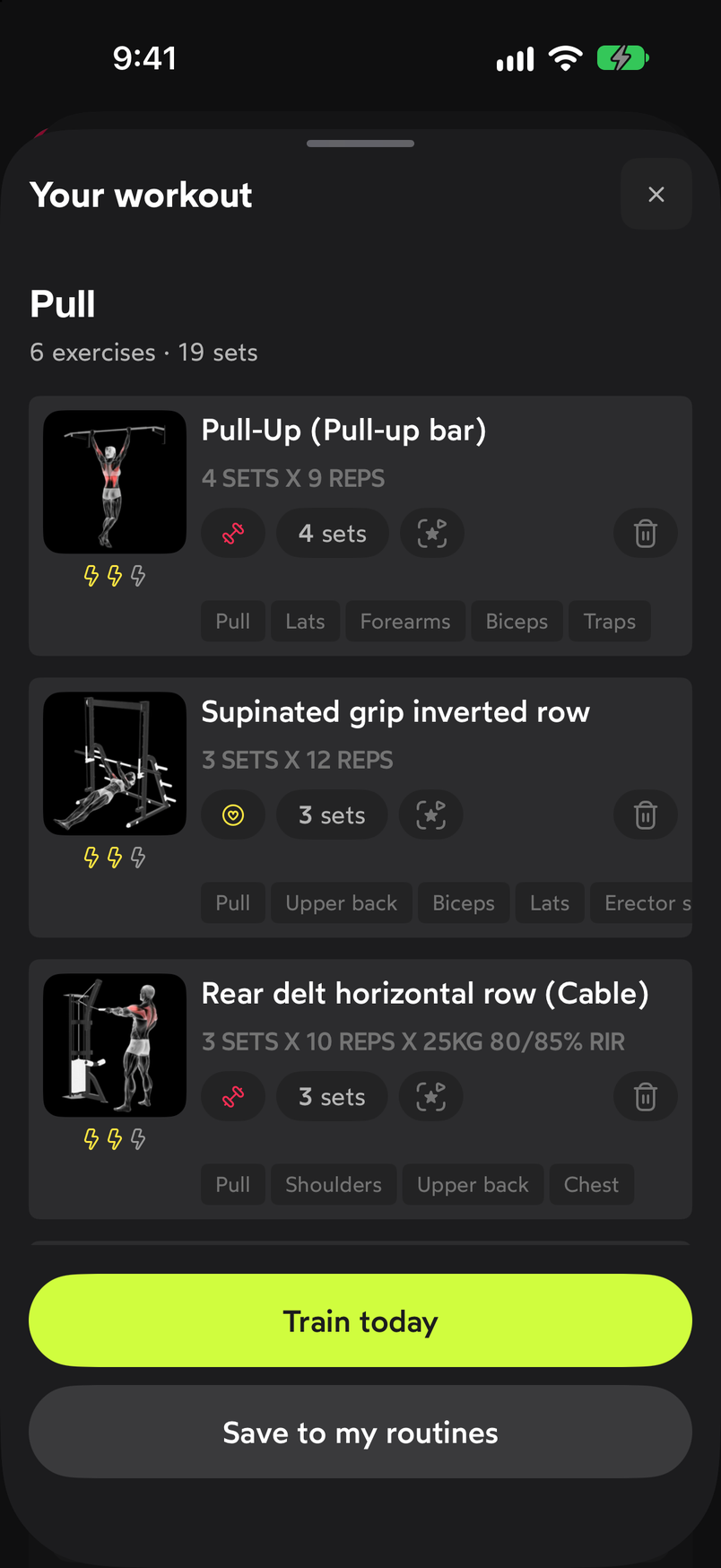
You decide what to do with the proposed workout. In Conversations you’ll find your previous requests with how long ago they were made. Tap one to go back to it. The trash can icon deletes all conversations, and the screen itself warns that they’re kept for thirty days and then deleted automatically.
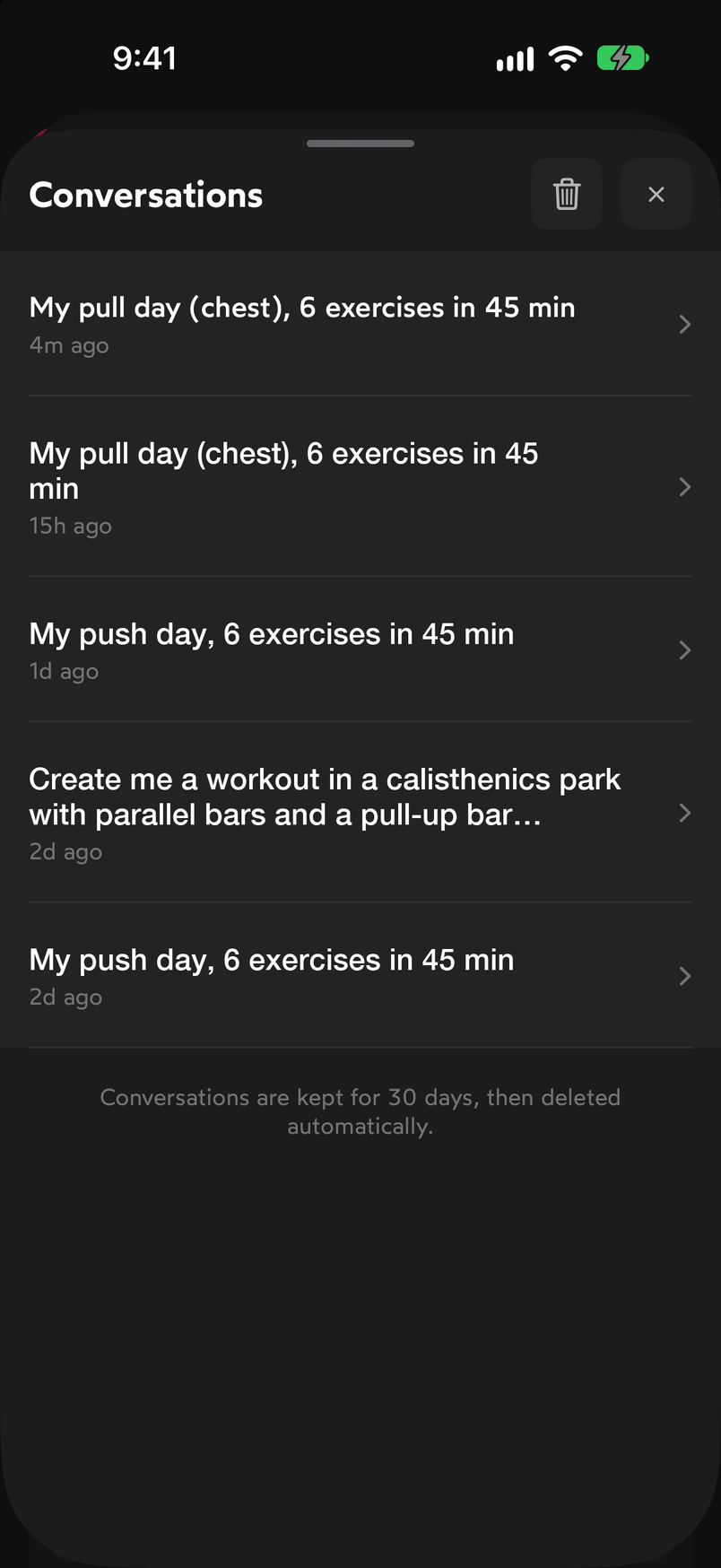
Conversations are kept for thirty days.
Common problems
It suggests exercises I don’t do
WeFit Intelligence uses the exercises in your catalog and what you’ve been training. Check My exercises so it reflects what you do, and ask for changes with the chips or by typing, for example “no equipment” or “swap the first one”.
I want to use the workout on another day
Save it to my routines and load it on the day you want. You’ll find the steps in Load a routine on a day.
I prefer another model or want to use my own key
You choose it in Settings. See Choose the model and use your own key.
Related guides
3 months free, cancel anytime.
What WeFit PRO includesHow did this guide go for you?
Thanks for your feedback