
View and repeat a friend's workouts
How to open a friend's profile in WeFit for iPhone, compare your workouts from the last 30 days and copy one of their sessions to your calendar.
When you follow someone, their workout calendar is within reach: you can see what they’ve done, compare your muscle groups and stats, and copy any of their sessions to any day you like in your calendar.
Steps
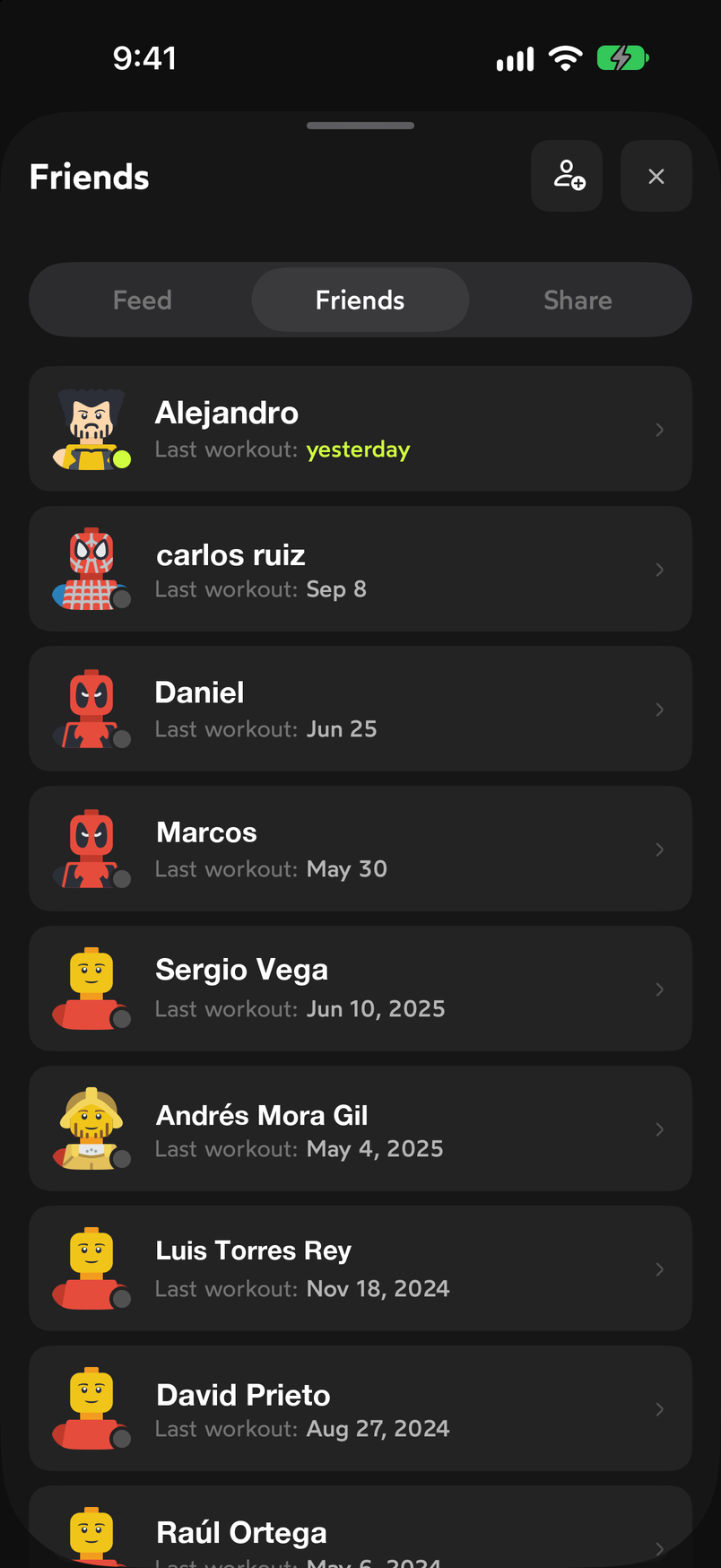
In Friends, go to the Friends tab. Each row shows the avatar, the name and the date of their last workout. Tap a friend to open their profile. The button on the right of the header lets you remove them from your list.
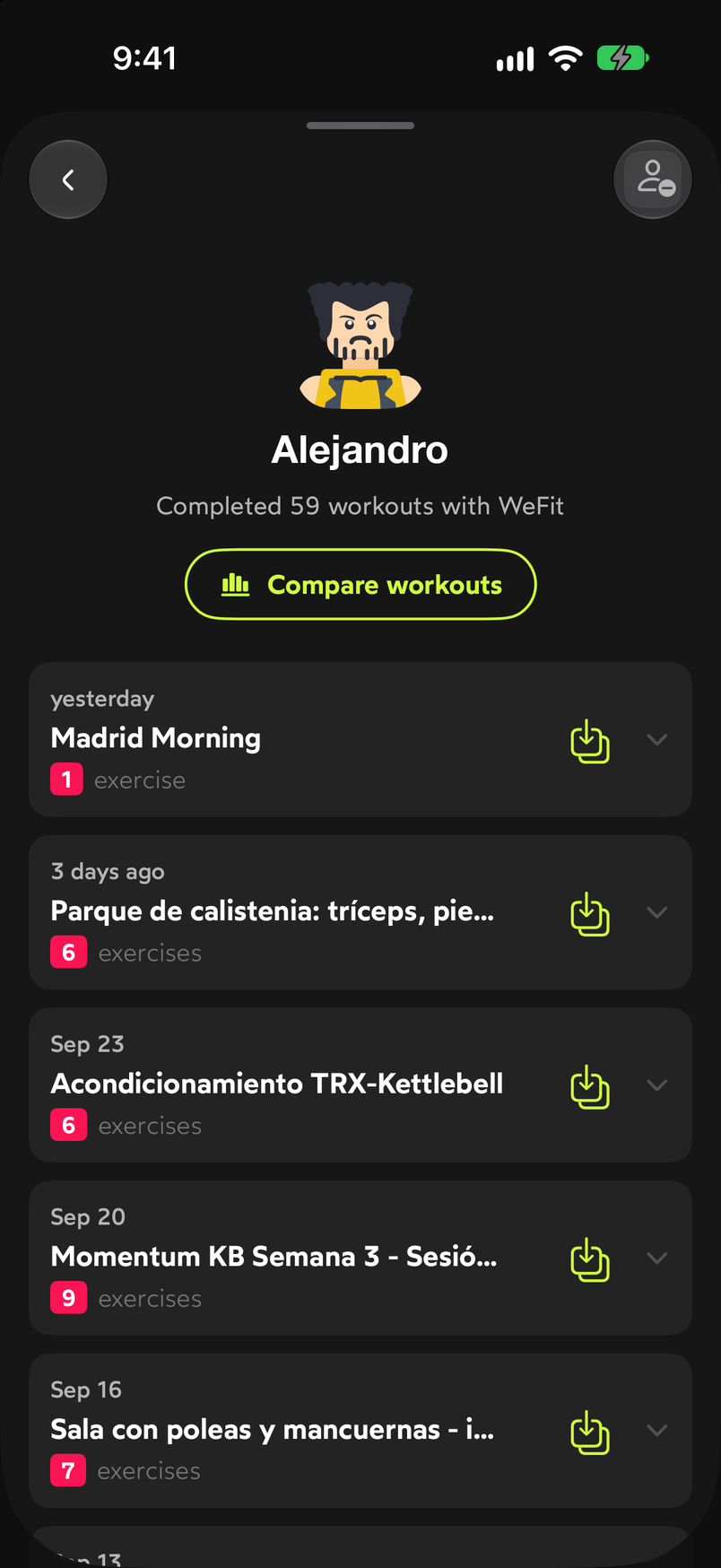
Tap a friend to see their profile. On the profile you see their avatar, how many workouts they’ve completed with WeFit, the Compare workouts button and the list of their workouts sorted by date, each with its name, the number of exercises and a button to copy it.
Each workout has its copy button on the right. Tap Compare workouts. The Comparison sheet shows your avatar and your friend’s side by side, with a period selector (30 days by default). The Muscle groups radar overlays what each of you has worked (abs, arms, back, shoulders, chest and lower body) and below, in Stats, figures such as the number of workouts are compared.
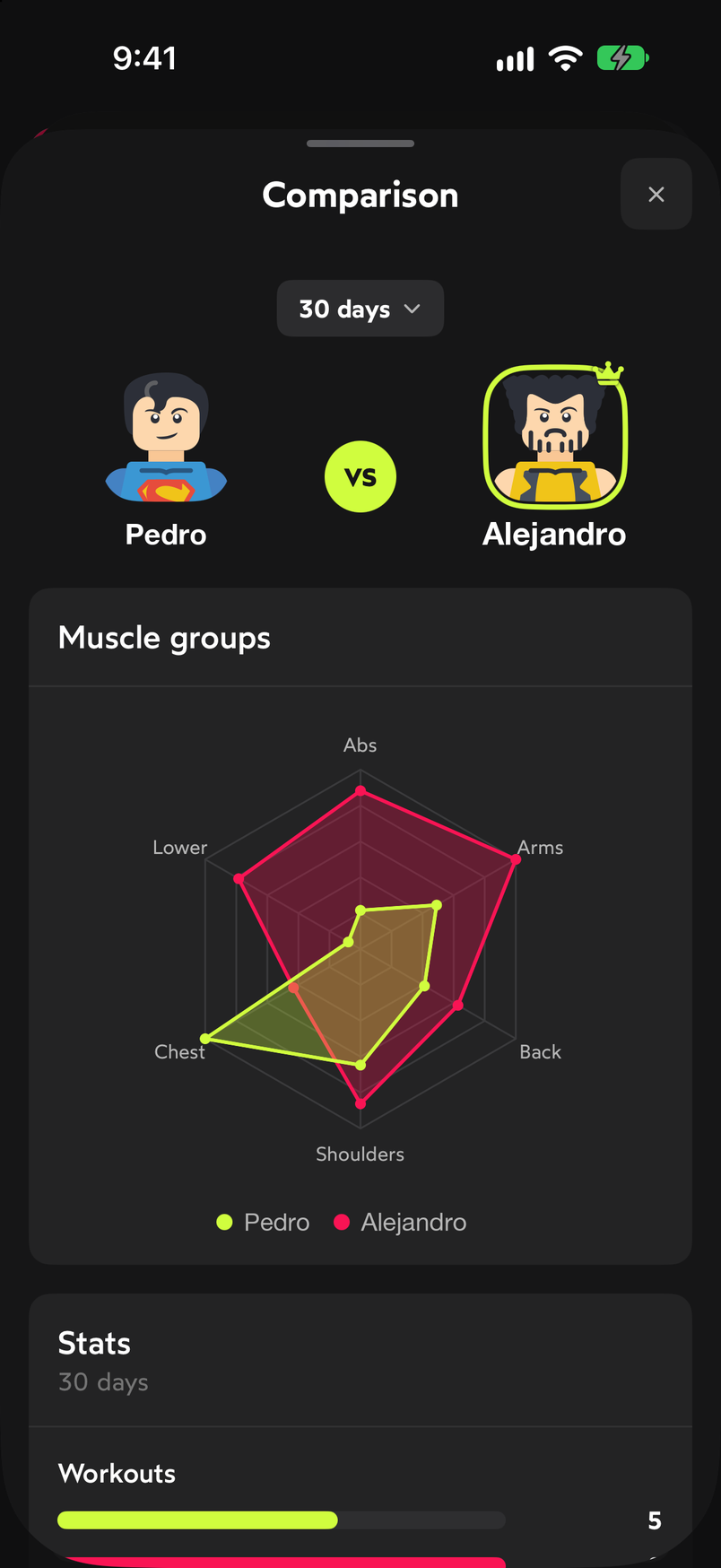
The radar shows which groups you differ on. To copy a workout, tap its copy button on the profile or in the Feed tab. The Repeat workout sheet opens with the session’s name and a calendar: choose the day you want to do it and confirm with Repeat here. The workout appears on that day in your calendar.
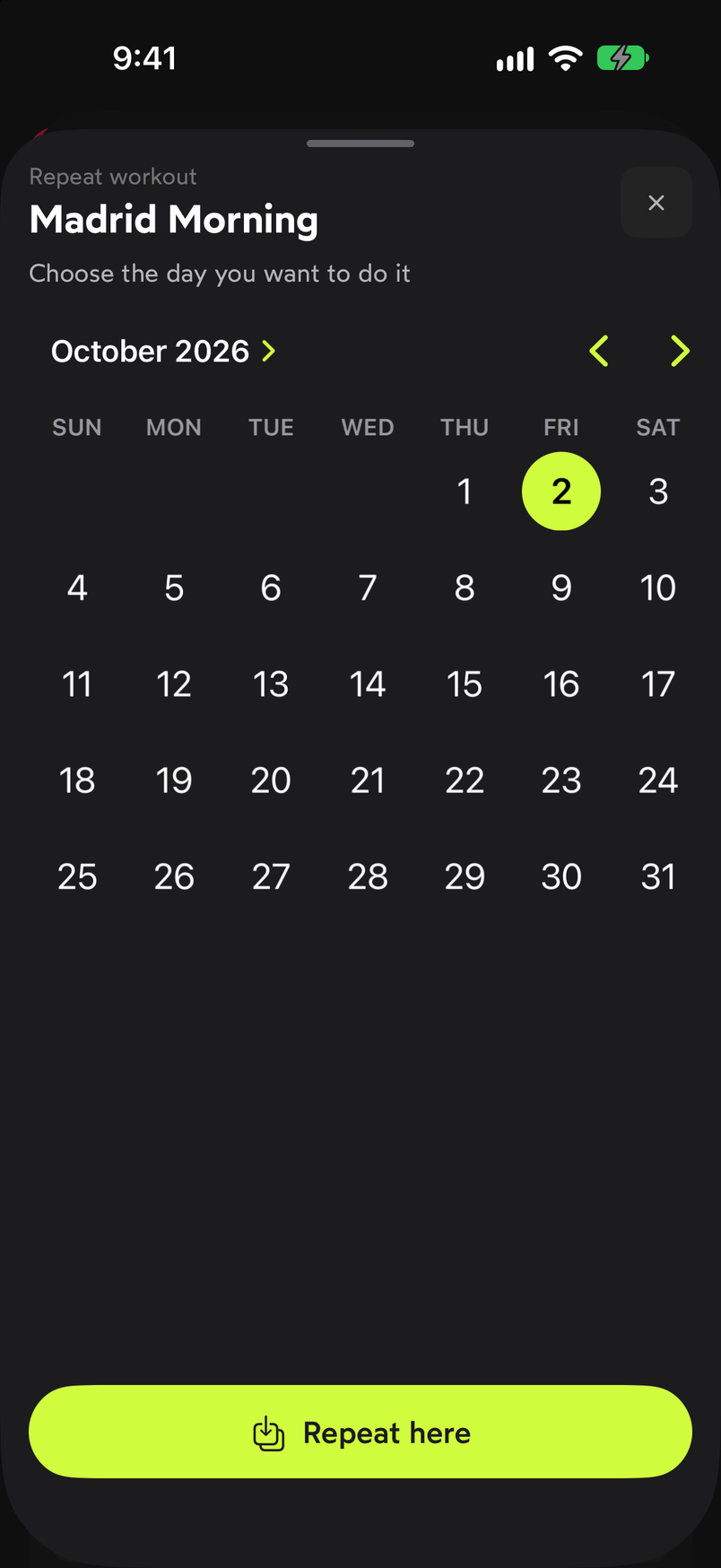
Choose the day and confirm.
Common problems
I don’t see any workouts on my friend’s profile
Only the workouts they’ve logged in WeFit appear. If they’ve just started or haven’t trained in a while, the list will be empty or show old dates.
The comparison looks almost empty
The radar and the stats are calculated for the selected period. If one of you hasn’t trained in the last 30 days, change the selector to a longer period.
I copied a workout to the wrong day
Open that day on Today and, in the workout’s menu, use Delete. Then go back to your friend’s profile and copy it again to the right day. You can also leave it and repeat it on another date from the same menu, as explained in Repeat a workout on other days.
Related guides
How did this guide go for you?
Thanks for your feedback