
Add friends and share your calendar
How to follow a friend in WeFit on iPhone by scanning their QR code or pasting their link, and how to share your own calendar so others can follow you.
In WeFit, a friend is someone whose workout calendar you can see and repeat. A friendship is created through the other person’s calendar: you scan their QR code or paste the link they sent you. In the same way, you have your own QR and link so others can follow you.
Open the Friends screen
On Today, tap the two-person icon in the calendar bar. The Friends screen opens with three tabs: Feed, Friends and Share, and an add friend button at the top right. The Feed tab lists, friend by friend, their latest workouts with the date, the name, the number of exercises and a button to copy them to your calendar.
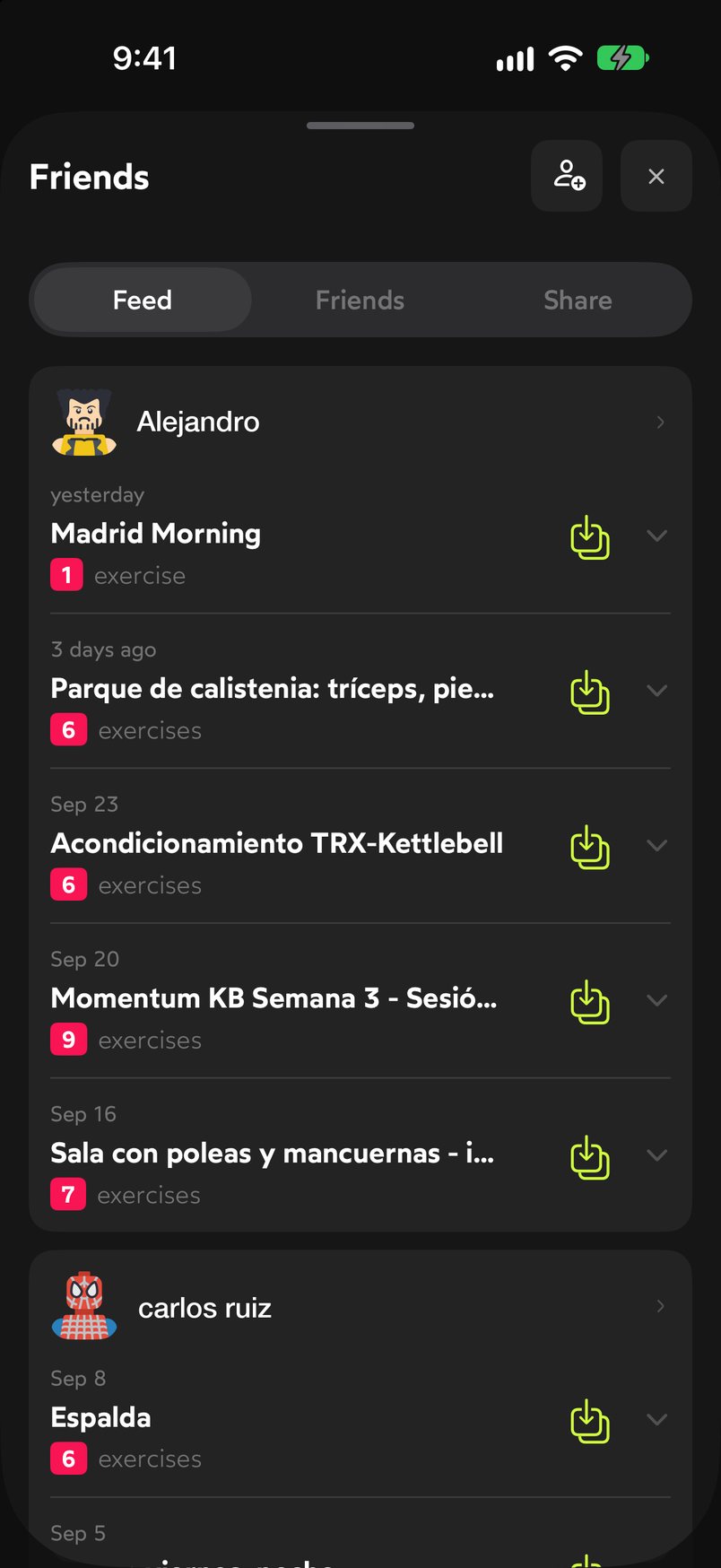
Feed shows the latest things your friends have done.
Share your calendar
Go to the Share tab. You’ll see your QR code, below it your link with a button to copy it, and the Share link button, which opens the iPhone share sheet. Show the QR to your friend or send them the link: when they open it, they’ll be able to follow you, see your workouts and repeat them.
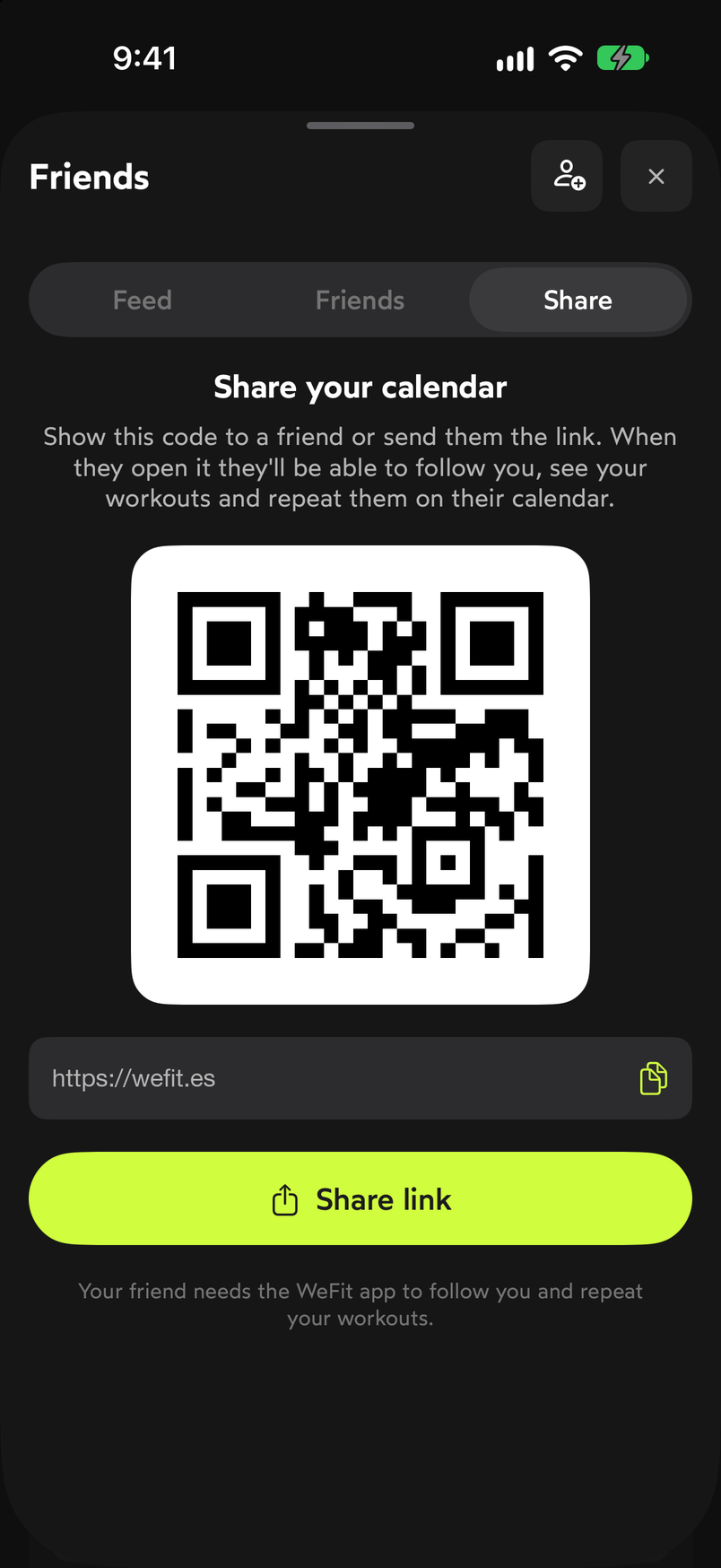
Your QR and your link are the key for others to follow you.
Add a friend
Tap the add friend button at the top right. The Add friend sheet opens with two options: scan your friend’s calendar QR with the camera (the first time you need to tap Allow camera) or paste the link they shared with you into the field at the bottom using the Paste button.
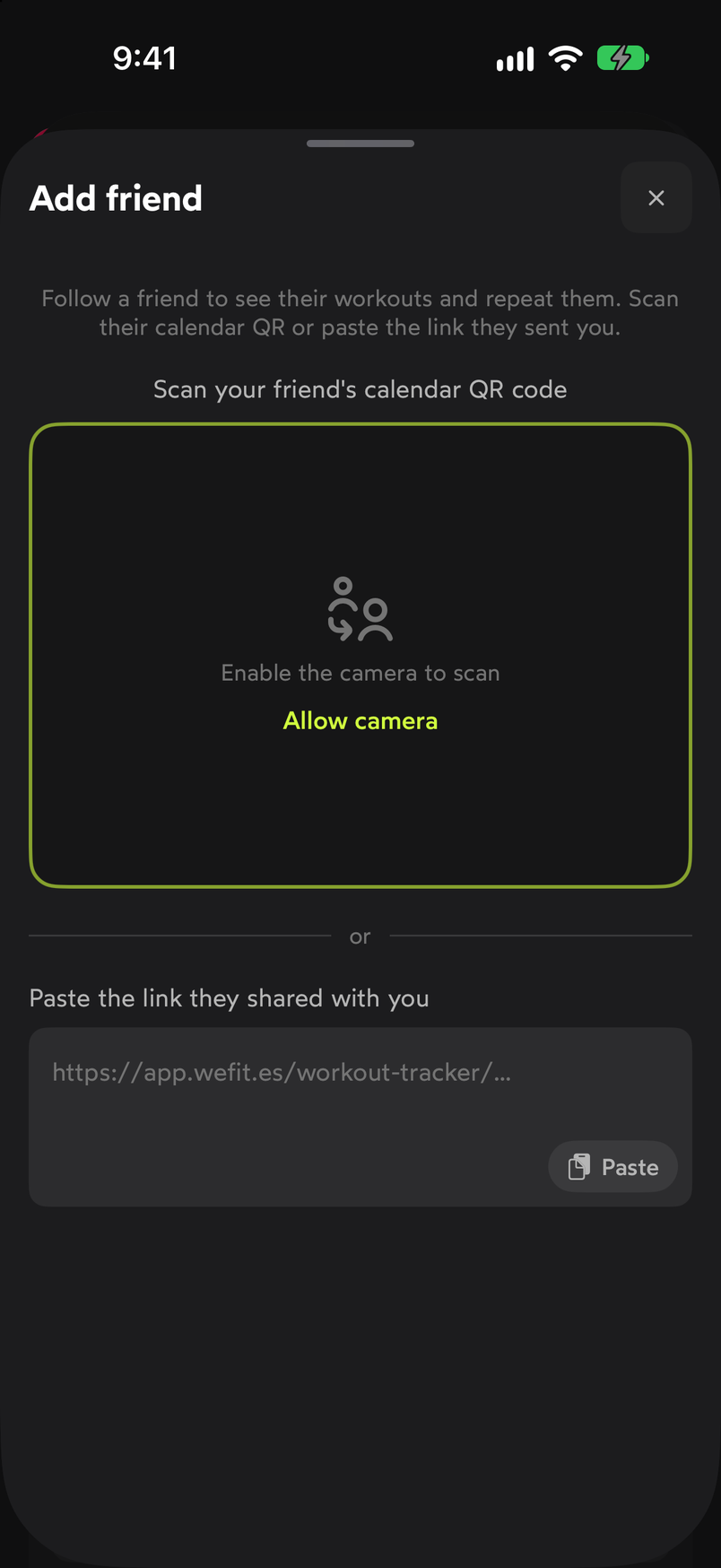
Scan their QR or paste their link. Once added, your friend appears in the Friends tab and their workouts start showing up in Feed. To see their profile, compare yourselves or copy their sessions, continue with View and repeat a friend’s workouts.
Common problems
I can’t scan the QR
The scanner needs camera permission. If you denied it, turn it on in iPhone Settings, under WeFit. In the meantime, you can ask your friend for the link and paste it in the field below.
I paste the link and nothing happens
Make sure you copied the full calendar link, the one that starts with the WeFit app address. A truncated link, or one from another screen, isn’t recognized.
I want to stop sharing my calendar
The QR and the link on the Share tab always point to your calendar. To stop someone from seeing it, remove them from your friends list from the Friends tab.
Related guides
How did this guide go for you?
Thanks for your feedback