
The exercise page on the watch
What the exercise page shows in WeFit Go: image, favorite, category and the progression with the sets from your latest sessions.
The watch’s exercise page is a summary designed to check in the middle of a workout: the image of the movement, the group it belongs to and what you did the last few times. The full version, with statistics and detailed history, is on the iPhone.
Steps
Inside a workout, open an exercise and tap its name. The page shows the exercise image and, at the top right, the star to mark it as a favorite. Close it with the X.
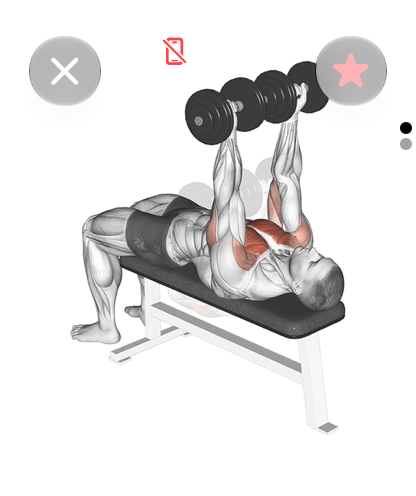
The exercise image and the favorite star. Turn the Digital Crown to scroll down. You’ll see the type (for example Fuerza (Strength)), the Categoría (Category) it belongs to and the Progresión (Progression): the dates of your latest sessions with the sets you logged, such as “1 × 10 REP × 8kg”.
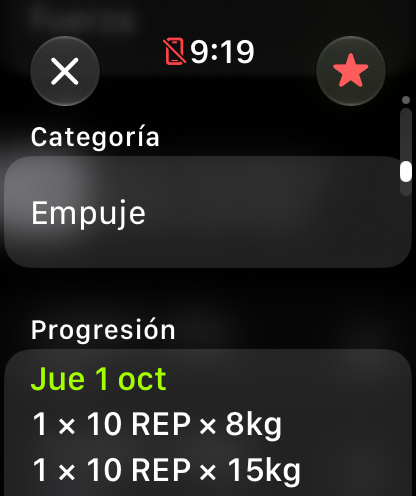
Category and progression with your latest sets.
Common problems
The progression is empty
Only sessions in which you logged sets of that exercise appear. After your first workout with it, the date and its sets will show up here.
I want to see how to do the exercise
The technique explanation is on the exercise page on the iPhone, in the “Cómo se hace” (How it’s done) section.
Related guides
How did this guide go for you?
Thanks for your feedback