
Coach report and CSV export
How to generate a PDF training report for your coach in WeFit for iPhone and how to export your workouts, progression or routines as CSV.
Subscription feature. What’s included
From Reports you can pull your WeFit data out in two formats: a summary PDF designed to show to your coach and a CSV with the raw data to open in a spreadsheet. Both are generated on the spot and delivered through the iOS share sheet.
Steps
Tap your avatar at the top right of Today to open Settings and, in your profile block, go into Reports.
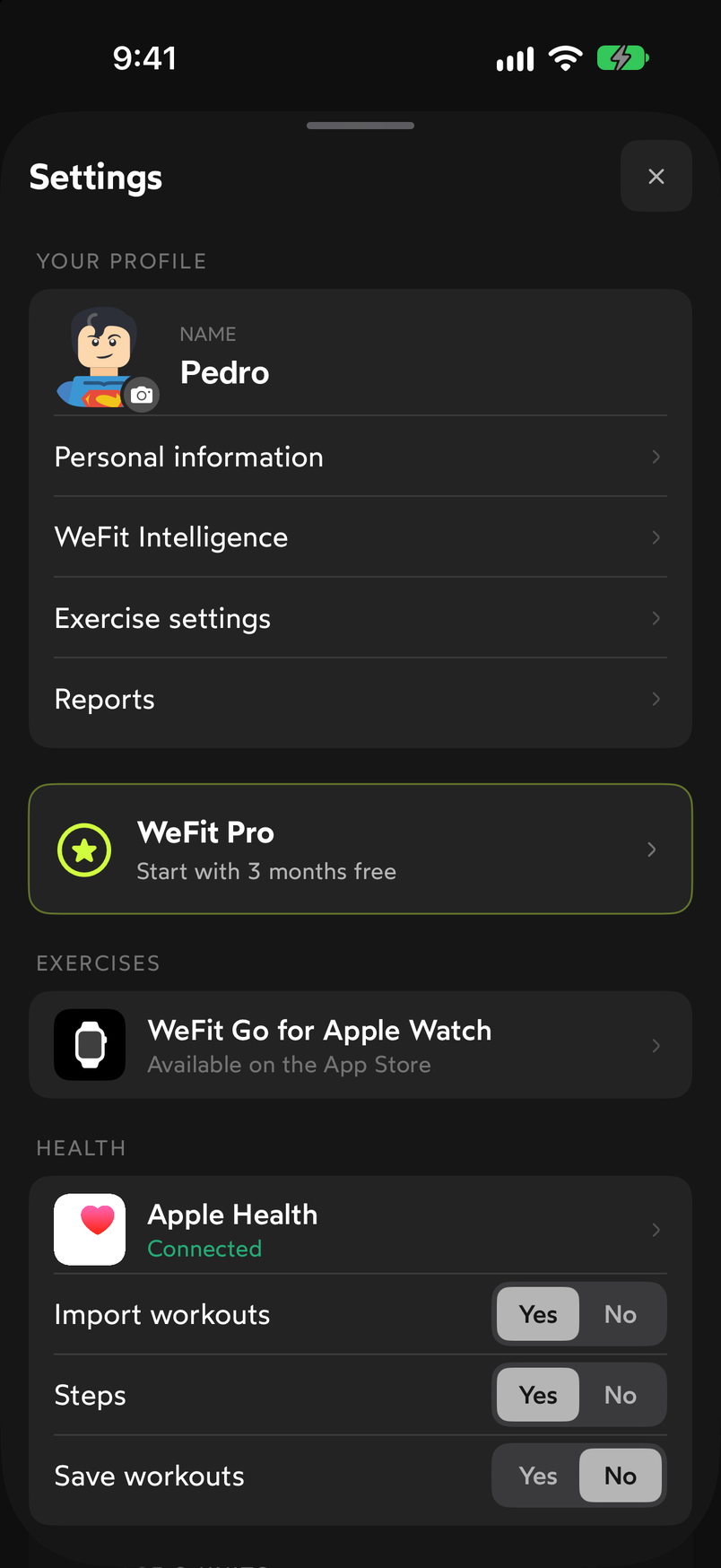
Reports is in Settings, right below Exercise settings. The Reports screen has two cards: Report for your coach, a summary of your training as a PDF ready to share or save, and Export data (CSV), which downloads your workouts, progression or routines to open in Excel or Google Sheets.
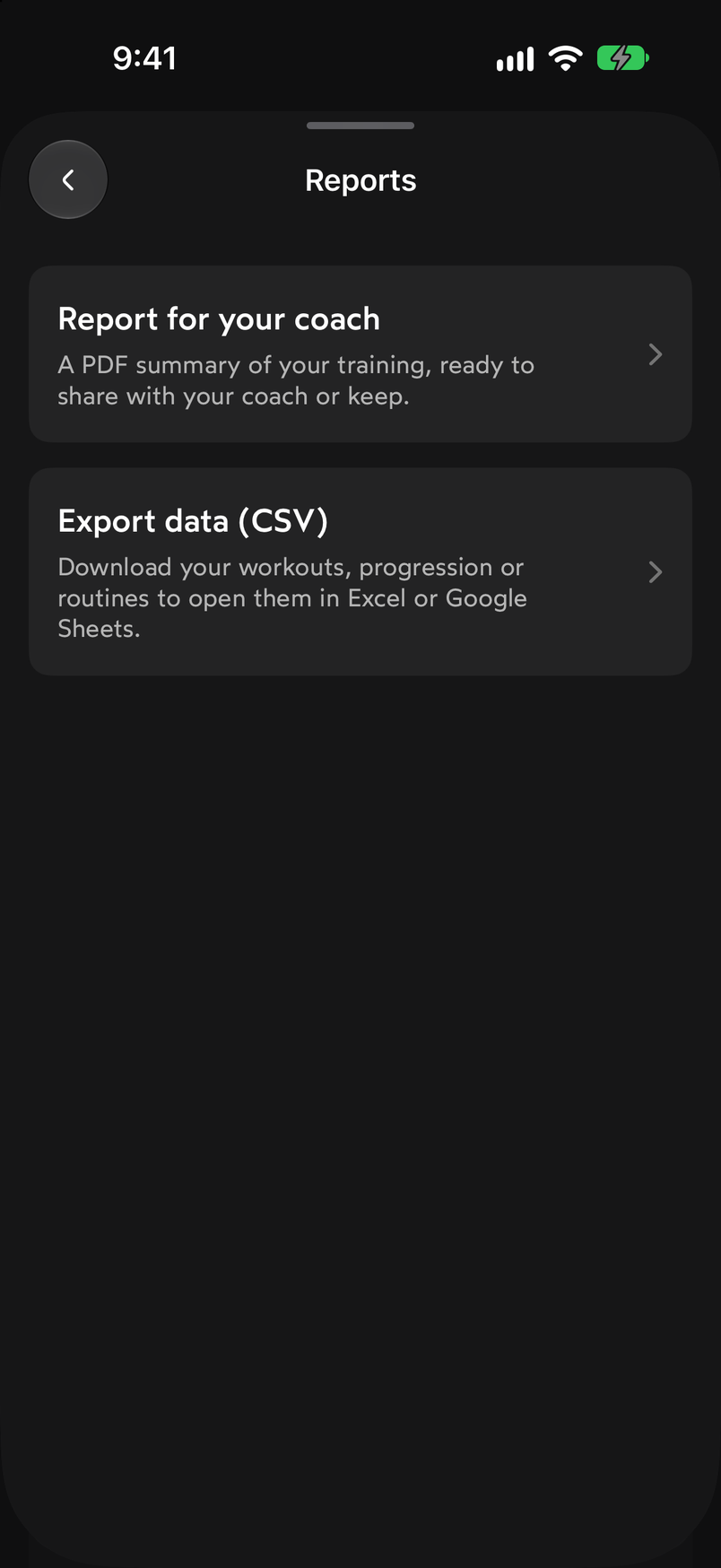
Two different outputs: PDF for people, CSV for spreadsheets. In Report for your coach you choose the Period (8 weeks by default) and whether you want to Include cardio and Include my routines. The PDF gathers your summary, muscle volume, progression and consistency. Tap Get report.
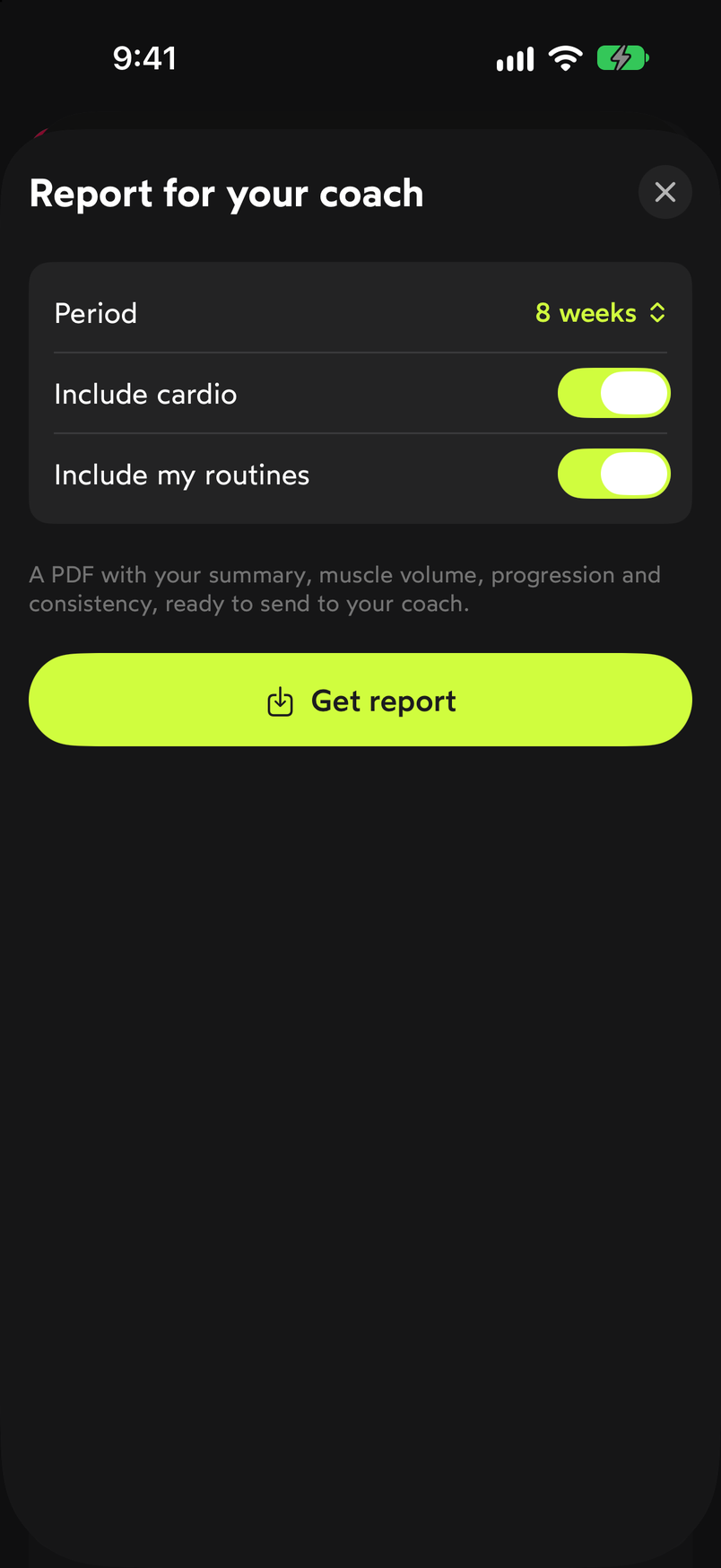
Period and content are adjusted before generating the PDF. WeFit generates the document and opens the iOS share sheet with the “Training report” PDF. From there you can view it in Preview, send it through any app, Copy, Print or Save to Files.
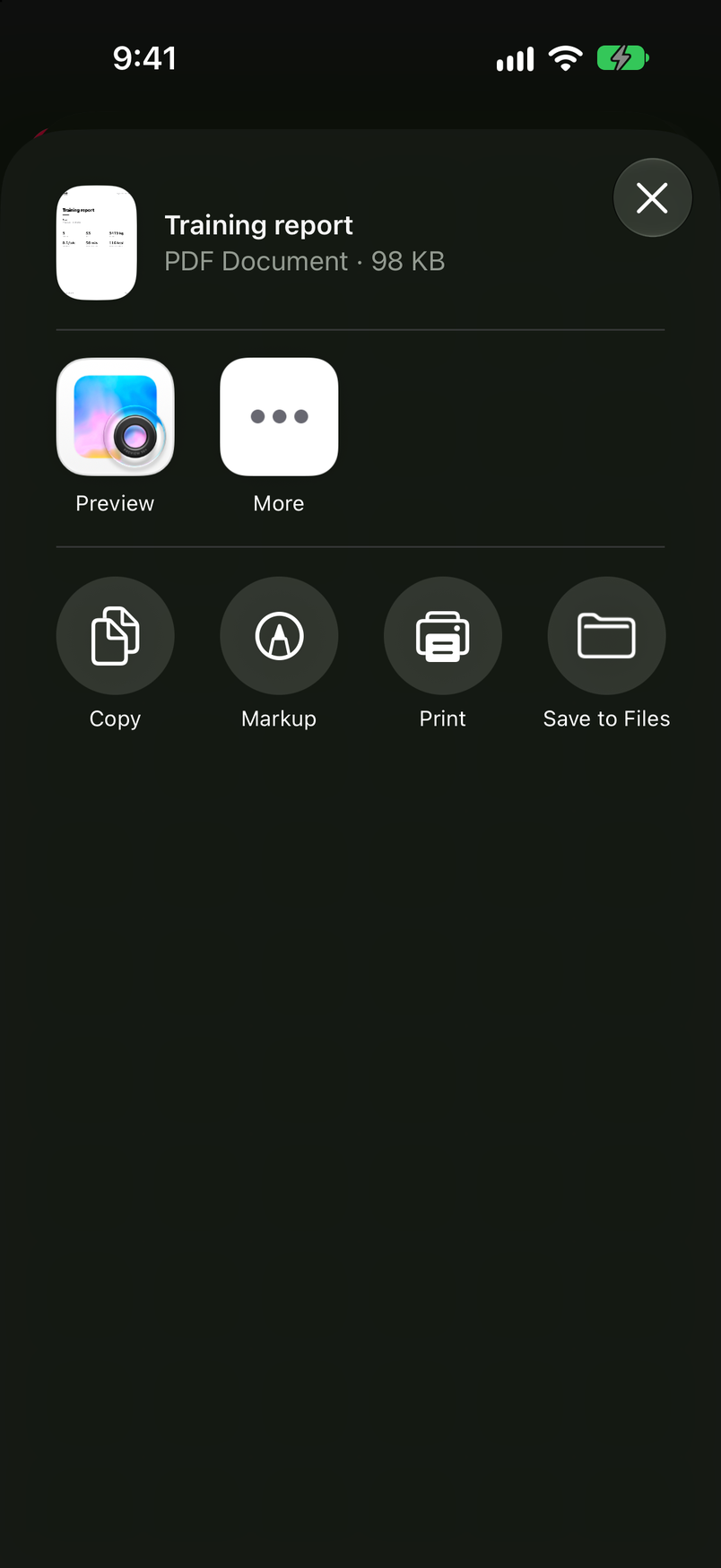
The PDF is delivered through the system share sheet. In Export data (CSV) you choose the Report type (“Workouts (sets)” by default), the Period (“All” by default) and the format, which is CSV. Tap Get report and the file is delivered the same way, through the share sheet.
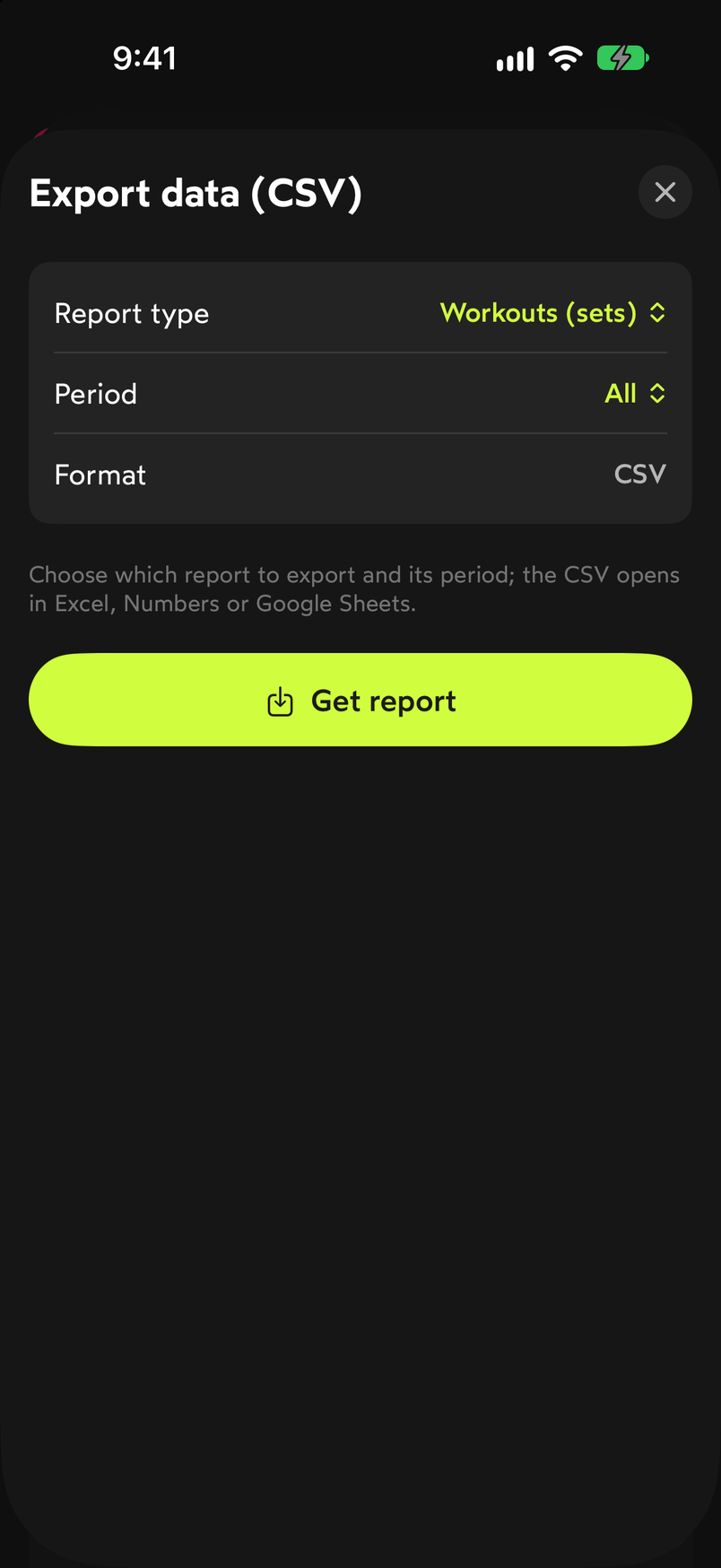
The CSV opens in Excel, Numbers or Google Sheets.
If what you want is to look at your data inside the app, without exporting it, see Tracking: muscles, activity and progress.
Common problems
When I tap Get report, the WeFit PRO screen appears
The coach report is a WeFit PRO feature. Activate the subscription or the free trial from that screen and generate the report again.
The report comes out almost empty
The PDF only includes what was logged within the chosen period. If you’ve been using WeFit for a short time or haven’t trained much in those weeks, extend the period in the report sheet.
I can’t find where the file was saved
The PDF and the CSV aren’t saved automatically: they’re delivered through the share sheet. Choose Save to Files to keep it on your iPhone, or send it through the app you prefer.
3 months free, cancel anytime.
What WeFit PRO includesHow did this guide go for you?
Thanks for your feedback