
WeFit Go: what the watch does and what the iPhone does
What WeFit Go adds on Apple Watch compared with WeFit on iPhone: what works best from the watch during a workout, what you plan from your phone and how to download it.
WeFit Go is WeFit’s app for Apple Watch. It’s a standalone app, not an iPhone accessory: you install it from the watch’s App Store, it uses the same WeFit account and it syncs with the same workout calendar. The split is simple: the watch is designed for running the workout with your phone put away, and the iPhone for planning and reviewing it.
Steps
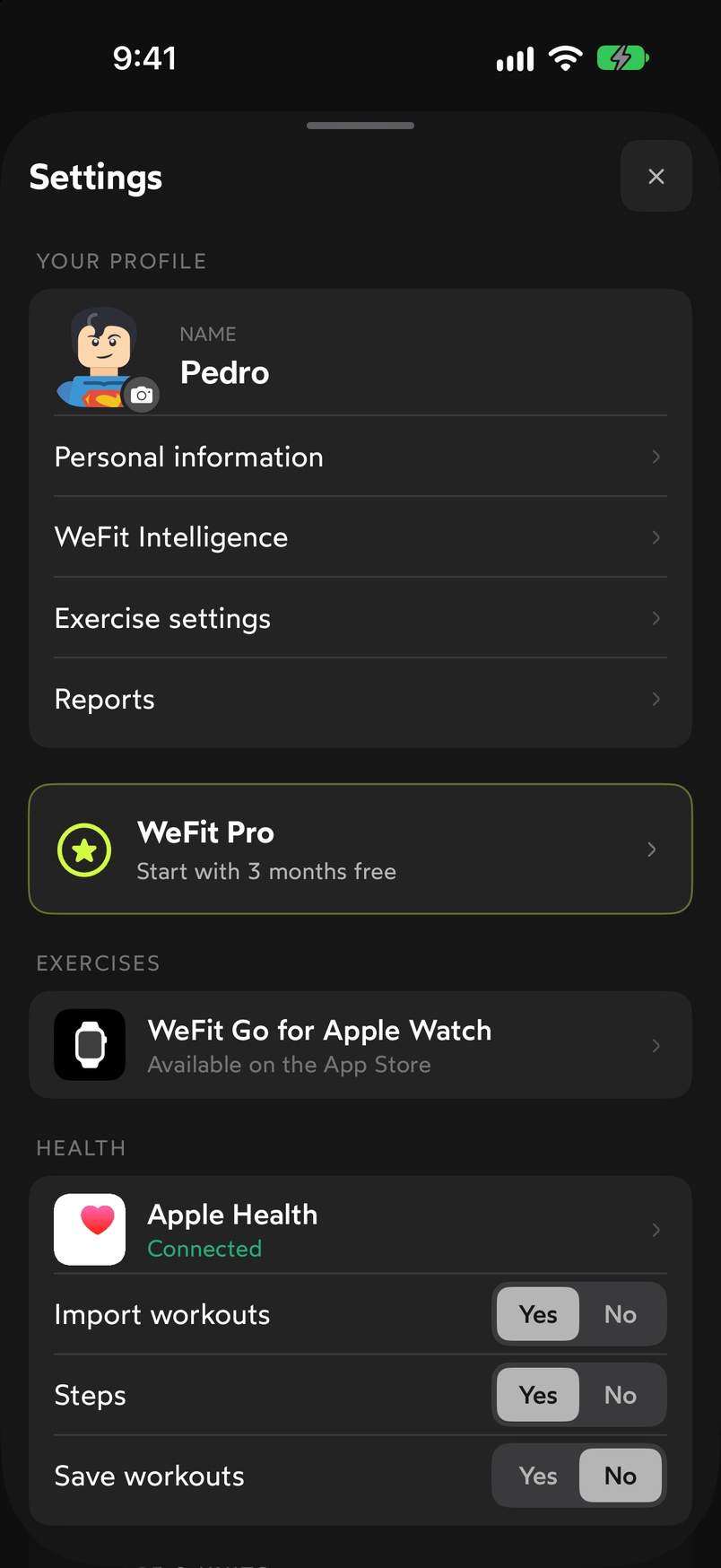
Open Settings by tapping your avatar in the top right corner of Today. In the EXERCISES block is the row WeFit Go for Apple Watch · Available on the App Store. Tap it.
The entry to WeFit Go is in Settings, under EXERCISES. The Log your workouts from your wrist screen opens: WeFit Go shows the day’s workout, logs sets and reps, tracks heart rate and calories and syncs everything with WeFit and with Apple Health. Below is a table comparing the iPhone and the Apple Watch. In the DURING THE WORKOUT block, all four items are checked for the Apple Watch and not for the iPhone: Live heart rate, Calories and active energy, Activity rings and Always-on display. The PLAN AND EDIT block follows with Edit weights and reps, Create and plan routines, Repeat previous workouts and Share your workout with friends. At the end is the Get it on the App Store button and a note that it requires an Apple Watch with watchOS 26 or later.
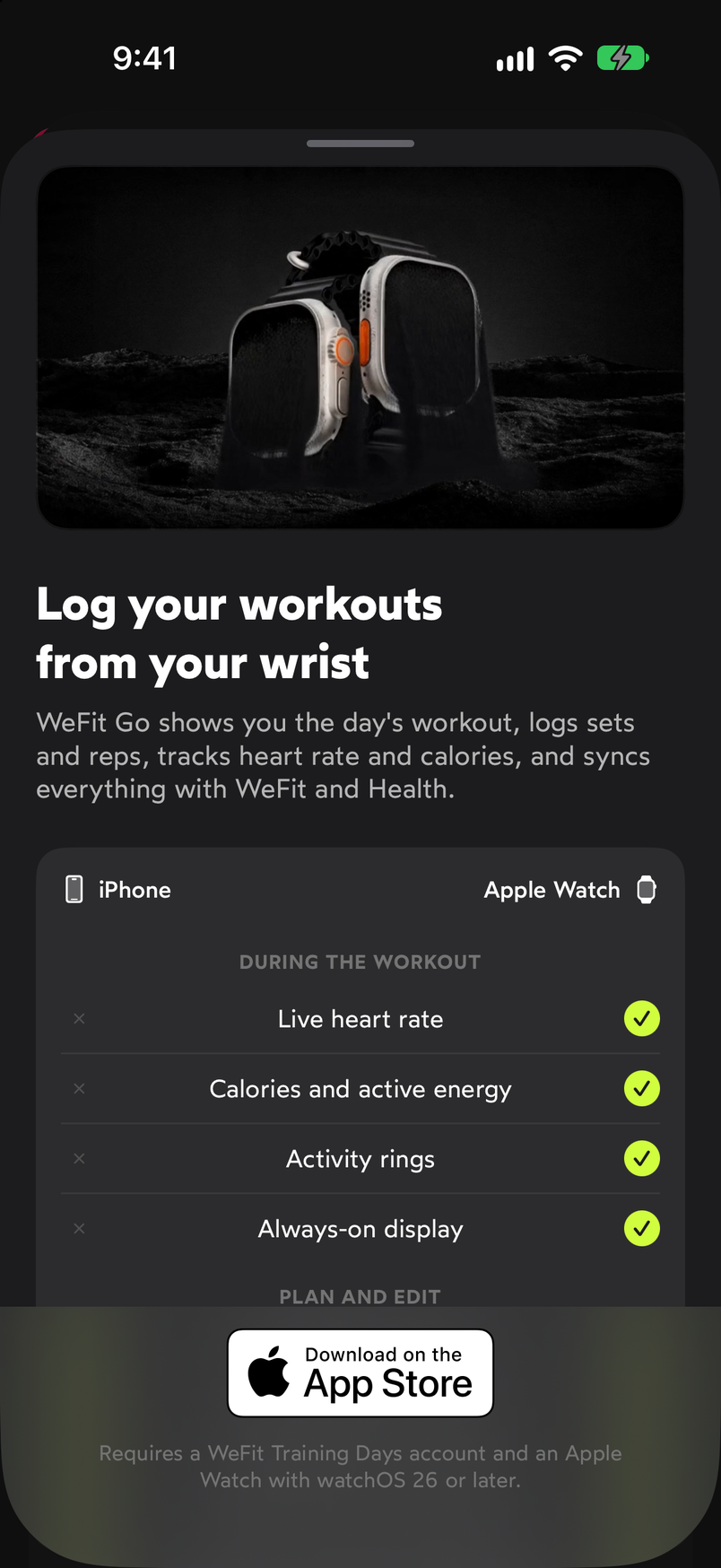
What happens during the workout is the watch's territory; planning belongs to the iPhone.
How the work is divided
- On the watch, during the workout. Live heart rate, calories, activity rings and an always-on display are things only the Apple Watch can provide, because it carries the sensors on you. The WeFit Go player shows you one set per screen and you mark it with a tap.
- On the iPhone, before and after. Creating routines, planning the week, adjusting weights and reps at your own pace, repeating previous workouts and sharing them with friends is better done on the big screen. Everything you prepare here shows up on the watch.
- The same account. There’s nothing to pair inside WeFit: you sign in on the watch by authorizing it from the WeFit website with a QR code and, from that moment, both devices see the same workouts.
Common problems
I can’t find WeFit Go in the watch’s App Store
Check that your Apple Watch has watchOS 26 or later. On earlier models or versions the app isn’t offered.
I don’t see the workout I just created on the iPhone on my watch
Give it a few seconds and open WeFit Go again: the watch loads the day when you open it. If it still doesn’t appear, check that the watch is connected and that you’ve signed in with the same account.
I want to edit sets from the watch
You can, but it’s more comfortable from the iPhone: the table places it in the plan and edit block. On the watch, stick to marking sets and correcting a specific weight or number of reps.
How did this guide go for you?
Thanks for your feedback