
Connect WeFit to Apple Health
How to give WeFit permission to read workouts, steps and routes from the iPhone Health app, what data it asks for and how to sync workouts from other sports afterward.
With Apple Health connected, WeFit can show on Today the workouts you log with other apps (running, swimming, cycling…) and your steps, and suggest them as activities. You connect it just once from Settings, and the iPhone asks exactly which data you want to share.
Steps
Open Settings by tapping your avatar on Today and find the HEALTH section. The Apple Health row shows “Not connected”. Tap it.
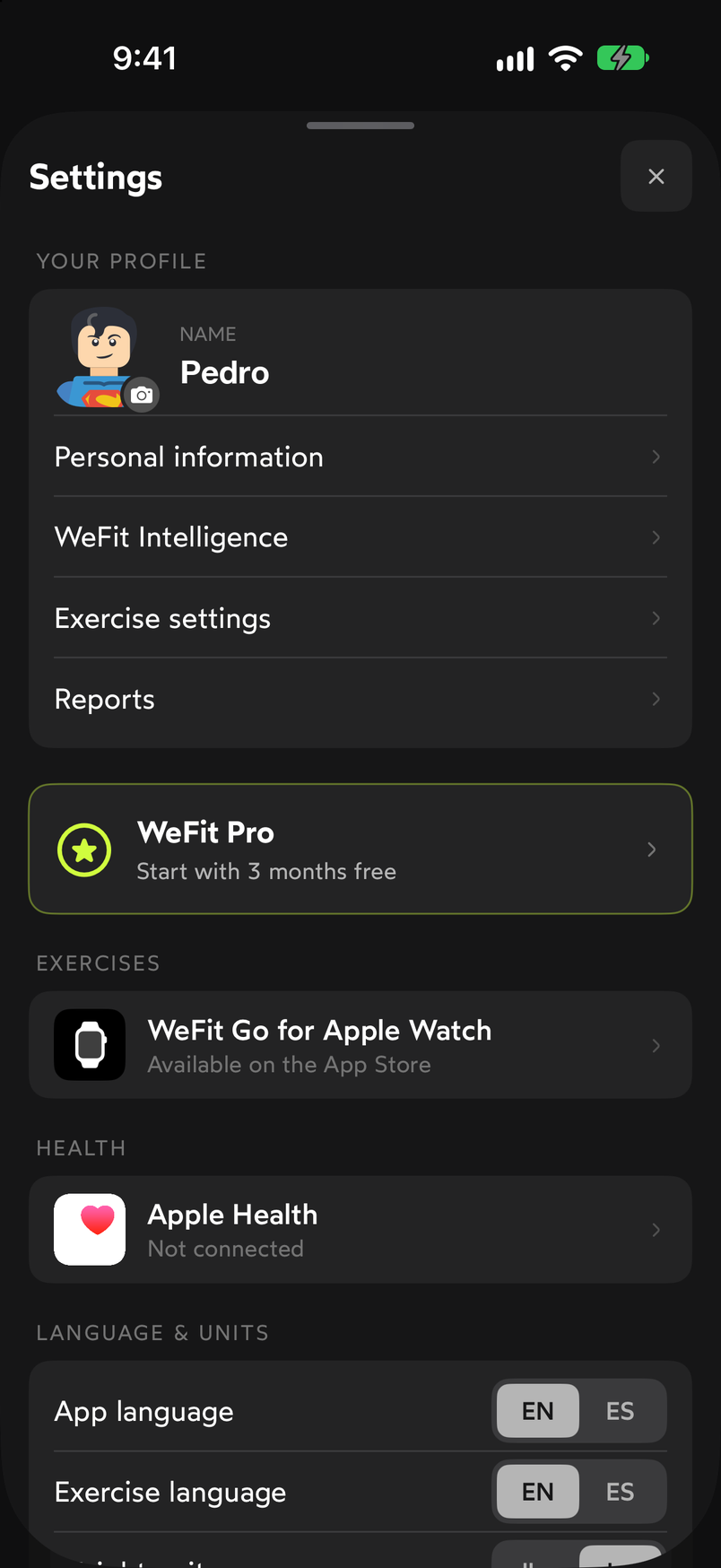
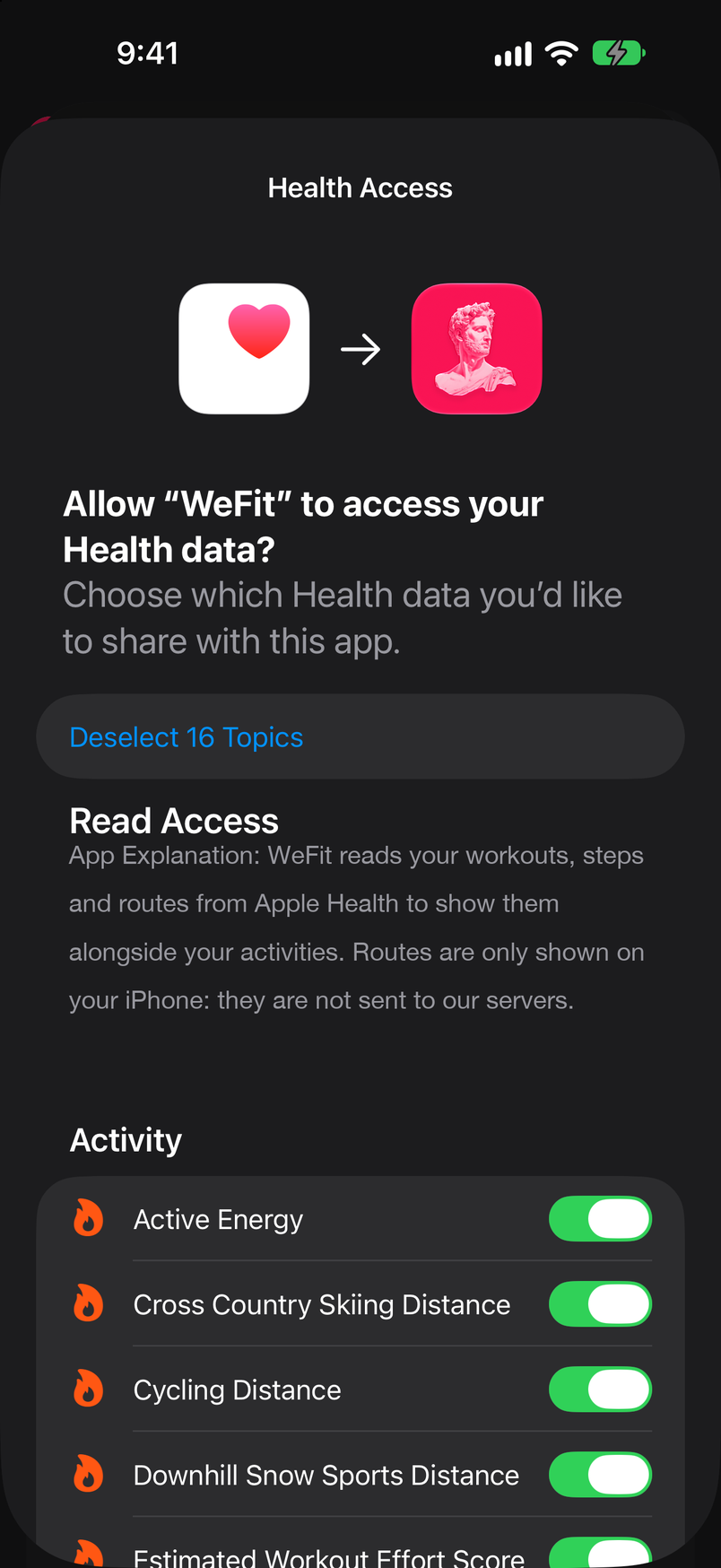
The connection starts from the Health section in Settings. The iPhone opens the system dialog Health Access: “Allow WeFit to access your Health data?” Below, it explains what WeFit reads (workouts, steps and routes) and lists the data types with a switch for each. Tap Select All 16 Topics to enable all 16 at once, or enable them one by one.
The Turn On All link enables all the read permissions. Scroll to the end of the list. You’ll see the last data types, such as Energy, Workouts, Steps, Workout Routes and, under Heart, Heart Rate. Tap Allow. If you choose Don’t Allow, WeFit won’t be able to read anything.
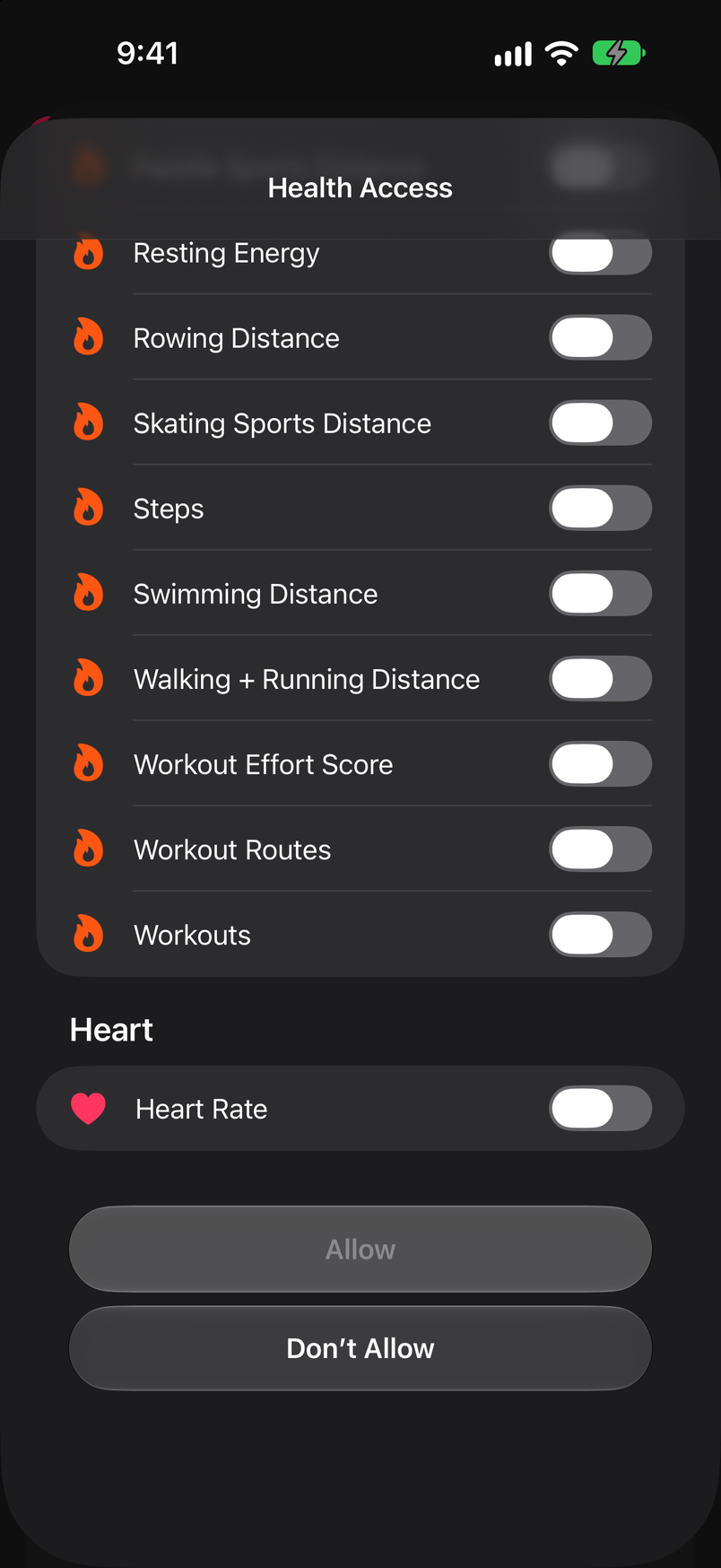
With all the switches on, tap Allow. A second screen asks how much data to share: Past 30 Days and Future Data or All Recorded Data and Future Data. Choose an option and tap Allow again.
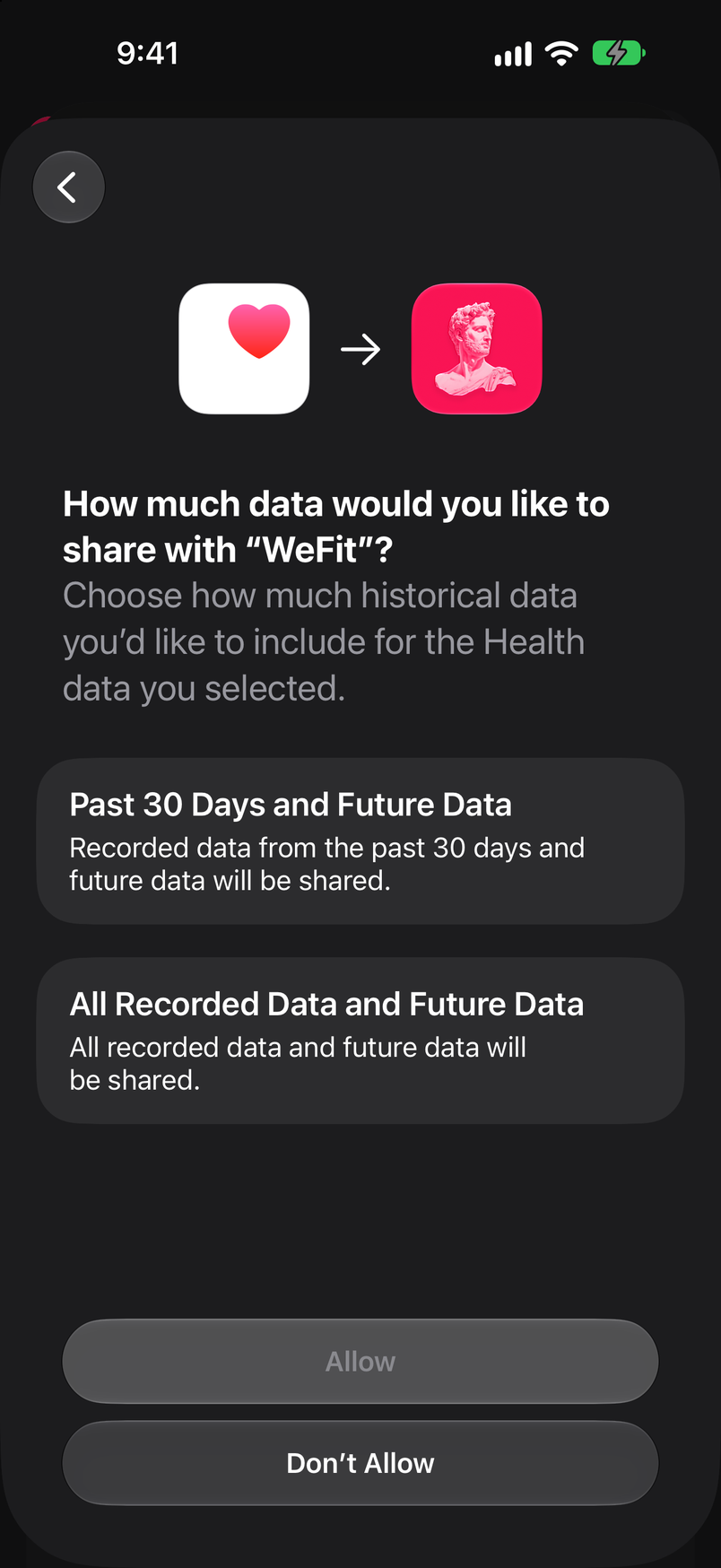
You can limit the history to the last 30 days. Back in Settings, the Apple Health row changes to “Connected” and the Import workouts, Steps and Save workouts switches appear below it, each with Yes/No.
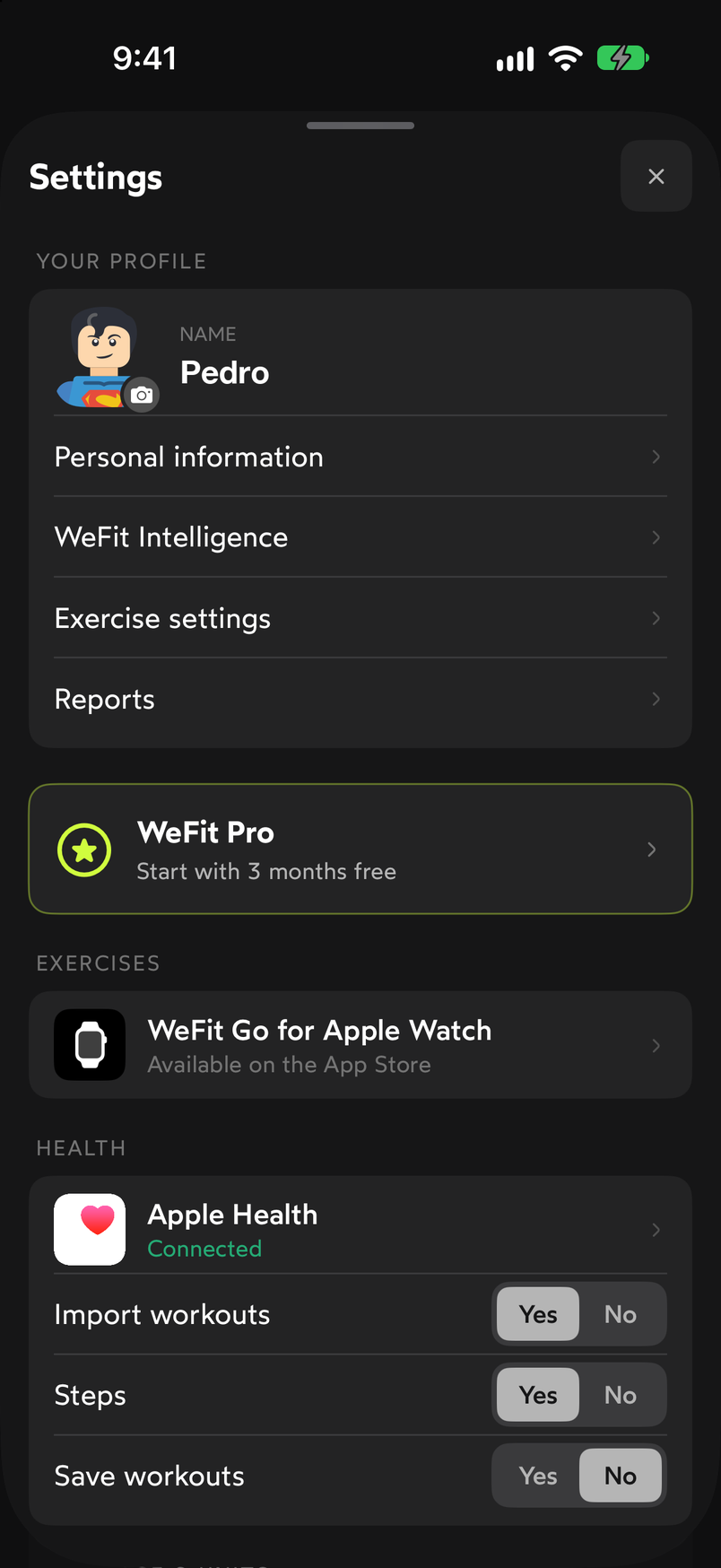
After connecting, you decide what's imported and what's saved to Health. Tap the Apple Health row to open its sheet. It shows the status “Connected · Workouts from other sports and steps”, explains that strength workouts and WeFit Watch workouts aren’t imported because they’re already in your account, and offers the Sync workouts button to bring in workouts from other apps right now.
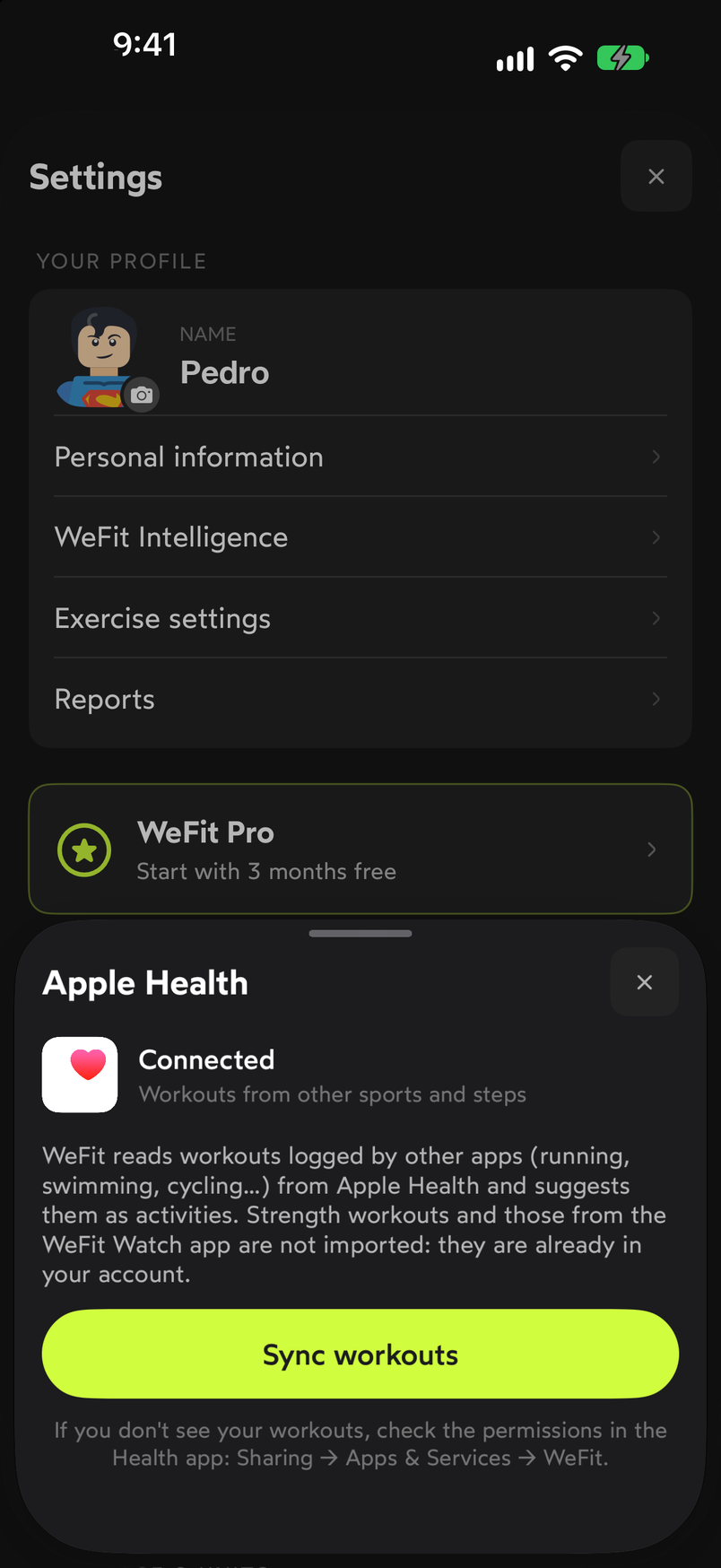
Sync workouts imports whatever other apps have in Health.
Common problems
I don’t see my workouts from other apps on Today
Open the Apple Health sheet in Settings and tap Sync workouts. If they still don’t appear, check the permissions in the iPhone Health app: Sharing → Apps and Services → WeFit, and make sure reading workouts is turned on.
I made a mistake choosing the permissions
Permissions can’t be changed from WeFit, only from the iPhone Health app, under Sharing → Apps and Services → WeFit. There you can turn each data type on or off.
I don’t want WeFit to write to Health
Set Save workouts to No in the HEALTH section of Settings. WeFit will keep reading what you’ve allowed, but it won’t save your workouts to Health.
How did this guide go for you?
Thanks for your feedback