
Account and app settings
What you'll find in WeFit Settings on iPhone: your profile, personal information, language and units, exercise groups, account access and the delete actions.
Settings brings together everything that isn’t training: your profile and personal data, language and units, which exercise groups you use, the connection with Apple Health, your WeFit Pro subscription and account management. You open it by tapping your avatar, at the top right of the Today screen.
Steps
Tap the avatar in the top right corner of Today. The Settings sheet starts with YOUR PROFILE: your avatar with a camera icon to change it, your name and four rows: Personal information, WeFit Intelligence, Exercise settings and Reports. Below are the WeFit Pro card (“Start with 3 months free”), the EXERCISES section with WeFit Go for Apple Watch and the HEALTH section with Apple Health. Under LANGUAGE & UNITS you choose the app language and the exercise language (ES or EN) and the weight unit (kg or lbs).
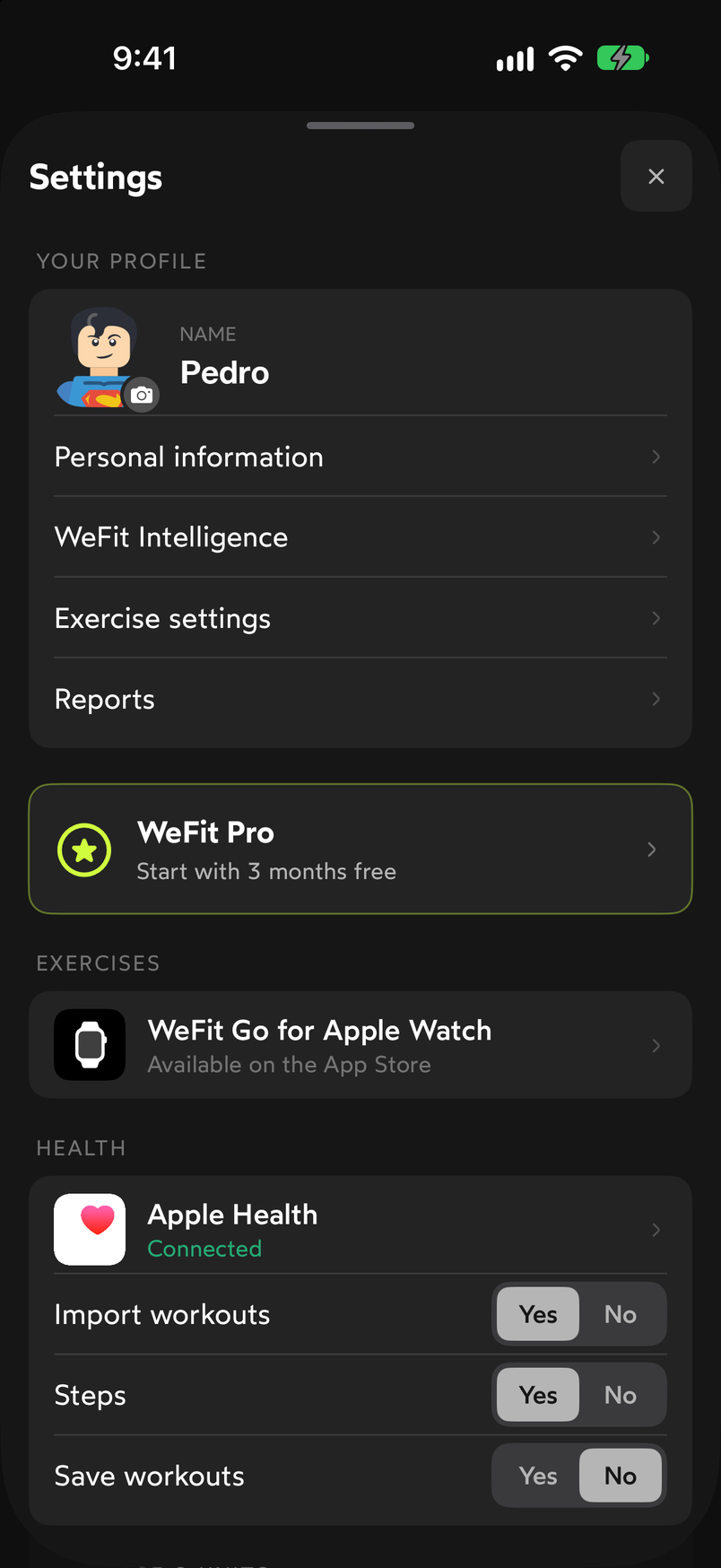
Settings opens from the avatar on the Today screen. Keep scrolling. After the units is the Haptics switch (Yes/No). The SETTINGS section shows your Sign-in method and the rows Change email, Change password, Delete all my data and Delete my account. The list ends with the INFORMATION section: Rate WeFit, About us and Help & support center.
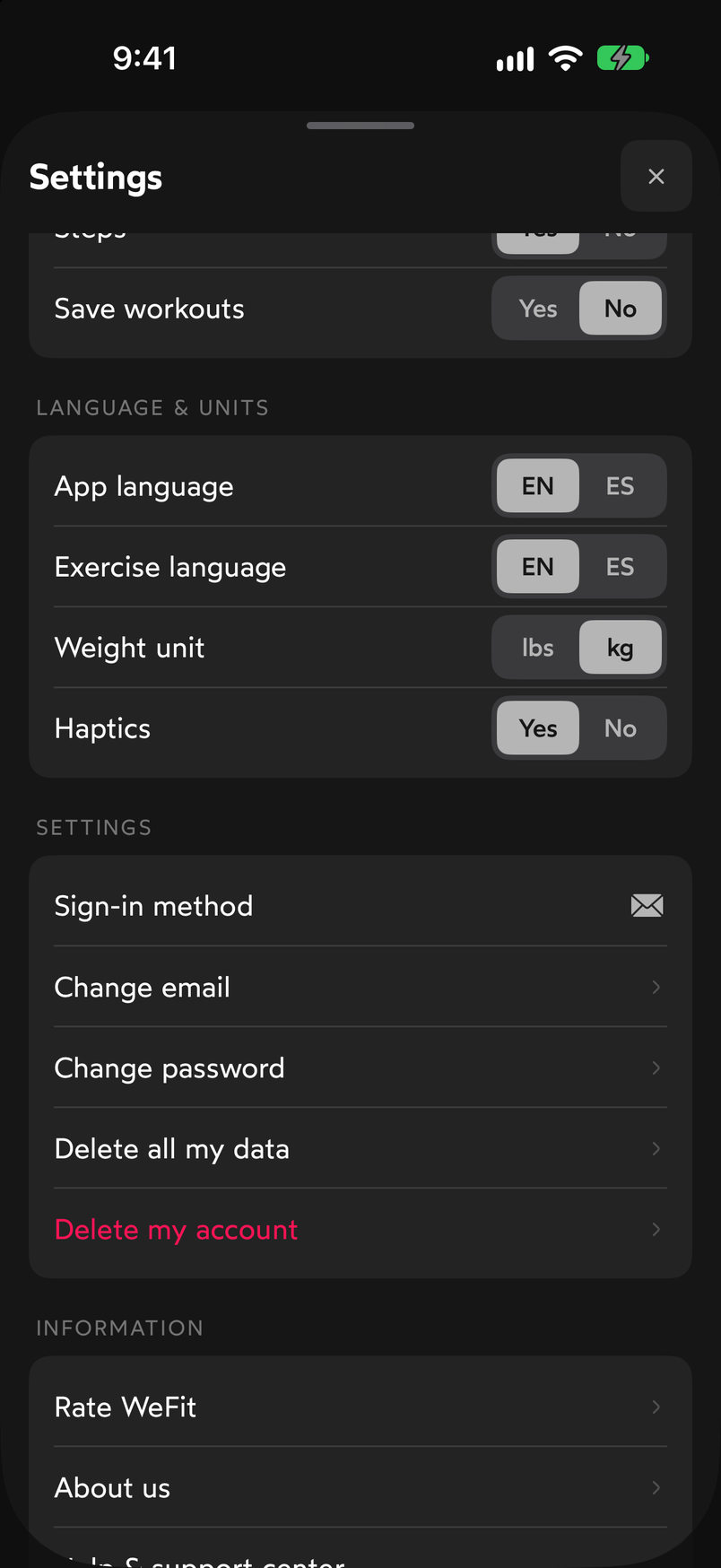
Account management and irreversible actions are at the bottom. Personal information is the screen where you edit your weight, height, date of birth, gender, goal and activity level. It has two tabs, Data and Metrics, and a Set up again button to repeat the initial setup. This data feeds the app’s estimates, so it’s worth keeping it up to date.
Exercise settings opens a sheet with the main groups in the library, each with its number of exercises and a switch: Weight training, Calisthenics and bodyweight, Fitness machines, Abs, Stretches, Suspension training (TRX), Cardio, Balance, Resistance bands and Movement. Turn off the groups you don’t use so they don’t show up when you search.
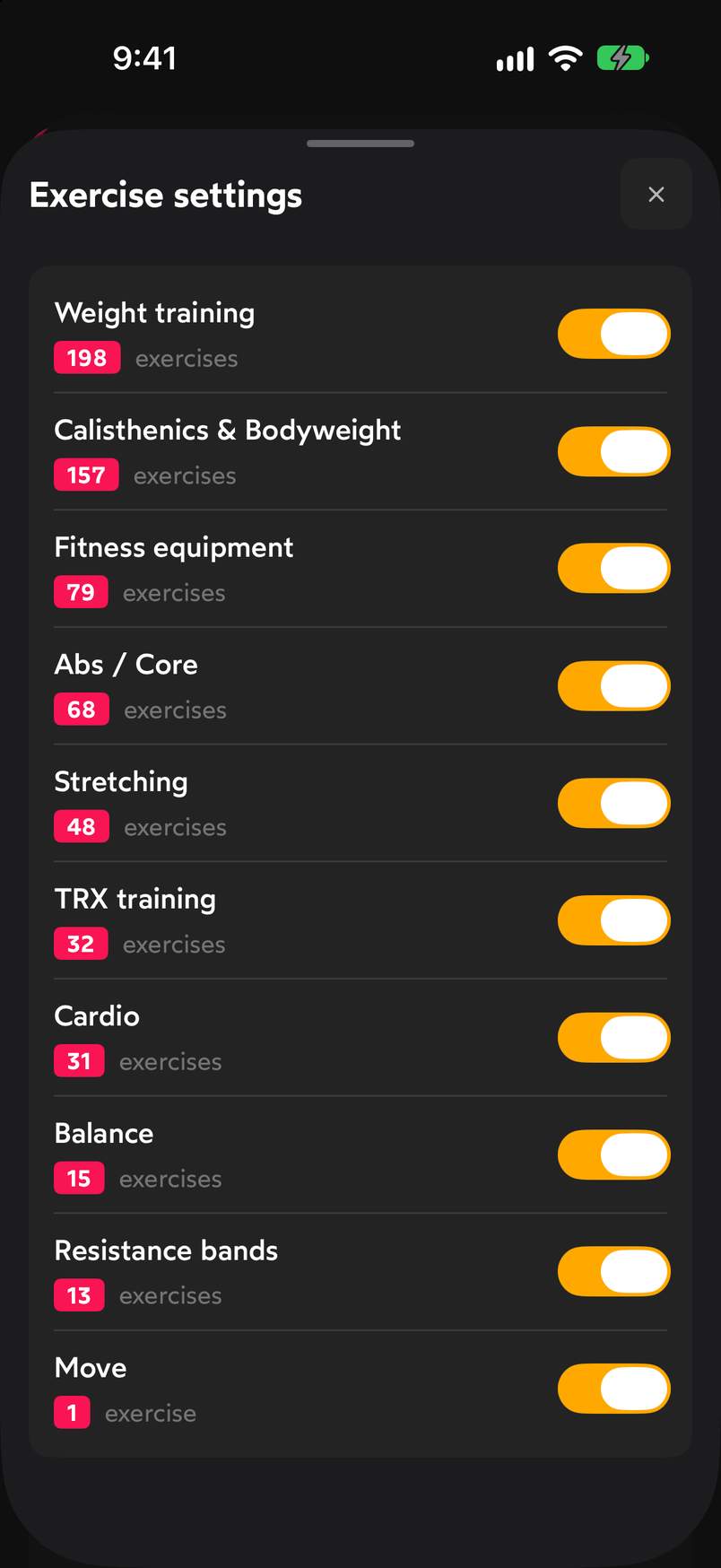
Each group shows how many exercises it contributes.
Common problems
Exercise names show up in English
Under LANGUAGE & UNITS there are two separate settings: App language changes the menus and Exercise language changes the names and descriptions in the library. Set both to ES.
I see weight in pounds
Change Weight unit to kg in the same section. The change affects the whole app, including sets you’ve already logged, which are shown converted.
I can’t find an exercise when I search
Check in Exercise settings that its group is turned on. If the group is off, its exercises don’t appear in the picker.
I want to change my email or password
Use Change email or Change password in the SETTINGS section. The Sign-in method row reminds you which system you use to sign in to WeFit.
How did this guide go for you?
Thanks for your feedback