
Start a workout with Siri or the Action button
How to launch WeFit Go without touching the screen: with your voice, from Shortcuts or with the Action button on the Apple Watch Ultra.
WeFit Go exposes the Iniciar entrenamiento (Start workout) action to the system. That lets you start the day’s workout with Siri, from the Shortcuts app or with the Action button on the Apple Watch Ultra, without hunting for the app in the list.
With Siri
With WeFit Go installed and signed in, raise your wrist and say “Hey Siri, start workout in WeFit Go” (in Spanish: «Oye Siri, iniciar entrenamiento en WeFit Go»). Siri opens the app and starts the pending workout.
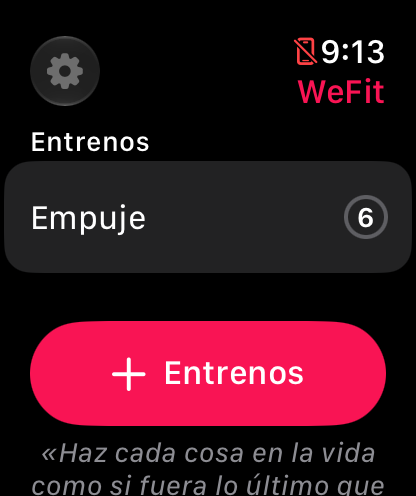
Siri starts the workout you have in Hoy (Today).
With the Action button (Apple Watch Ultra)
On the watch, open Settings → Action Button.
Under Action, choose Shortcut and select WeFit Go’s Iniciar entrenamiento action. If it doesn’t appear, first create a shortcut in the Shortcuts app on the iPhone that contains that action.
From now on, one press of the Action button opens WeFit Go and starts the workout.
Common problems
Siri says it can’t find the action
Open WeFit Go at least once after installing it, so watchOS registers its actions, and check that you’re signed in.
I don’t have an Apple Watch Ultra
The Action button only exists on Ultra models. On other watches you can use Siri or a watch face complication that opens WeFit Go.
I want a specific workout to start
The action starts the day’s pending workout. If you have several, open WeFit Go and choose the one you want: Add and schedule workouts from the watch.
How did this guide go for you?
Thanks for your feedback