
WeFit Go and Apple Health
What WeFit Go saves to the Health app, what it reads from it, how permissions are granted and why the stopwatch keeps running with your wrist down.
WeFit Go relies on the watch’s Health app for every workout. Thanks to that, the player tracks time, kilocalories and heart rate, and your strength workouts appear alongside the rest of your activity in Health.
What it writes and what it reads
- Writes your workouts to Health, with the explanation shown in the dialog itself: “WeFit Go guarda tus entrenamientos en la app Salud para que tengan continuidad con el resto de tu actividad” (WeFit Go saves your workouts in the Health app so they stay continuous with the rest of your activity).
- Reads your heart rate and your activity “para acompañarte durante tus entrenamientos” (to support you during your workouts), as the read dialog states.
Steps
The first time you open WeFit Go, the “Acceso a la app Salud” (Health app access) dialog appears. Tap Revisar (Review) to see the permissions.
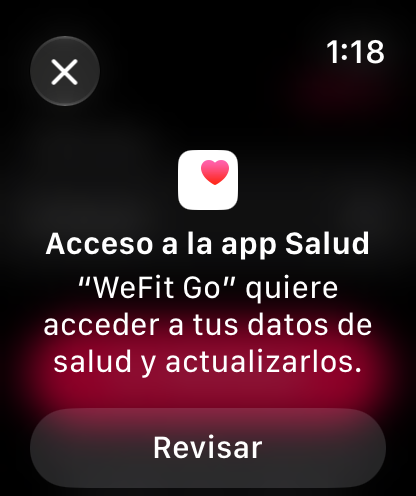
The system dialog, when you first open the app. Under Acceso de escritura (Write access), turn on the main switch so WeFit Go can record your workouts.
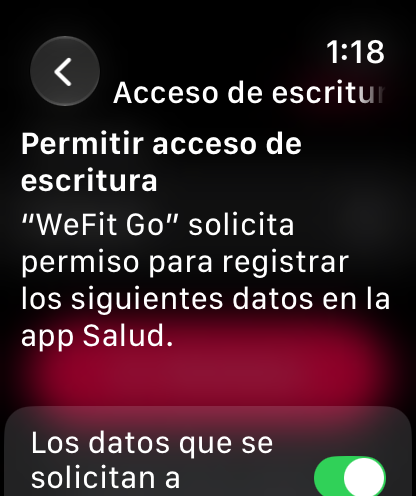
Write: the workouts you record. At the bottom of that page is the app’s explanation and the Siguiente (Next) button.
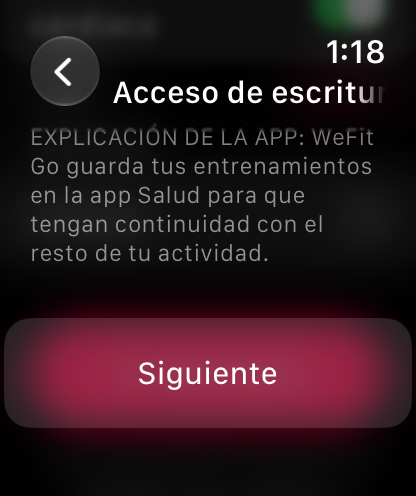
What WeFit Go saves, in its own words. Under Acceso de lectura (Read access), turn on the main switch as well. The explanation clarifies that it reads heart rate and activity. Tap OK.
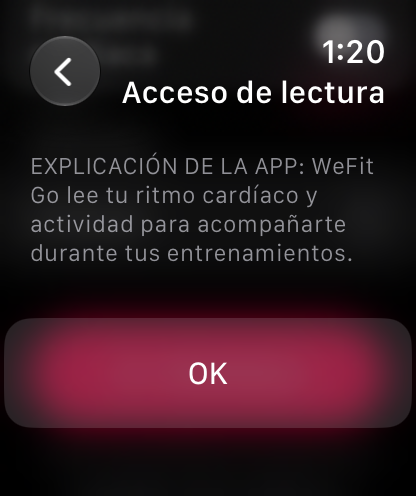
Read: heart rate and activity during the workout. You can check the status at any time in Ajustes → Salud (Settings → Health) on the watch. If it says “Conectado a salud” (Connected to Health), everything is in order.
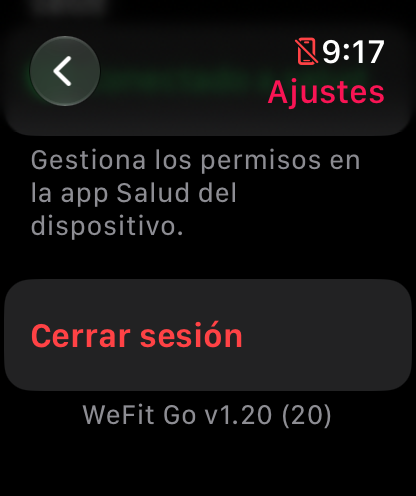
Permissions are changed in the Health app, not in WeFit Go.
Common problems
My heart rate shows ”—”
The watch takes a few seconds to take the first reading. If it never appears, check in the Health app on the iPhone that WeFit Go has permission to read heart rate.
I declined the permissions and now I want to turn them on
Open the Health app on the iPhone, go to the apps section, choose WeFit Go and turn on the data. The watch doesn’t show the dialog again on its own.
I don’t see my WeFit Go workouts in the Health app
Check that write permission is on and that you finished the workout with Completar (Complete); a discarded workout isn’t saved.
How did this guide go for you?
Thanks for your feedback